Orbit 1.5.7 — and a First Look at 1.6.0
A release for speaker rooms: change layout without leaving the main window, calibrate your speakers once and keep that calibration on every layout, save it as a Room, and test your wiring from Preferences. Time alignment now actually aligns, speaker calibration is no longer Pro-only, and you can keep a library of your own HRTF profiles. Plus a first look at the Analyser page coming in 1.6.0.
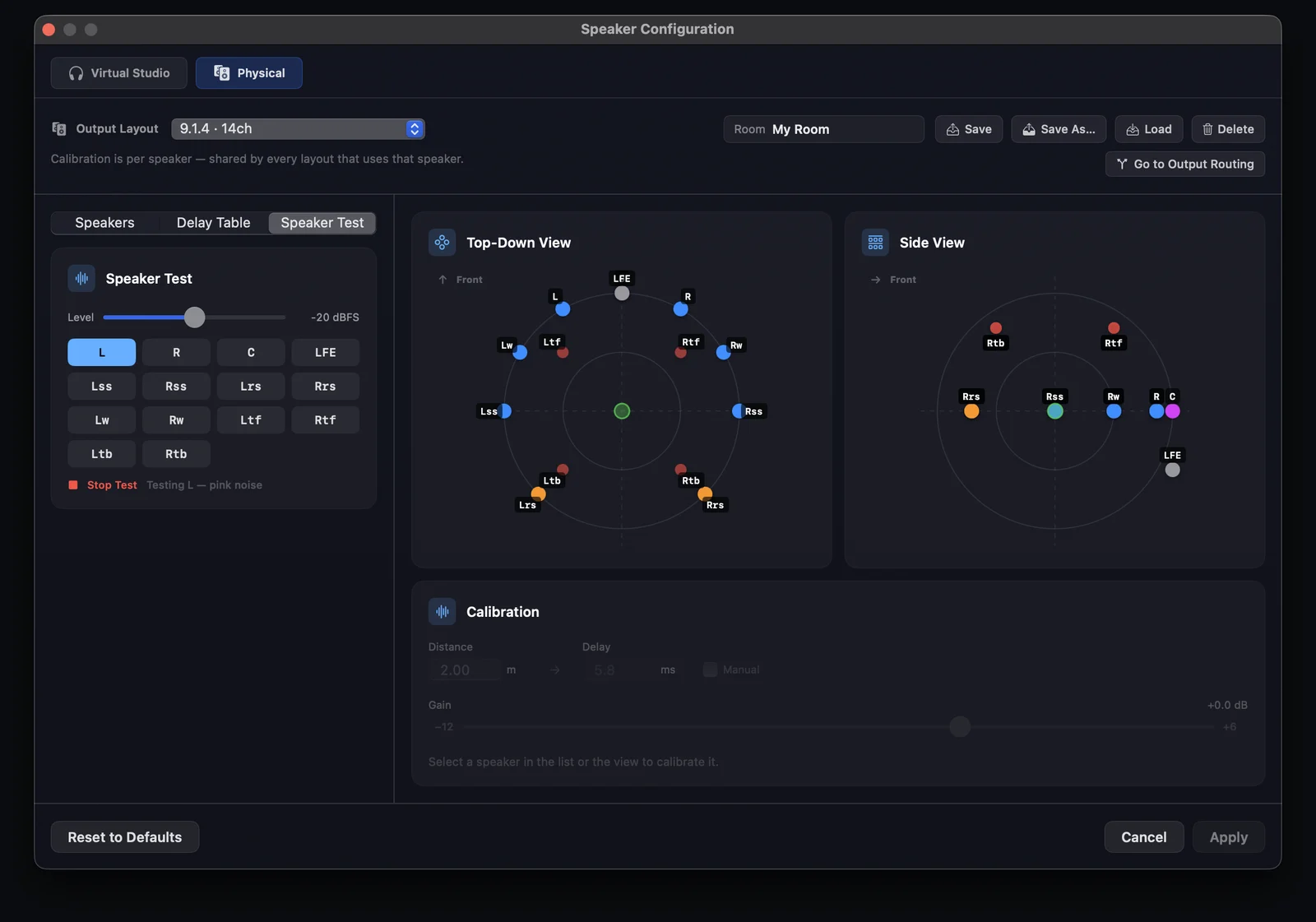
A release for speaker rooms. Change layout without leaving the main window, calibrate your speakers once and keep that calibration on every layout, save it as a Room, test your wiring from Preferences — and keep a library of your own HRTF profiles.
No engine changes — this build runs the same OrbitCore as 1.5.6.
Change speaker layout from the sidebar
In the Monitoring tab with Multichannel selected, Spatial Options shows your speaker layout as a menu, custom .osls layouts included.
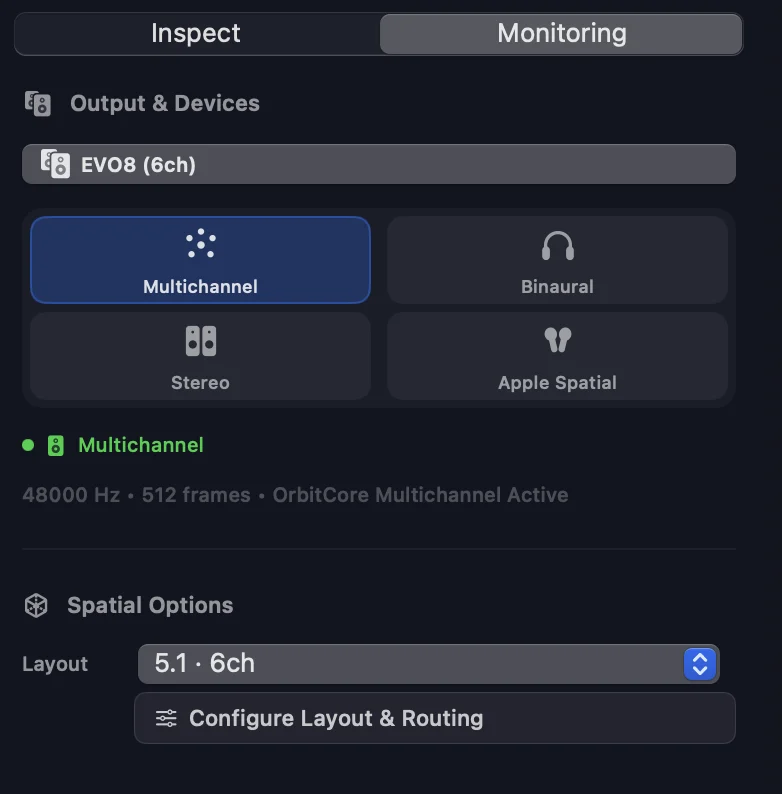
If your interface can’t carry the layout, Orbit now says so instead of quietly monitoring a narrower one.
Speaker test, for Standard and Pro
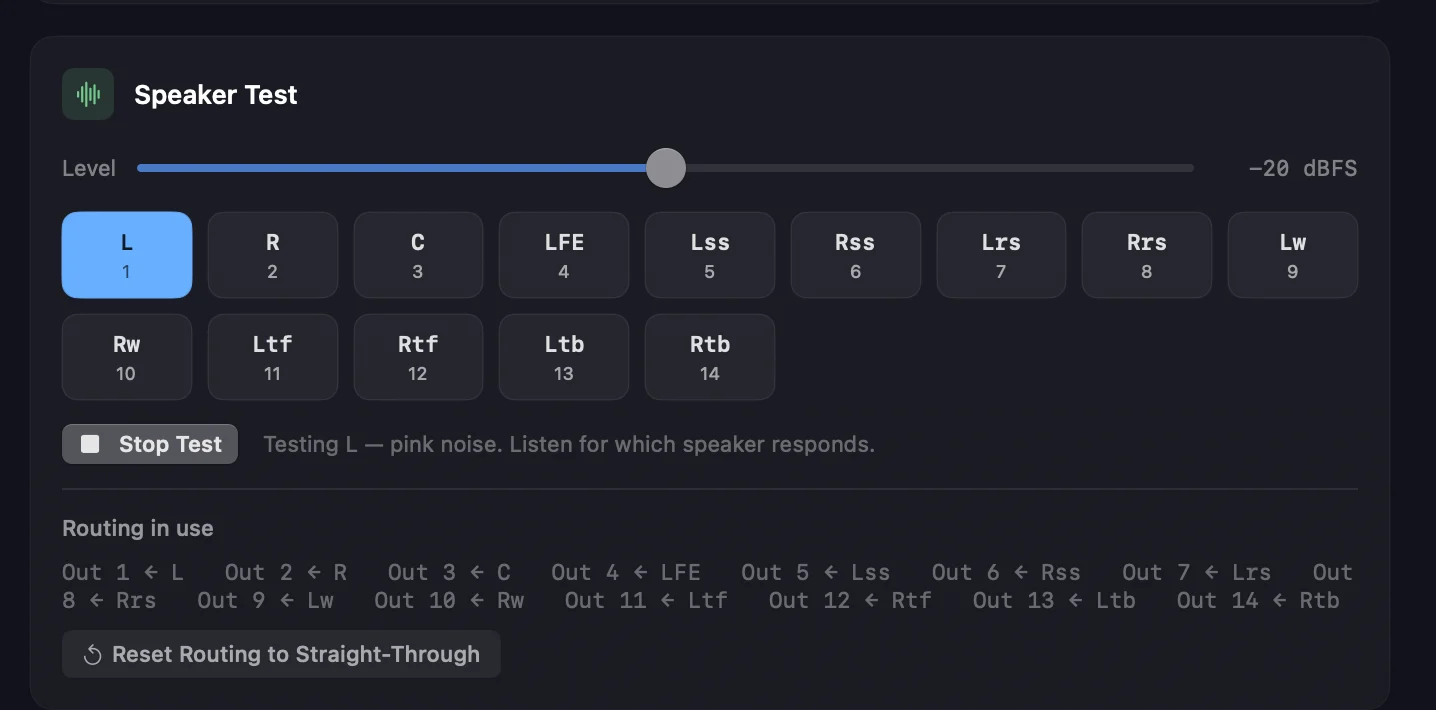
There’s a Speaker Test in two places now — in the Speaker Configuration window, pictured at the top of this post, and in Preferences ▸ Speaker Layout & Routing. Click a speaker, hear pink noise from that speaker alone at the −20 dBFS calibration reference.
The tone follows your routing, so a speaker that stays silent or answers from the wrong place is a patch or a cable, not a guess.
Routing in use lists what every output carries, and any speaker routed nowhere is called out.
Calibrate a speaker once — every layout uses it
Calibration now belongs to the room, not the layout: set your heights on 5.1.4 and they’re the same heights on 7.1.4 and 9.1.6. Existing calibrations are merged in automatically.
Time alignment now aligns. The furthest speaker is the reference at 0 ms and nearer speakers are held back to match it — Orbit used to delay each speaker by its own distance, which delayed the far speaker most. The new Delay Table does the whole layout when you press Auto-Calculate.
Rooms
Save the whole calibration as a named Room — Save, Save As…, Load, Delete, along the top of the Speaker Configuration window. Loading one applies it straight away, whatever layout you’re on.
Your own HRTF profiles
Preferences ▸ Audio & Monitoring ▸ HRTF Library — import .sofa profiles, and Orbit keeps its own copy of each file. Every profile lists its measurement points and sample rate, and can be renamed or removed; Use Built-in HRTF hands monitoring back to Orbit’s own set at any point.
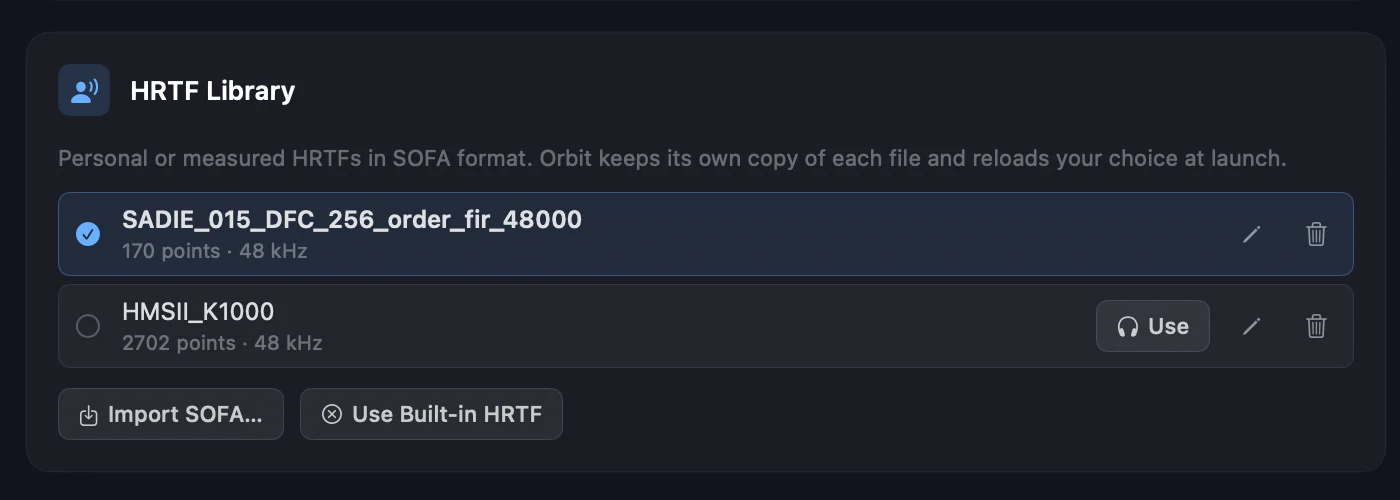
Imported profiles then appear by name in the HRTF Profile menu, grouped under Imported beneath the built-in ones — Orbit Studio, Orbit Reference, SADIE II KU100 and SADIE II KEMAR.
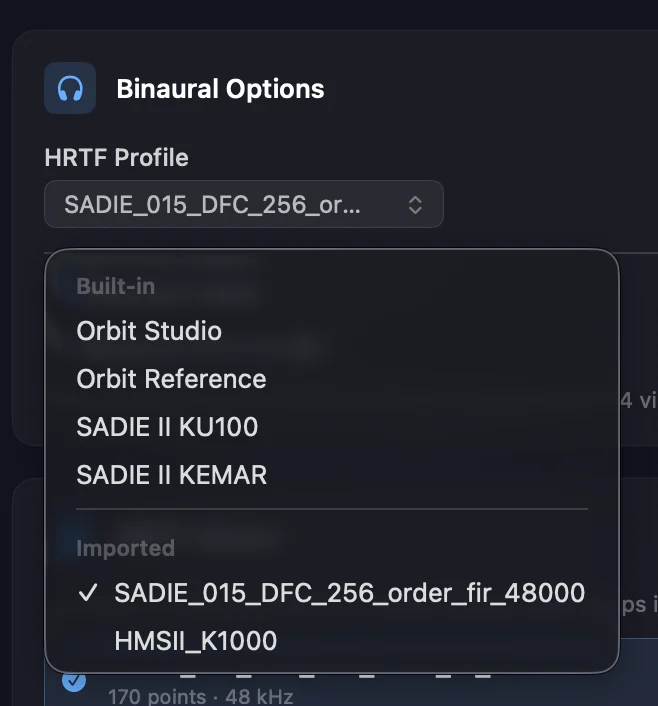
Your choice is restored at launch — previously a custom HRTF was forgotten on quit. The HRTF quality selector is gone; binaural always renders on the interpolated grid.
Standard and Pro
Speaker calibration and the speaker test are no longer Pro-only. Both tabs of Speaker Configuration — Virtual Studio and Physical — open in every edition.
The room you monitor in isn’t an upsell.
Also
- Speaker Configuration is roomier, with a Side View, steadier panels and matching Save / Load controls on both tabs.
- Fixed: Virtual Studio’s Ls and Rs speaker tests were silent, and that test followed your interface’s channel count although its speakers are virtual.
- Fixed: picking a layout in the Speaker Configuration window didn’t change it anywhere else.
- Show Object Details is now ⇧⌘D (⌥⌘D hides the Dock) and Show Object Grid… is ⇧⌘G.
Next: the 1.6.0 Beta
1.6.0 is just around the corner, and it’s a big one — a major step up across the interface, substantial improvements to the video engine, and a new set of analysis tools.
It starts with the window you’ll see first.
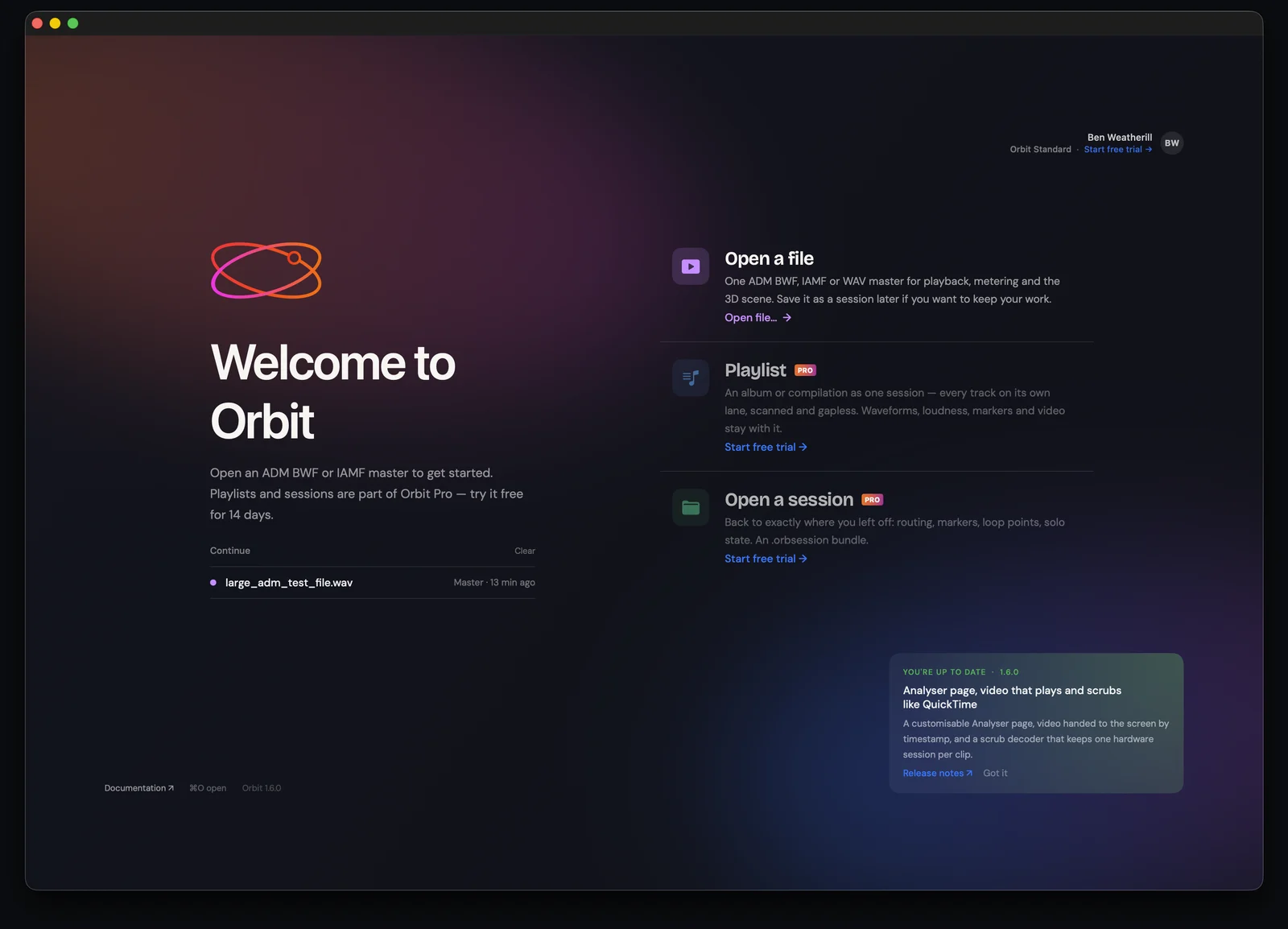
Then the Analyser — a page you lay out yourself. Drag modules onto the grid and they run live against the master: spectrum, loudness, an energy-centroid comet, spectrum-over-time topology, a goniometer, correlation, timecode and a per-channel phase matrix.
Building an Analyser layout, then running it against a 7.1.2 master. A 1.6.0 preview — none of this is in 1.5.7.
More to show you shortly.
Requires macOS 14+. Update to Orbit 1.5.7 today — Orbit will offer it to you automatically. Anything feel wrong in here? orbitspatial.io/account/feedback.
Stable build — v1.5.7.
— The Orbit Spatial Team