A virtual audio cable for macOS. Five devices, up to 128 channels, and nothing added on the way.
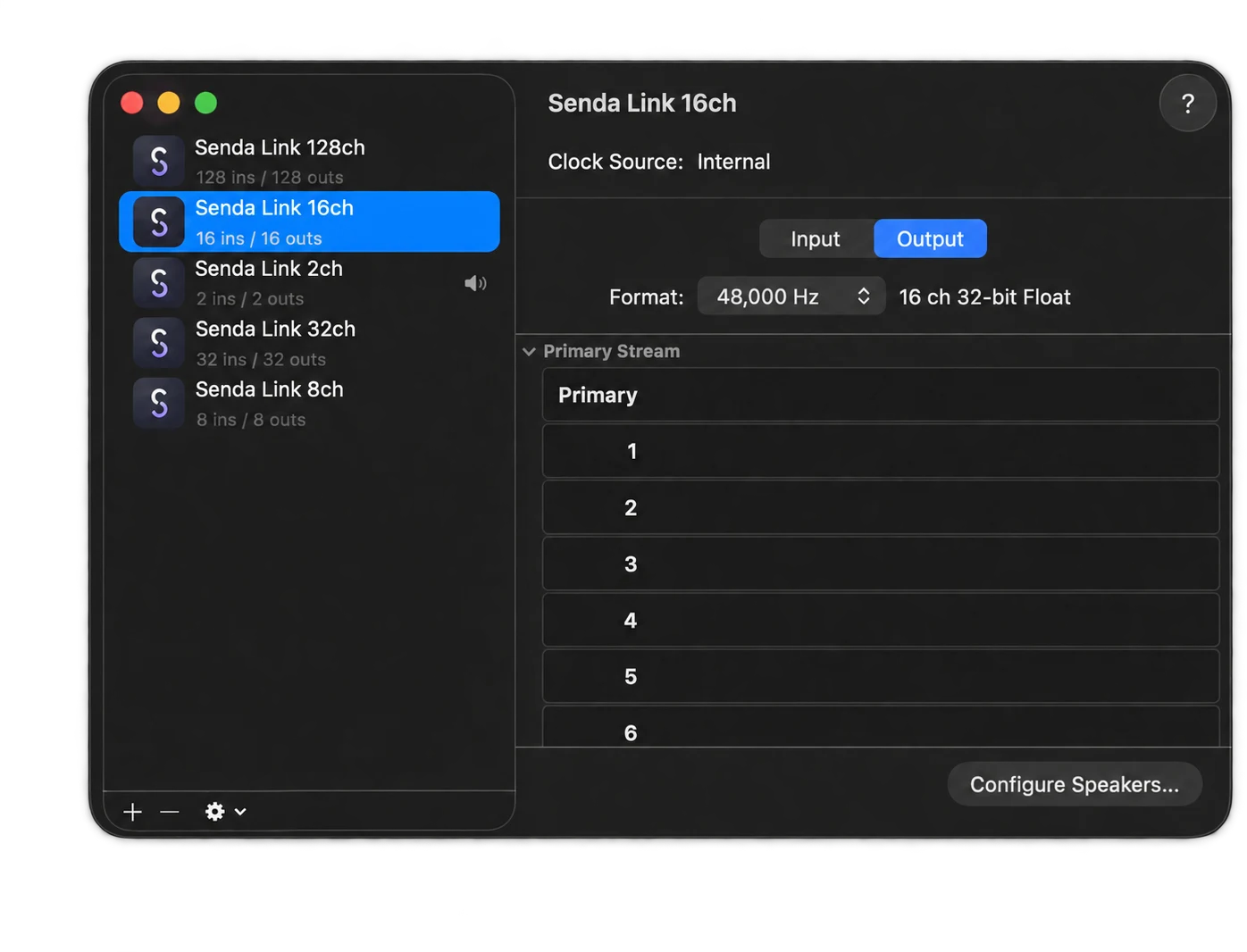
From a stereo feed to a 128-channel session. Pick the one that fits and get on with it.
Zero added latency. Clean audio. Bit-transparent.
What goes in is what comes out — which is what you want whether you are routing a mix or measuring one.
No licence key, no account, no activation. It contains no networking code at all, so there is nothing for it to phone home about.
No licence key, no activation, no sign-in. Download it and it works.
No networking code, no analytics, no licence check. Nothing is read, stored or sent.
Apache 2.0. Read the whole driver — and there is not much to read: written in Rust with zero third-party crates, so nothing else ships inside it.
The real-time path never allocates, locks or panics — a fault here would take audio down for the whole machine.
macOS 13.0 (Ventura) or later. Apple Silicon only — there is no Intel build and no universal binary.
Five virtual devices: 2, 8, 16, 32 and 128 channels. Each carries 44.1, 48, 88.2, 96, 176.4 and 192 kHz at 32-bit float.
Installs to /Library/Audio/Plug-Ins/HAL. Installing — or removing — restarts Core Audio, which briefly interrupts audio in every application. The installer tells you before it does it.
Free for personal and commercial use. No licence key, no account, no activation, and no internet connection is ever required.
Any application that uses Core Audio sees the devices, so Logic, Pro Tools, Ableton, Reaper and the rest treat them as ordinary inputs and outputs. There is nothing to configure in the DAW itself.
Briefly, yes — installing and removing both restart Core Audio, which cuts audio in every application on the machine for a moment. The installer warns you before it does it.
Run the installer again and choose Uninstall. It removes the driver and restarts Core Audio for you. There is no separate uninstaller to keep track of.
No. This build is Apple Silicon only — there is no Intel version and no universal binary. If you are on an Intel Mac, this is not the cable for you.
Yes. No licence key, no account, no activation, no trial that expires. Free for personal and commercial use, under Apache 2.0.
Every sample comes out exactly as it went in — nothing is resampled, dithered, clamped or gained anywhere on the path. For routing audio between apps it rarely matters. For measurement work it is the whole point.
Free, signed and notarised. macOS 13 and Apple Silicon.
github.com/South-Loop-Studios/senda-link · Apache 2.0 · 5.5 MB
Occasional notes on Senda Link and the rest of the Orbit Spatial tools. No spam — unsubscribe anytime.