Mac · iPad · iPhone · One licence

The quickest way to check a master.

Open an ADM BWF or an IAMF file and hear it properly — through your rig, your headphones, or an iPhone on the train. The same app on every one — one licence for all of them, or £14.99 for iPhone and iPad alone.

macOS — 1.3 out now iPhone & iPad — out now Windows — TBC
ADM BWFEBU ADMIAMFEclipsa Audio™OSLS
Mac, iPad and iPhone

Three devices, the same app, the same playback, the same sound. From the studio to on the go.

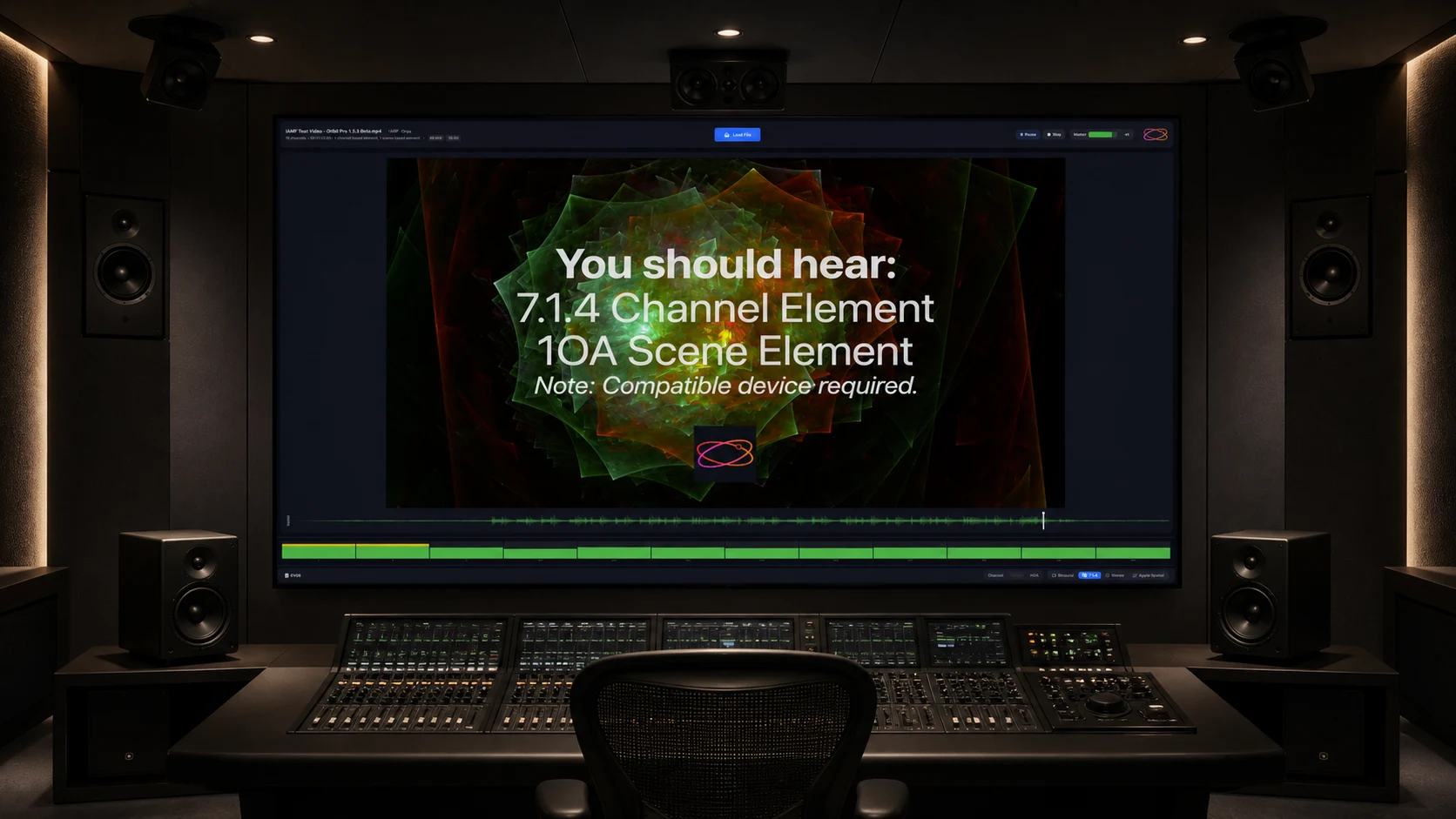
Orbit Lite on macOS on a large studio screen, playing an IAMF file out to a 7.1.4 rig
macOS 14+ · Apple Silicon · Intel in beta
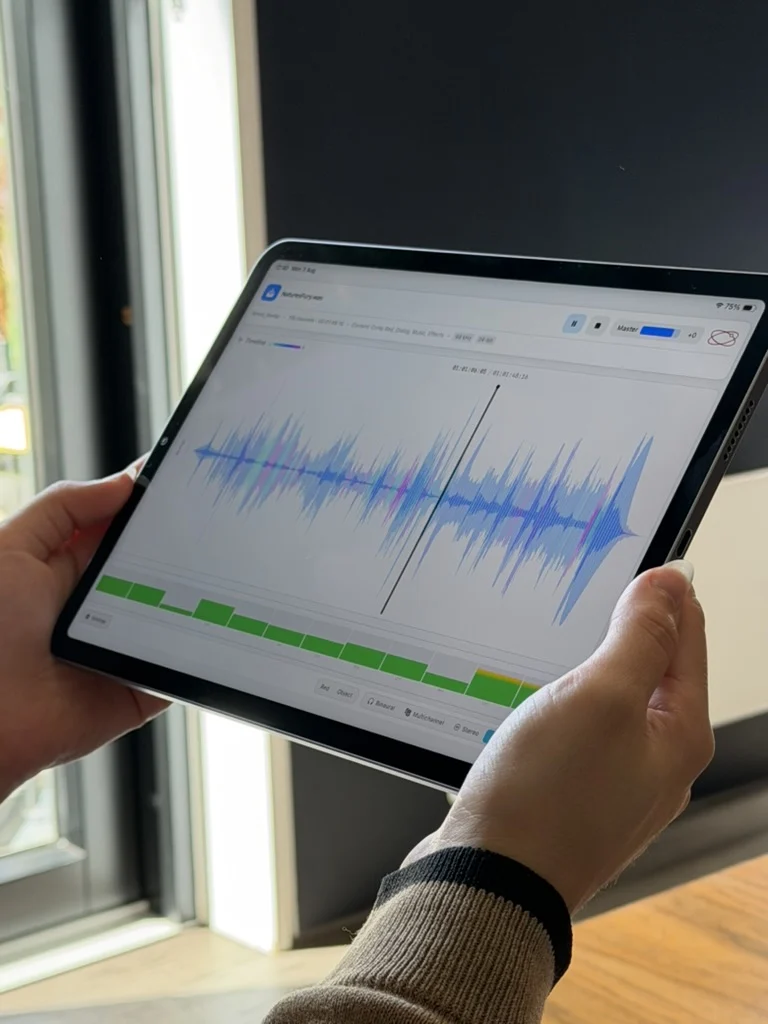
Orbit Lite on iPad, held in both hands by a window, showing a spatial waveform and channel meters
iPadOS 17+ · landscape
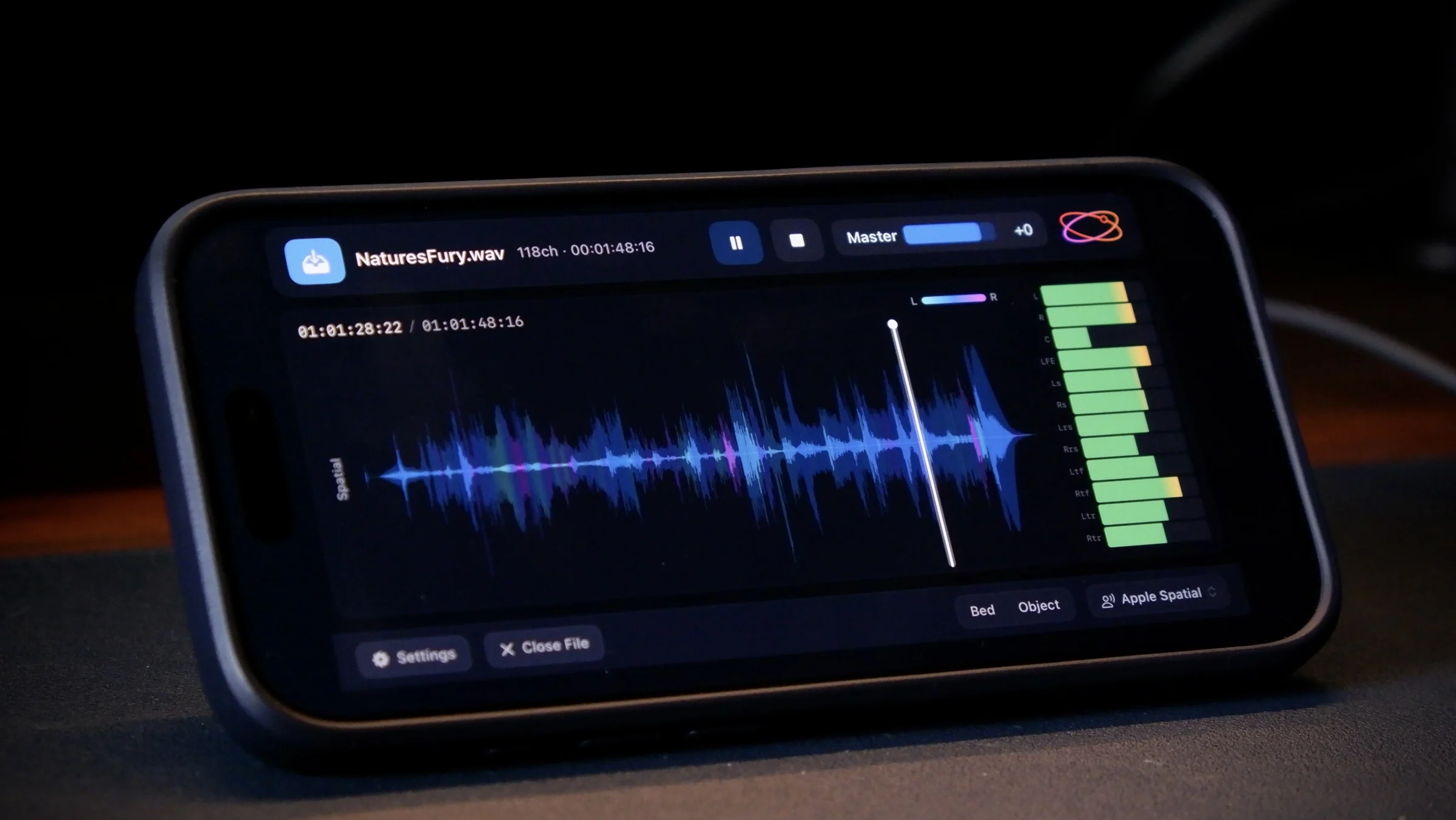
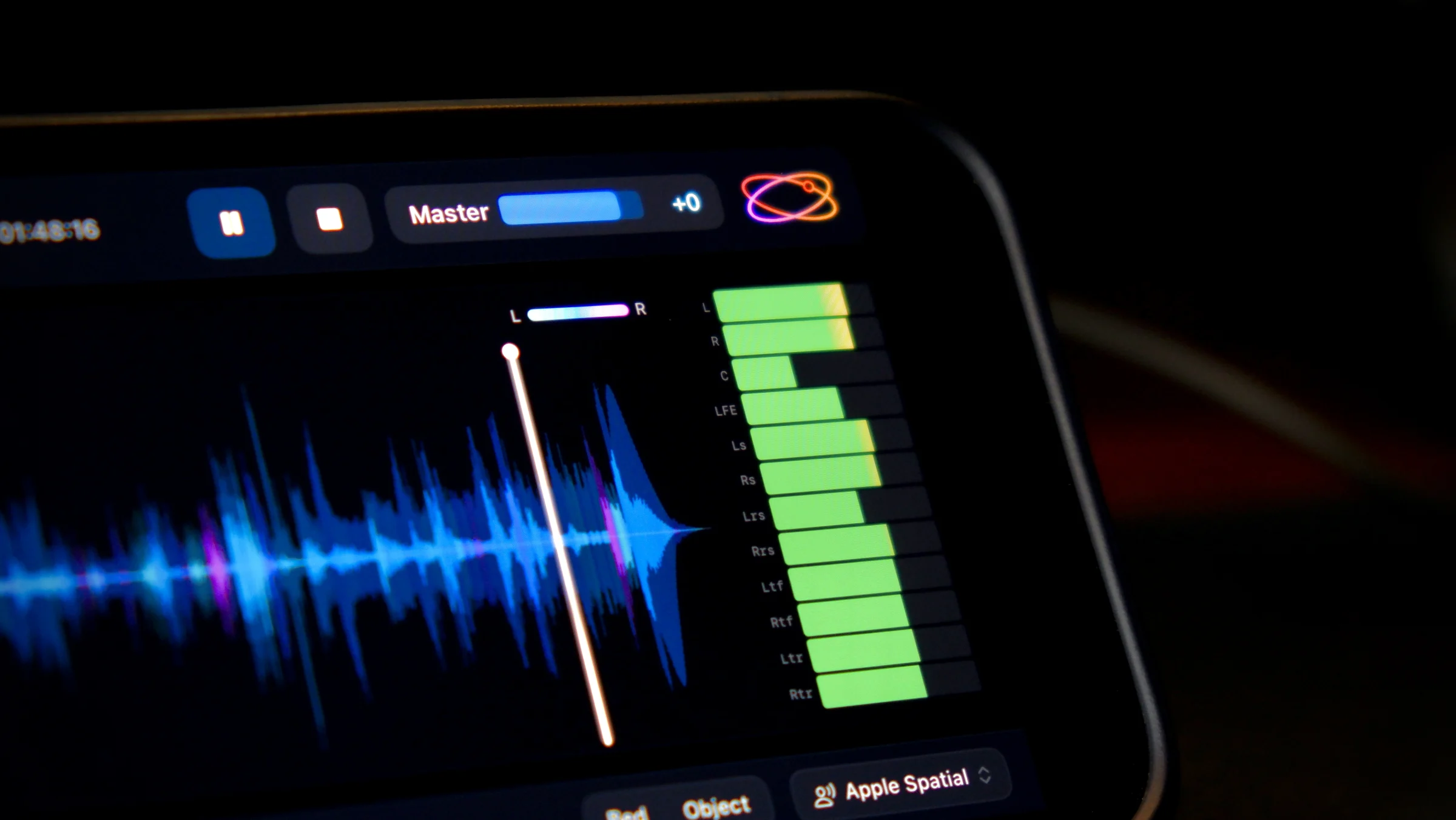
Orbit Lite on iPhone, resting on a desk, showing a spatial waveform and channel meters
iOS 17+ · landscape
Download on the App Store

Free to download on iPhone and iPad. Sign in with your Orbit Lite licence, start the 14-day trial in the app, or buy Orbit Lite for iOS in the app — £14.99 at launch.

Inside Orbit Lite

Everything you need to review a master.

Not a mixing tool, and not trying to be. It opens the file, shows you what is in it, and plays it back exactly as it is.

New in 1.3 · A/B

The immersive mix against the stereo master

Hear whether both versions tell the same story — without swapping files.

Add the stereo master beside your ADM and Lite lines the two up, so you can flip between them mid-playback. Compare checks the length, sample rate and channel count before you listen.

Immersive ⇄ stereoTime-matchedWAV · AAC · MP3
Upgraded in 1.3 · Your workspace

Light, dark, and your colours

Set it up for the room you are in — a bright edit suite or a dark dub stage.

A new header puts both masters side by side, and a new footer keeps every control in one row. Light or dark as before, your colours on the waveform and each lane of the 7.1.4 view, and a switch between the spatial overview and every channel.

New header & footerLight & darkWaveform colours
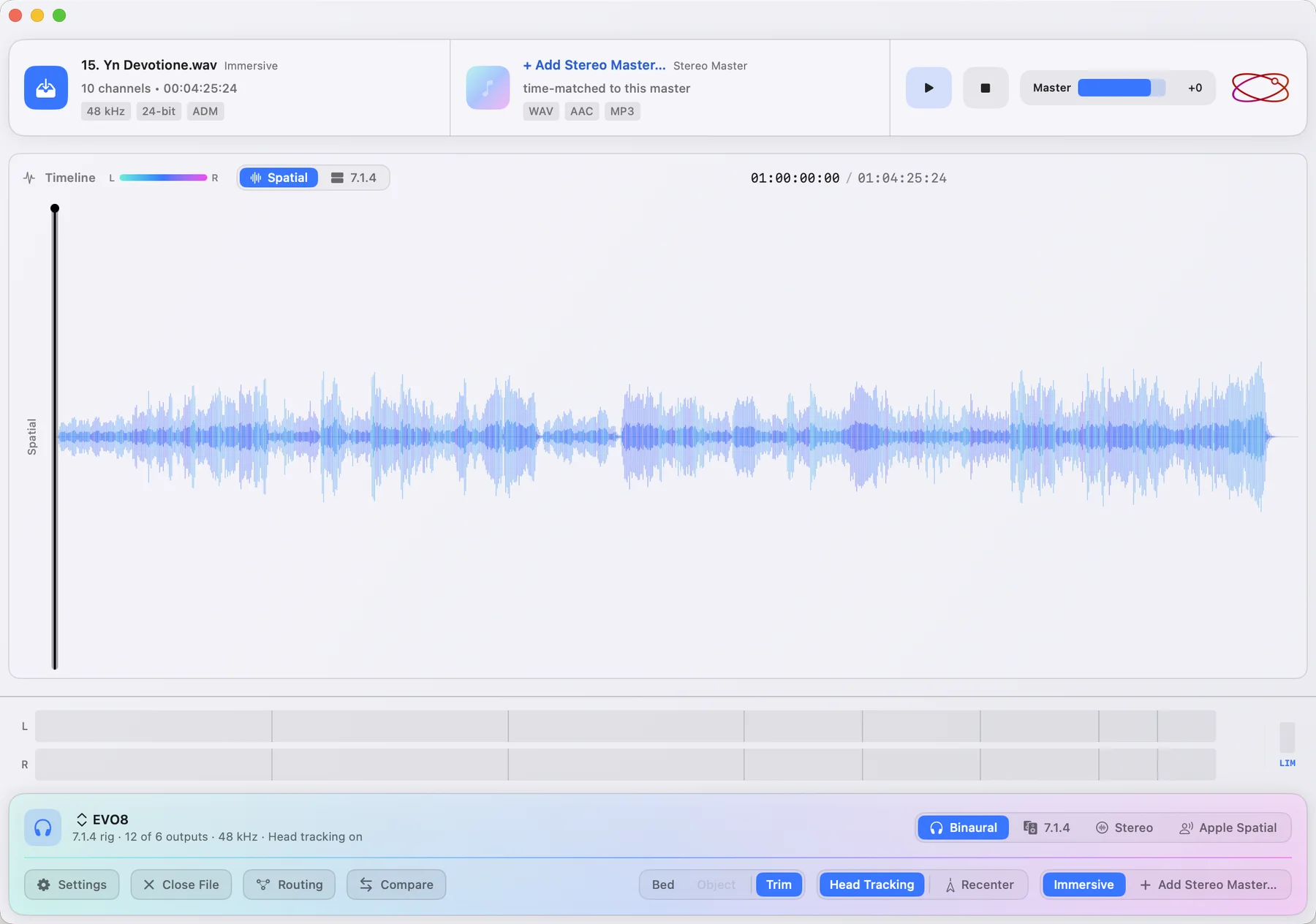
Orbit Lite 1.3 in light mode, showing a spatial waveform
Light
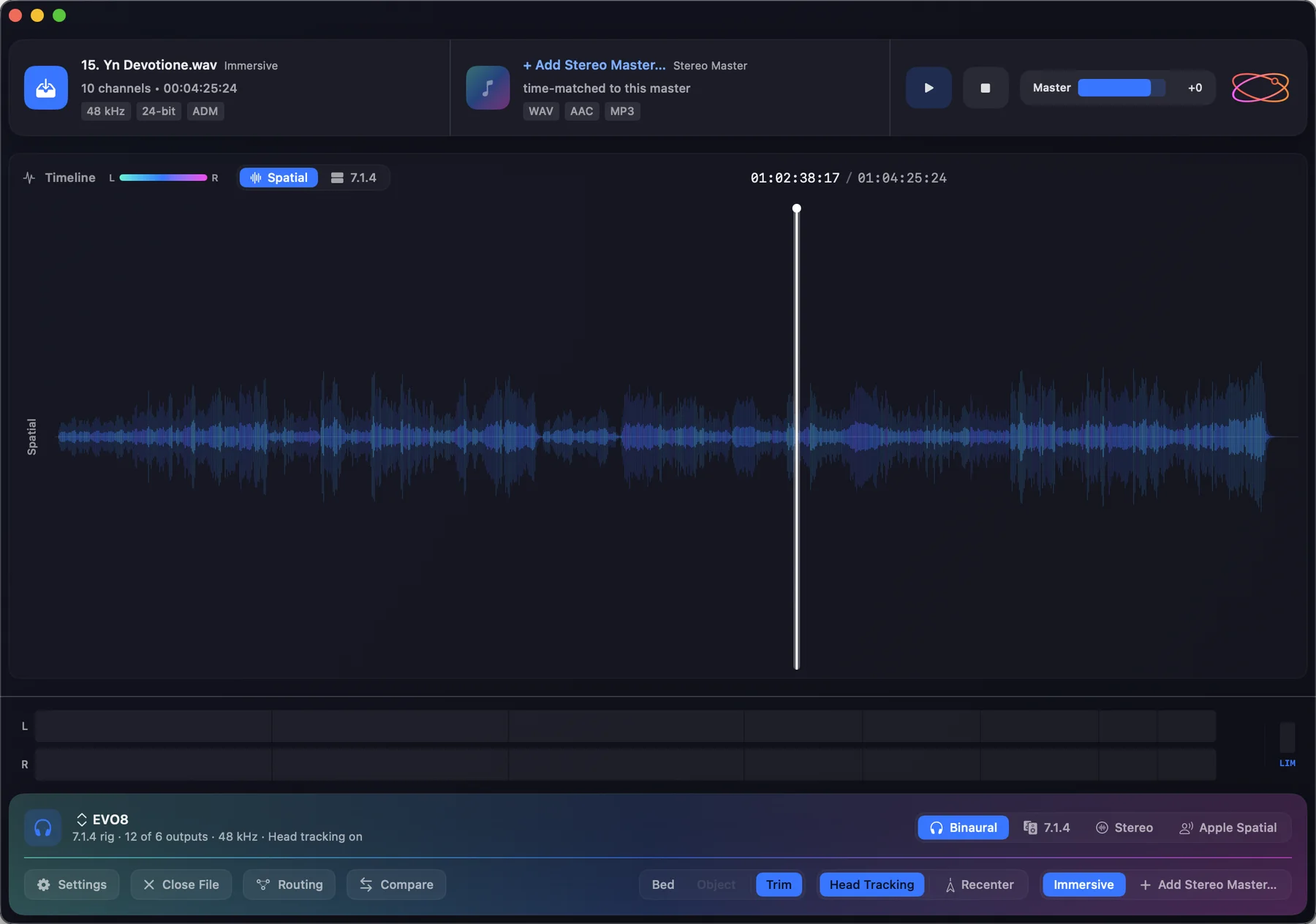
Orbit Lite 1.3 in dark mode, showing the same spatial waveform
Dark
Metering

Every channel, at a glance

See a problem before you have to go hunting for it.

A meter bridge that grows with your layout — presets or your own custom rigs, up to 24 channels — in whatever colours you want to look at all day.

Up to 24 channelsCustom layoutsYour colours
Orbit Lite 1.3 meter bridge showing all twelve channels of a 7.1.4 layout, playing out to a 16-channel device with the 7.1.4 output selected
The same meter bridge following a custom 10.1.4 layout — fifteen channels including wides and a centre back, on a 16-channel device
Your own layouts too — here a custom 10.1.4 rig.
Waveforms

See where everything sits

Know what is in the heights before you press play.

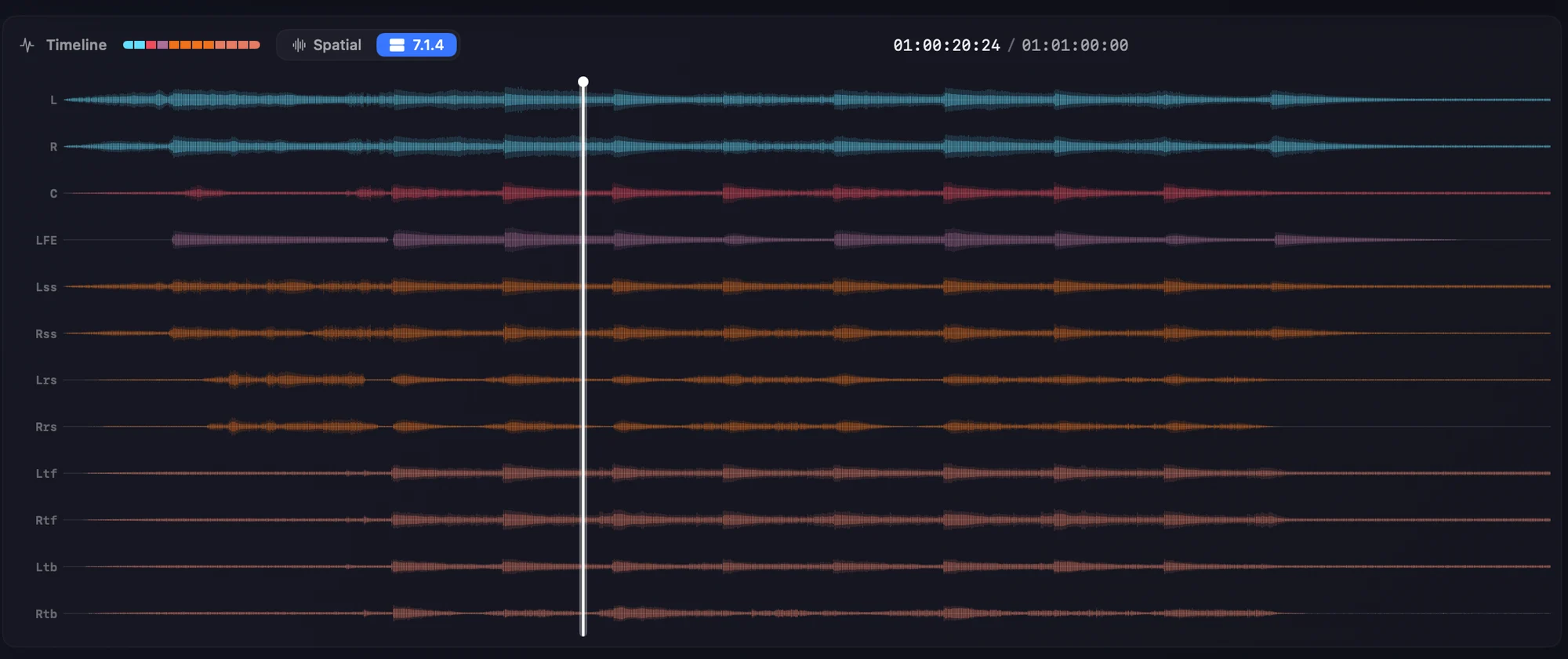
The 7.1.4 view runs the master through our own renderer and lays the fronts, sides, surrounds, heights and LFE out as their own lanes. It is a view only — monitoring out to 5.1, 9.1.6 or anything else is untouched.

7.1.4 lanesSpatial viewColour-coded
Orbit Lite 1.3 7.1.4 waveform view — twelve colour-coded lanes for L, R, C, LFE, sides, rears and the four heights
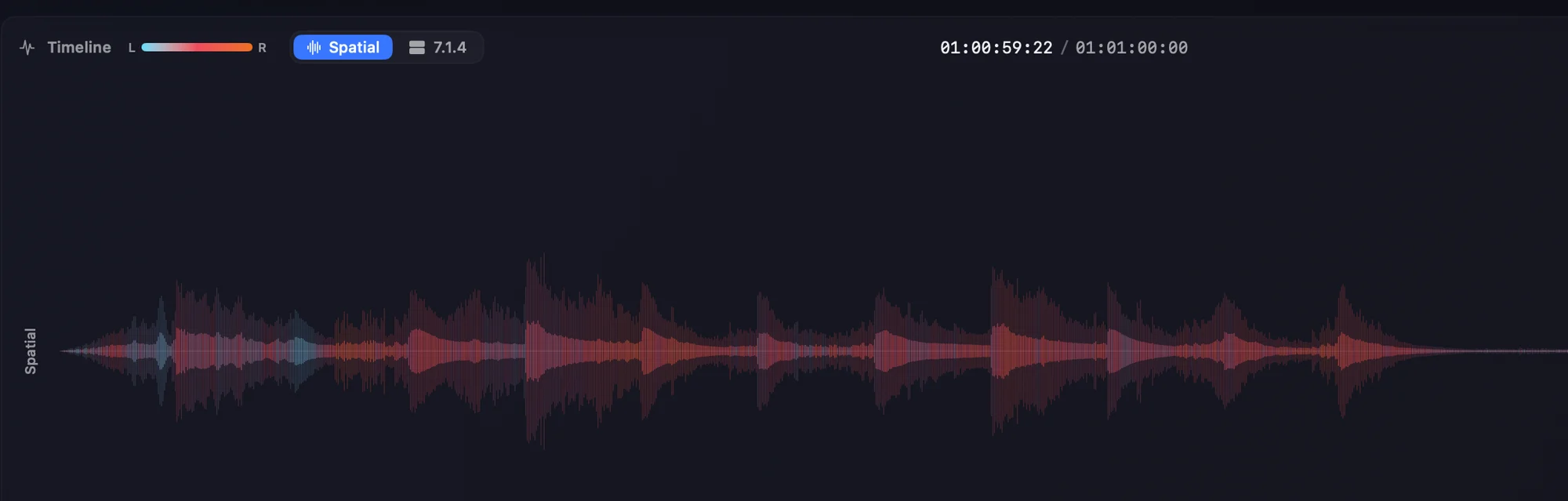
Orbit Lite 1.3 spatial waveform — a single waveform coloured from blue on the left through pink to orange on the right

Or switch to the spatial view.

One waveform, coloured by where the content sits from left to right.

ADM masters

Every version, inside one file

Check the alternates without chasing a second deliverable.

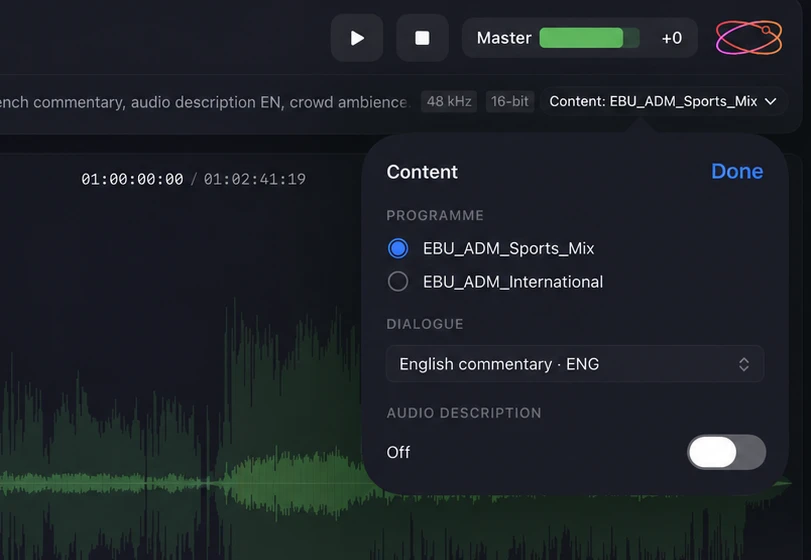
Open an ADM BWF and switch programme, language and audio description straight from the file.

ProgrammesLanguagesAudio description
Orbit Lite’s Content popover on an EBU ADM file — programme switching between Sports Mix and International, an English commentary dialogue track, and an audio description toggle

Shown in Orbit Lite 1.2.

Eclipsa Audio™ · IAMF

Hear it before YouTube does

Play the exact .iamf or .mp4 you are about to upload — locked to the cut.

Eclipsa Audio™, also known as IAMF, is supported right up to the latest draft of the specification — Simple, Base and Base-Enhanced profiles, objects included. Switch mix presentations and run picture in sync at up to 4K. Playing IAMF files, answered →

.iamf · .mp4Simple · Base · Base-EnhancedObjectsVideo in sync

Shown in Orbit Lite 1.2.

Monitoring

Four ways to listen, one render

What you hear on headphones is what the rig is doing.

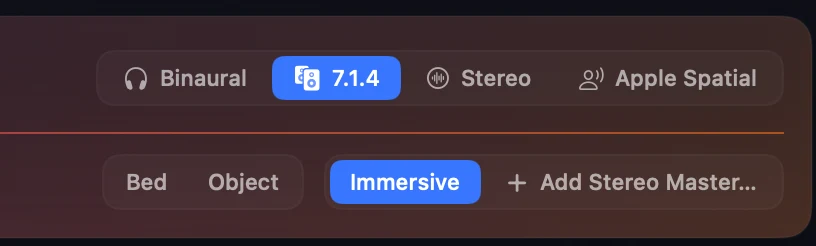
Speakers, head-tracked binaural on the Orbit Studio HRTF, Apple Spatial Audio (Apple Silicon Macs, iPhone and iPad) or a stereo fold-down — every one rendered by OrbitCore, our own immersive audio engine, from the same speaker feeds.

MultichannelOrbit Studio HRTFApple SpatialStereo
Orbit Lite 1.3 output selector — Binaural, 7.1.4, Stereo and Apple Spatial — above the Bed and Object controls and the Immersive / Add Stereo Master switch
Speaker test & routing

Test the rig, fast

Catch a swapped pair or a dead top in seconds — not halfway through a session.

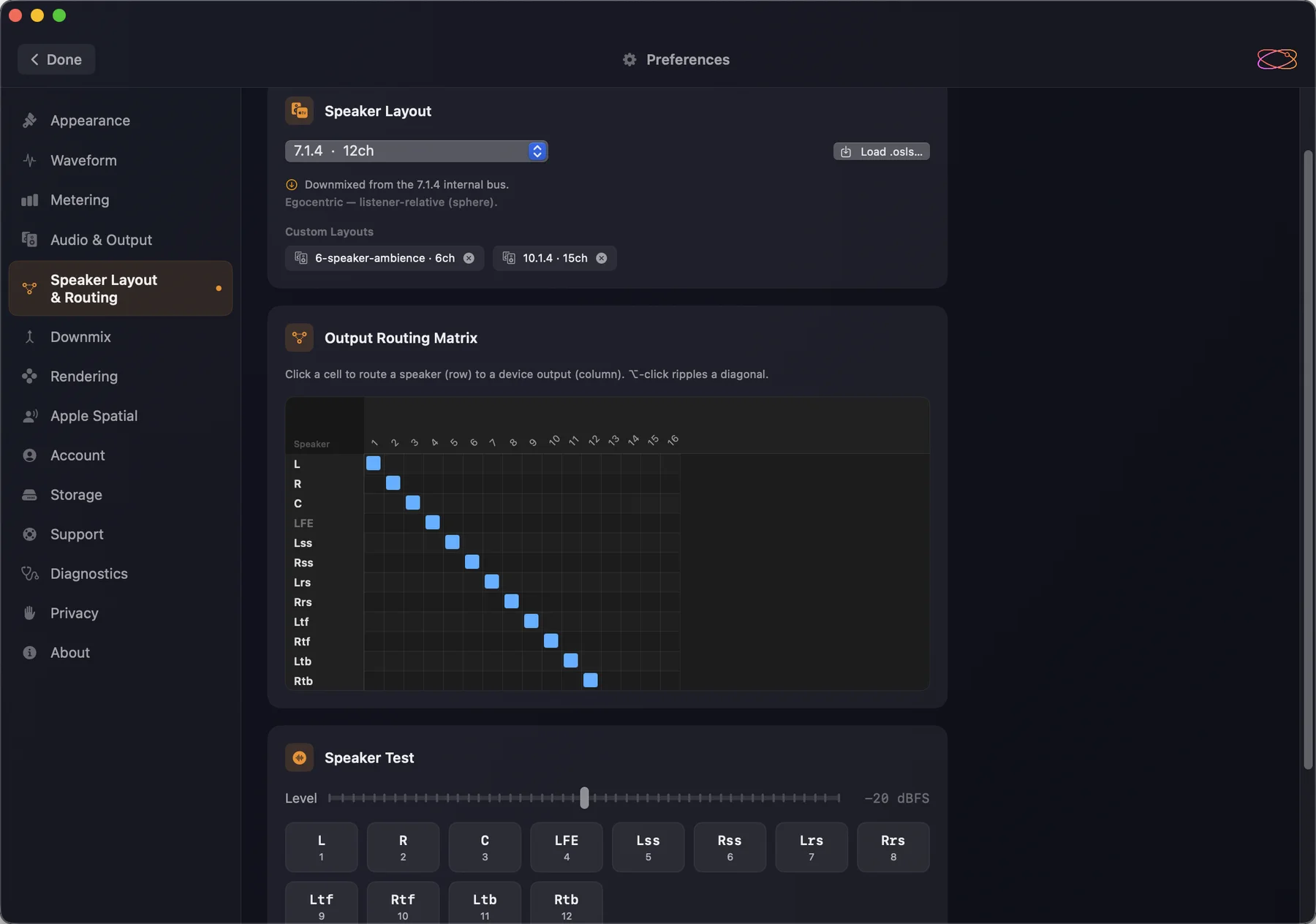
Routing and noise testing are built in: send each channel to the output it belongs on, then fire noise at one speaker at a time and listen for which one answers.

Routing matrixPer-speaker testAny interface
Orbit Lite 1.3 speaker layout and routing settings — a 7.1.4 layout with two custom OSLS layouts loaded, the output routing matrix, and a speaker test button for each channel
Speaker layouts

Describe your room once

Your room, not the nearest preset.

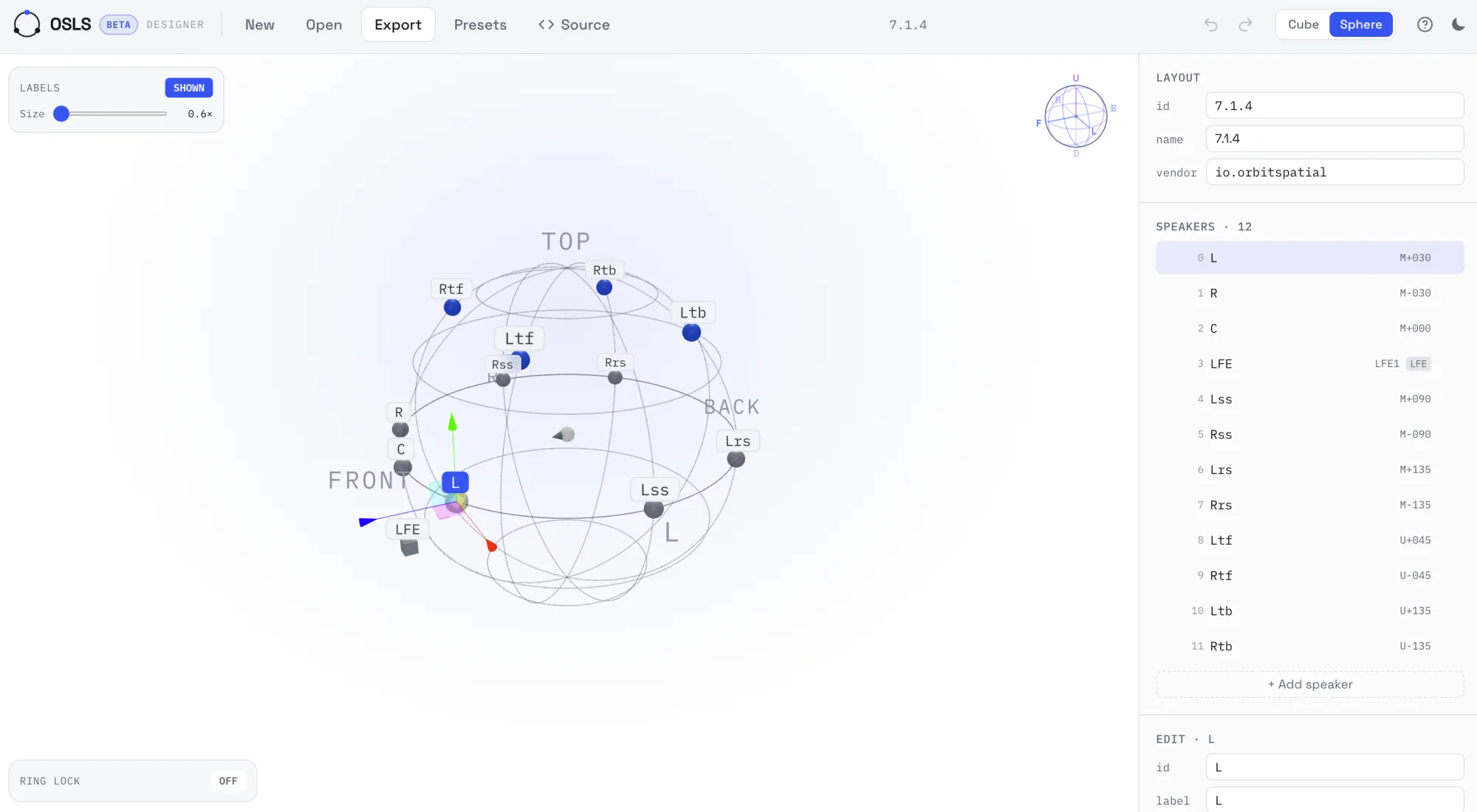
Unusual room or a custom rig? Describe any layout up to 24 channels in OSLS, our open speaker-layout format, and Orbit Lite plays to it properly instead of folding it into something close enough. osls.io →

Fully customUp to 24 channelsOpen format
The OSLS browser designer — a 7.1.4 layout on a sphere with labelled speakers and their positions listed alongside

The free OSLS designer at osls.io.

  1. 01 Design Lay your room out in the free browser designer.
  2. 02 Download Export a .osls file describing the rig.
  3. 03 Import Open it in Orbit Lite — Mac, iPad or iPhone.
  4. 04 Route Send each speaker to the right output.
  5. 05 Play Load a master and hear it on your rig.
What it opens

Bring it whatever you have.

ADM BWF
EBU broadcast ADMBeds & objectsProgramme · language · audio description
IAMF
Eclipsa Audio™Latest draft specificationSimple · Base · Base-EnhancedObjects.iamf and .mp4
Video
IAMF in MP4Locked to pictureUp to 4K
Layouts
OSLSUp to 24 channelsFully custom
Lite or Orbit

Lite plays. Orbit inspects.

Same engine, same fidelity. Lite plays the master; Orbit measures it.

Orbit adds
  • Loudness metering (BS.1770-5)
  • Object soloing & inspection
  • 3D object view
  • Activity grid
  • Custom SOFA / HRTF
  • PDF reports
  • Binaural WAV export
  • IAMF export (Pro)
Only in Lite

iPhone, iPad and Windows. Orbit is macOS only.

Max outputs

Lite 24 channels Orbit 64 channels

Need loudness metering, object inspection, PDF reports or IAMF export?

Two ways to buy

One app. Two licences.

Orbit Lite Duo is the one licence for every platform — Mac and iPhone and iPad today, Windows when it launches — and it is sold only here, not on the App Store. Orbit Lite for iOS is for iPhone and iPad only, and is sold only on the App Store, in the app.

Own Lite Duo? Sign in on your iPhone or iPad and the app uses one of your activations. There is nothing to buy in the app.

Orbit Lite Duo
Mac · Windows · iPhone · iPad
£35 inc. VAT

Only from orbitspatial.io. One-time purchase.

  • Mac, iPhone and iPad today — Windows when it launches
  • Two activations, on any mix of those devices
  • Everything Lite does, with free updates within the major version
Orbit Lite for iOS
iPhone · iPad
£14.99 launch price

Only on the App Store, in the app. One-time purchase. Free to download, 14-day trial inside.

  • Every iPhone and iPad on your Apple Account — not for Mac or Windows
  • No account and no licence key
  • Everything Lite does, with free updates within the major version
Download on the App Store
Minimum system requirements

One licence covers every platform and activates on any two devices at once, so the requirements below are listed per device. They are floors — what the device needs, not what Lite uses. Its own footprint is a small fraction of them.

Mac

macOS 14 (Sonoma) or later · Apple Silicon, or Intel in beta · 8 GB RAM · 1 GB free

From the Orbit Lite 1.3.2 beta, the Mac app is a Universal build: it runs natively on Apple Silicon and Intel. Apple Spatial Audio is available on Apple Silicon Macs and on iPhone and iPad, not on Intel Macs. The memory figure is what the Mac needs, not what Lite takes.

iPhone & iPad

iOS or iPadOS 17 or later

We advise against Low Power Mode — it throttles the processing Lite relies on for glitch-free playback. Multichannel playback through a class-compliant audio interface needs an iPhone with USB-C.

Windows

Not confirmed yet

We expect Windows 10 or later, 64-bit, and will confirm the requirements before release.

Activations

Two devices per licence, in any combination

A Mac and an iPhone, or two Macs — any mix you like, and you can move an activation whenever you change devices. Sign out on a device whenever you like and its activation frees up straight away, ready to use somewhere else.

Licence & internet
Free trial
A continuous internet connection, for as long as the trial runs.
One-time licence
Works offline. It only has to reach us once every 30 days to stay active.
Subscription
Coming soon. A constant connection — the licence refreshes every 24 hours.

Immersive masters, wherever you work.

Fourteen days, free, on Mac, iPhone and iPad. No card needed.

macOS Out now Apple Silicon · Intel in beta · macOS 14+ iPhone Out now iOS 17+ iPad Out now iPadOS 17+ · landscape Windows TBC Windows 11