Export Eclipsa Audio™ from your ADM master.
Take an ADM BWF to IAMF ready for YouTube — and hear exactly how the file will sound before you write it.
Route it, hear it, export it.
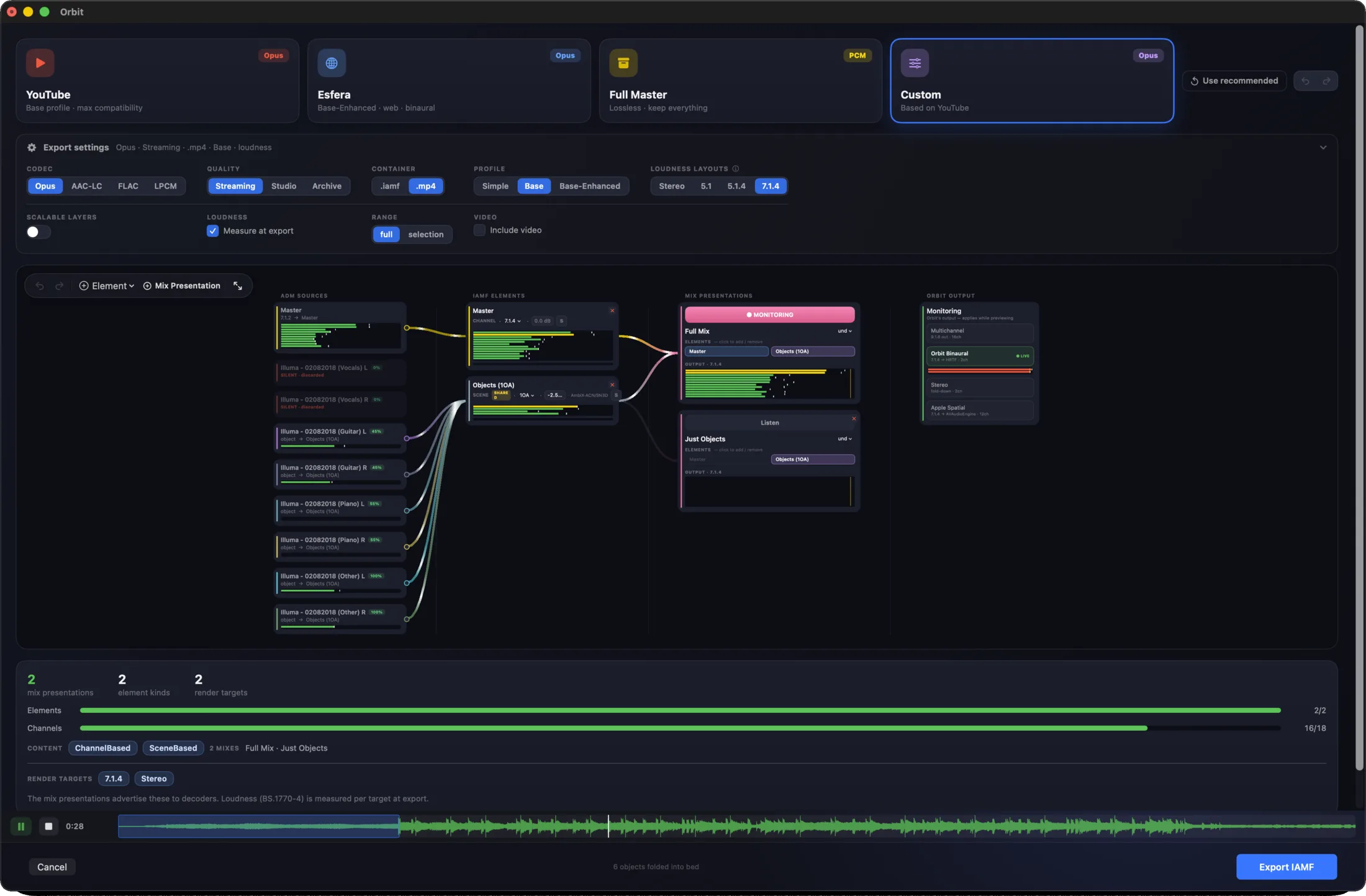
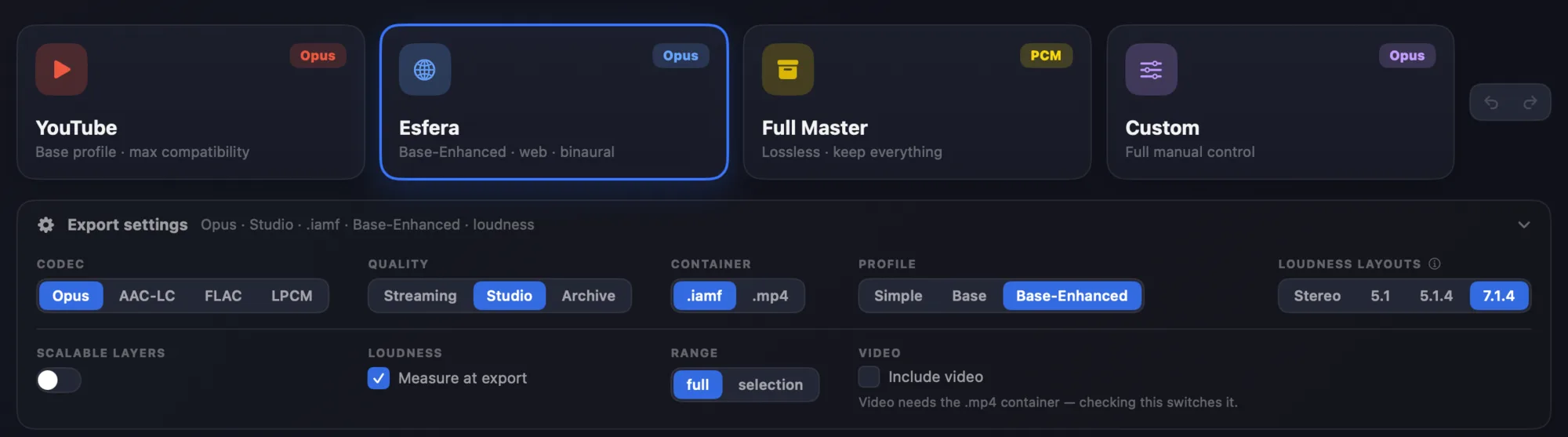
Start from a preset, or take full manual control.
- 01 Open Load your ADM BWF master in Orbit Pro.
- 02 Preset Start from YouTube, Esfera or Full Master — or route it yourself.
- 03 Listen Monitor the export live while you route it.
- 04 Export Write the IAMF, with or without picture.
ADM in. IAMF out.
One upload, every listener.
Upload the IAMF and YouTube builds the rest from it: stereo for everyone, 5.1 for living-room systems, and the immersive mix itself as Eclipsa Audio on compatible devices. We have verified Orbit Pro exports end to end.
One thing to know: for YouTube, export the IAMF on its own. A stereo compatibility track in the same file makes YouTube pick the stereo, and the immersive version never gets built.
IAMF export, answered
How do I convert an ADM BWF master to IAMF?
Open the ADM BWF in Orbit Pro, choose an export preset — YouTube, Esfera or Full Master — or route it by hand in the export graph, and export. You can monitor the result live before you write the file.
Can I upload IAMF to YouTube?
Yes. We have verified Orbit Pro exports end to end on YouTube: it accepts the IAMF, builds stereo and 5.1 versions from it, and serves the immersive mix to compatible devices as Eclipsa Audio™. For YouTube, upload the IAMF on its own, without a stereo compatibility track.
What happens to objects in an IAMF export?
They can be folded into an ambisonics scene alongside your channel-based elements — and you hear that fold as it happens, so nothing changes behind your back.
Can I export IAMF with video?
Yes, with or without picture. Orbit Pro has a built-in video editor up to 4K, or you can drag an existing video in.
Can one IAMF file hold more than one mix?
Yes — IAMF calls them mix presentations, and Orbit Pro lets you build alternate versions into a single export.
How do I check the IAMF file afterwards?
Open it in Orbit Lite or Orbit Pro and listen on your speakers or headphones, with the picture in sync. IAMF playback in Orbit Lite →
How much is Orbit Pro?
Orbit Pro is £229, a one-time purchase for Apple Silicon Macs on macOS 14 or later, with a free 14-day trial. Verified students and teachers pay £149.
Bring a master.
Orbit Pro — £229 once, for Apple Silicon Macs. Fourteen days free, no card needed.