Aro decodes Ambisonics, first to seventh order, to any speaker layout up to 9.1.6 or to Orbit Binaural on headphones — and turns Mid-Side, Double Mid-Side and A-format recordings into sound you can place. And you can see every bit of it.
Coming soon. We’re putting the finishing touches to Aro. Join the list and you’ll hear the moment it’s ready.
Choose a method — or just drop a WAV. Aro will suggest what it is; you decide.
Open a WAV and Aro will suggest what it is.
Decode a whole set of files in one go.
Build one file from the separate mono files of an Ambisonic, Mid-Side, Double Mid-Side or A-format recording.
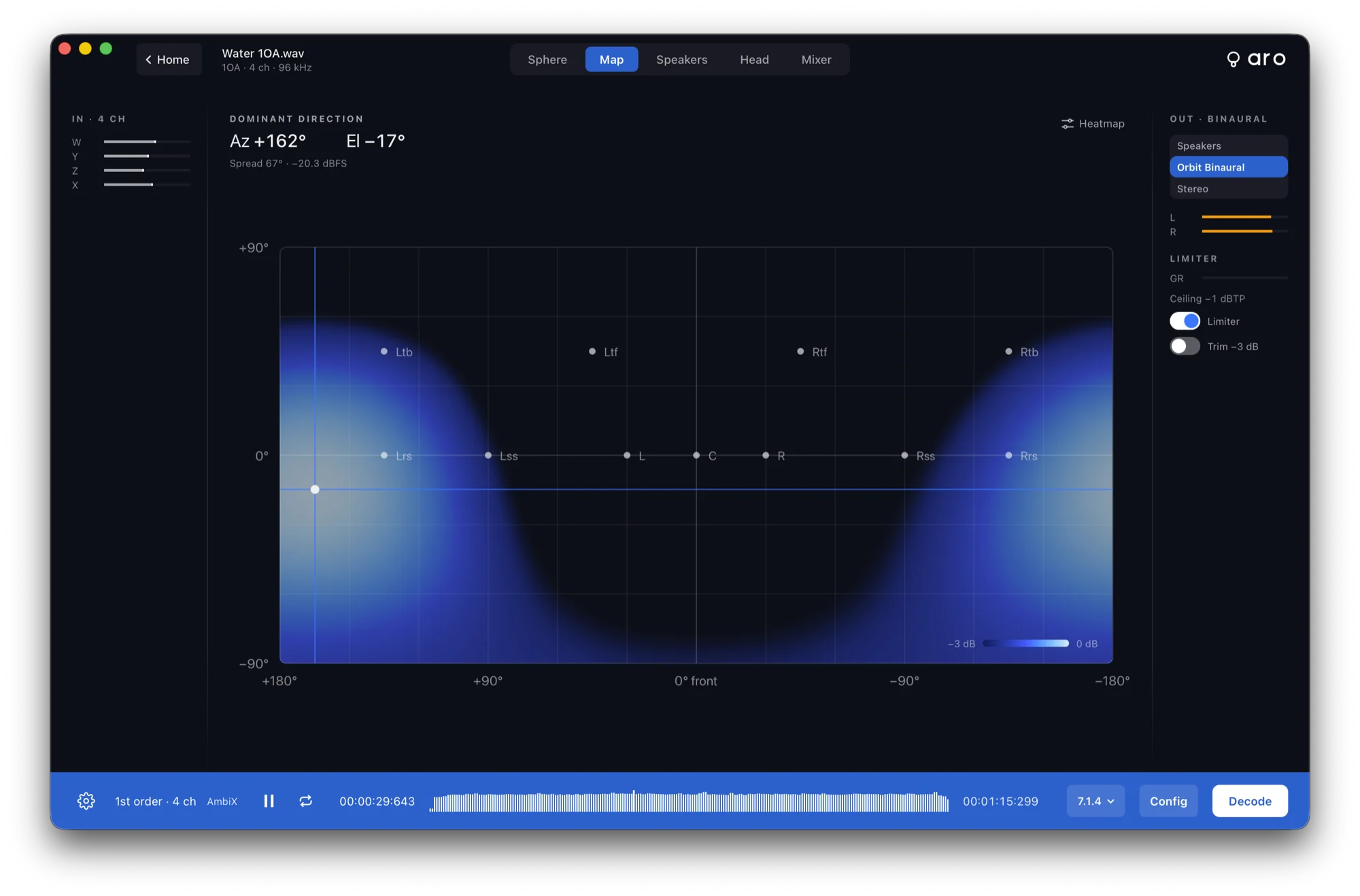
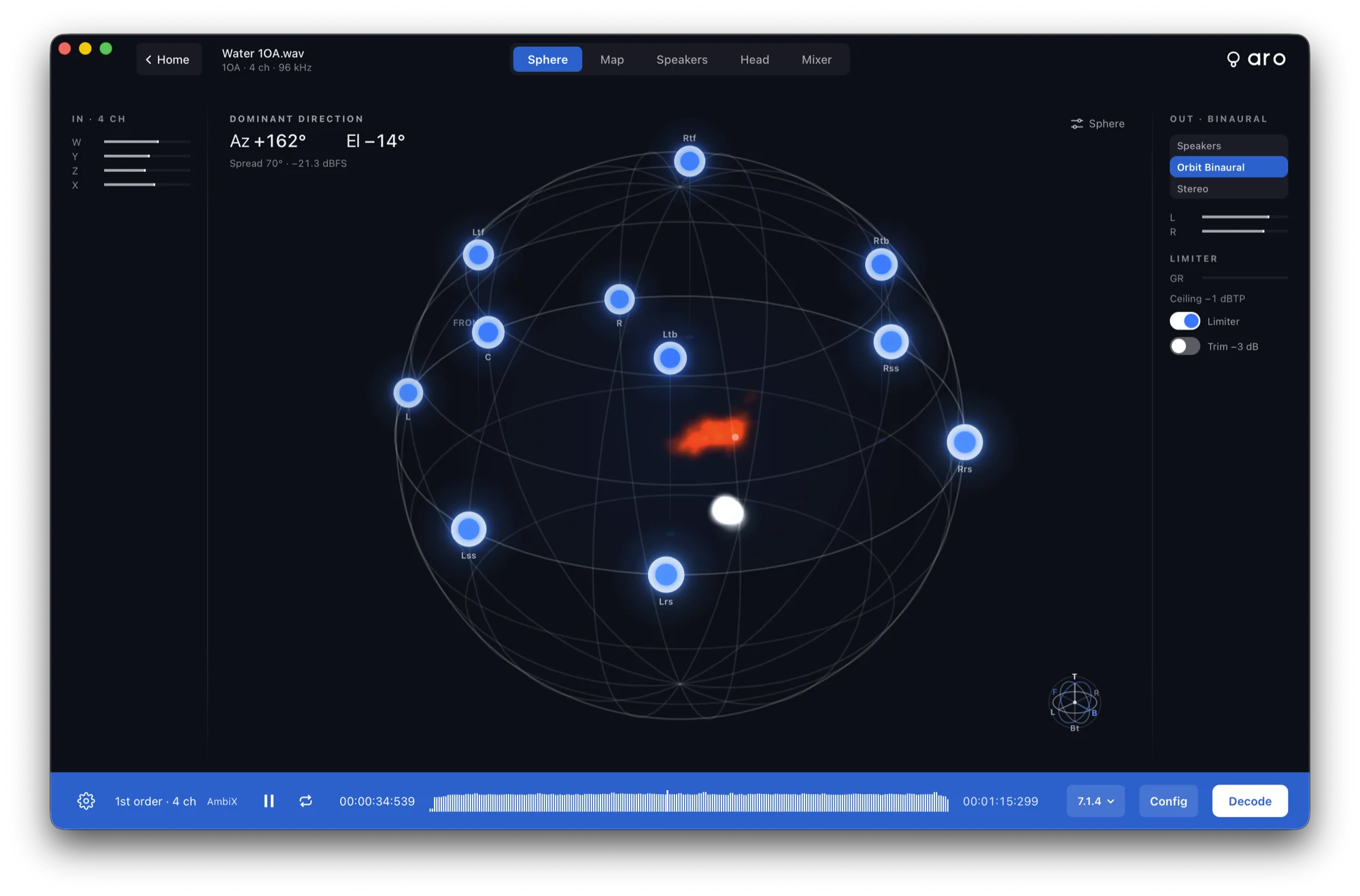
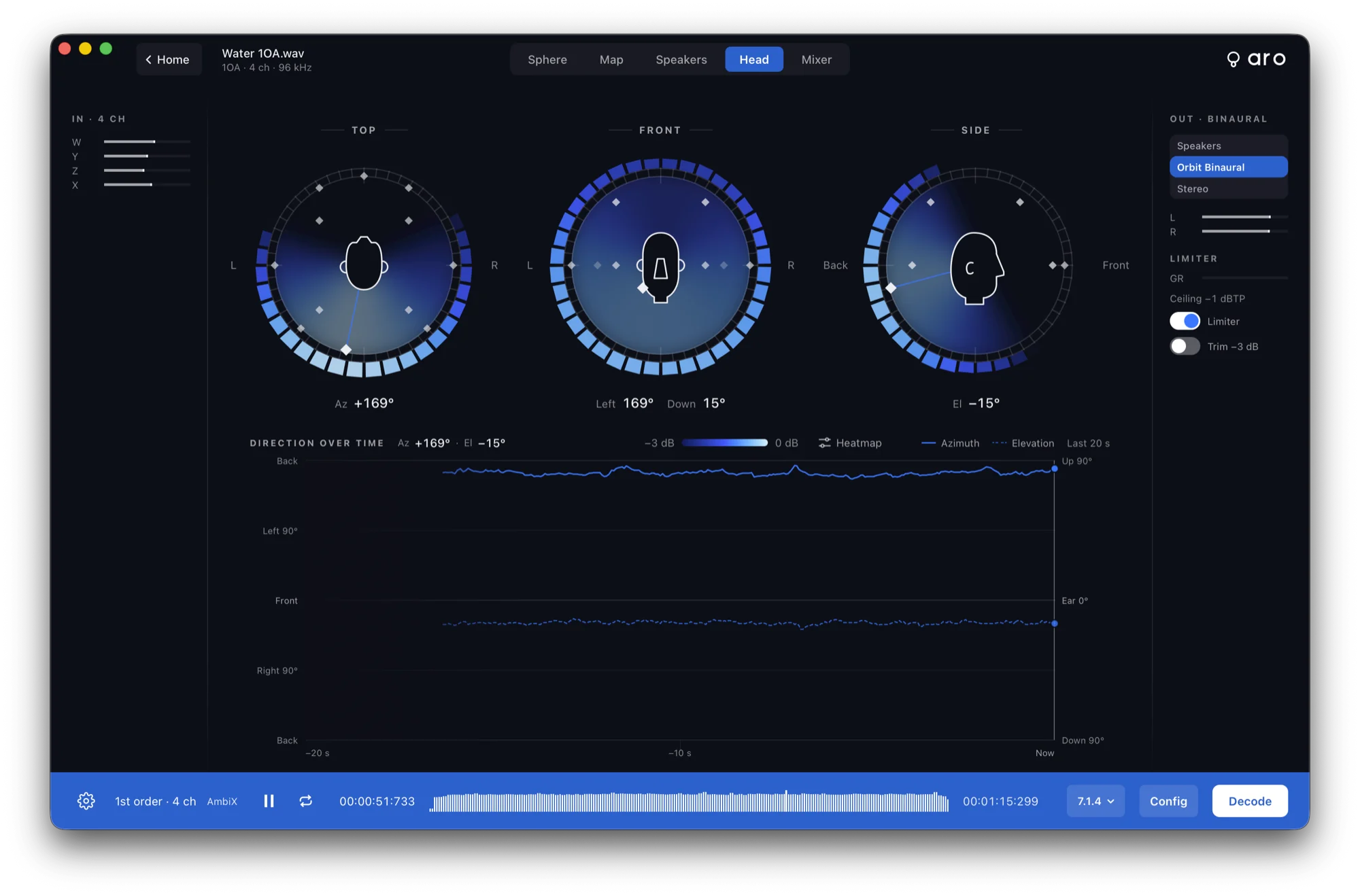
Sphere, Map, Speakers and Head follow the dominant direction as the file plays, with a heat trail of where the energy has been.
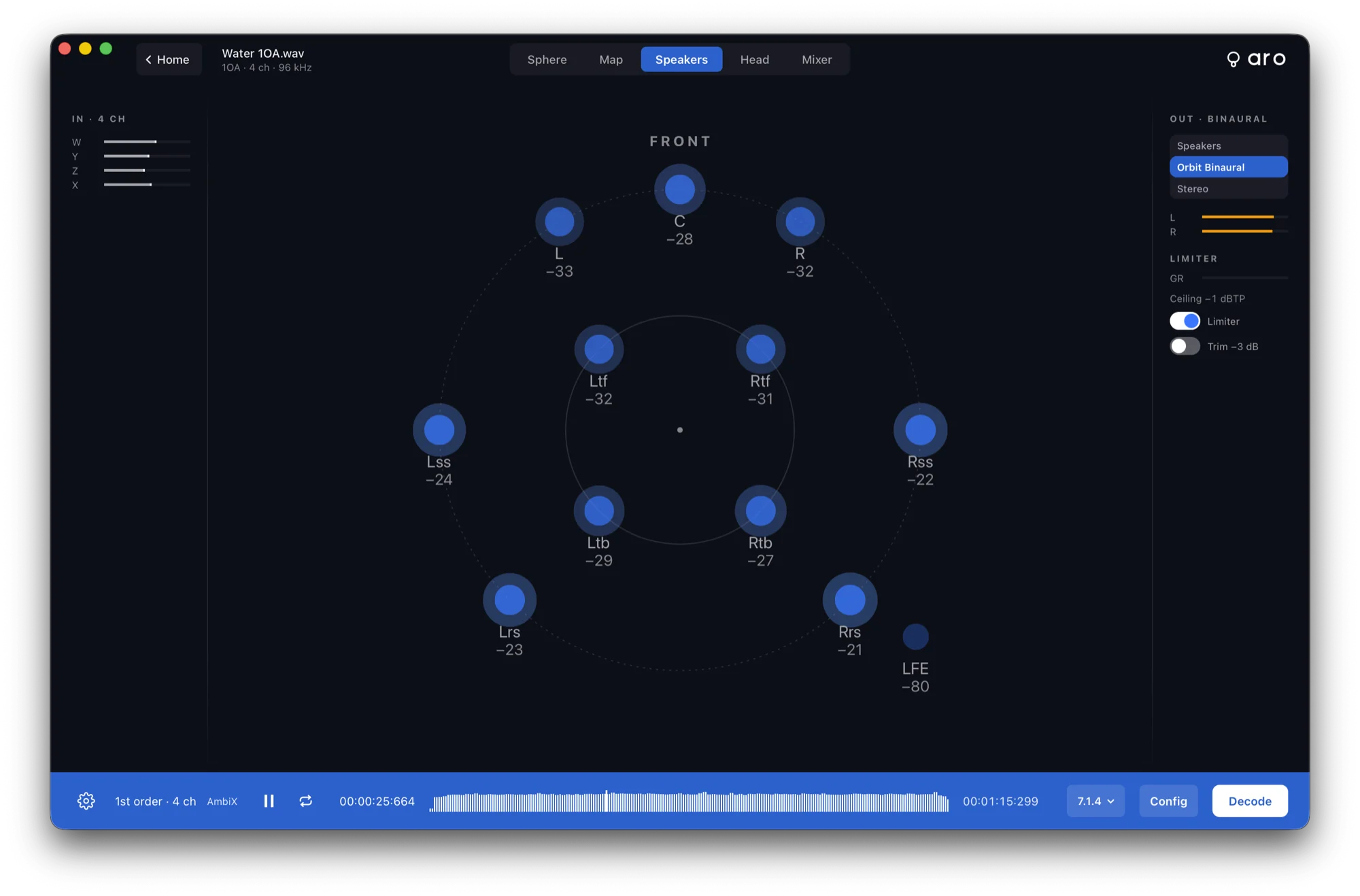
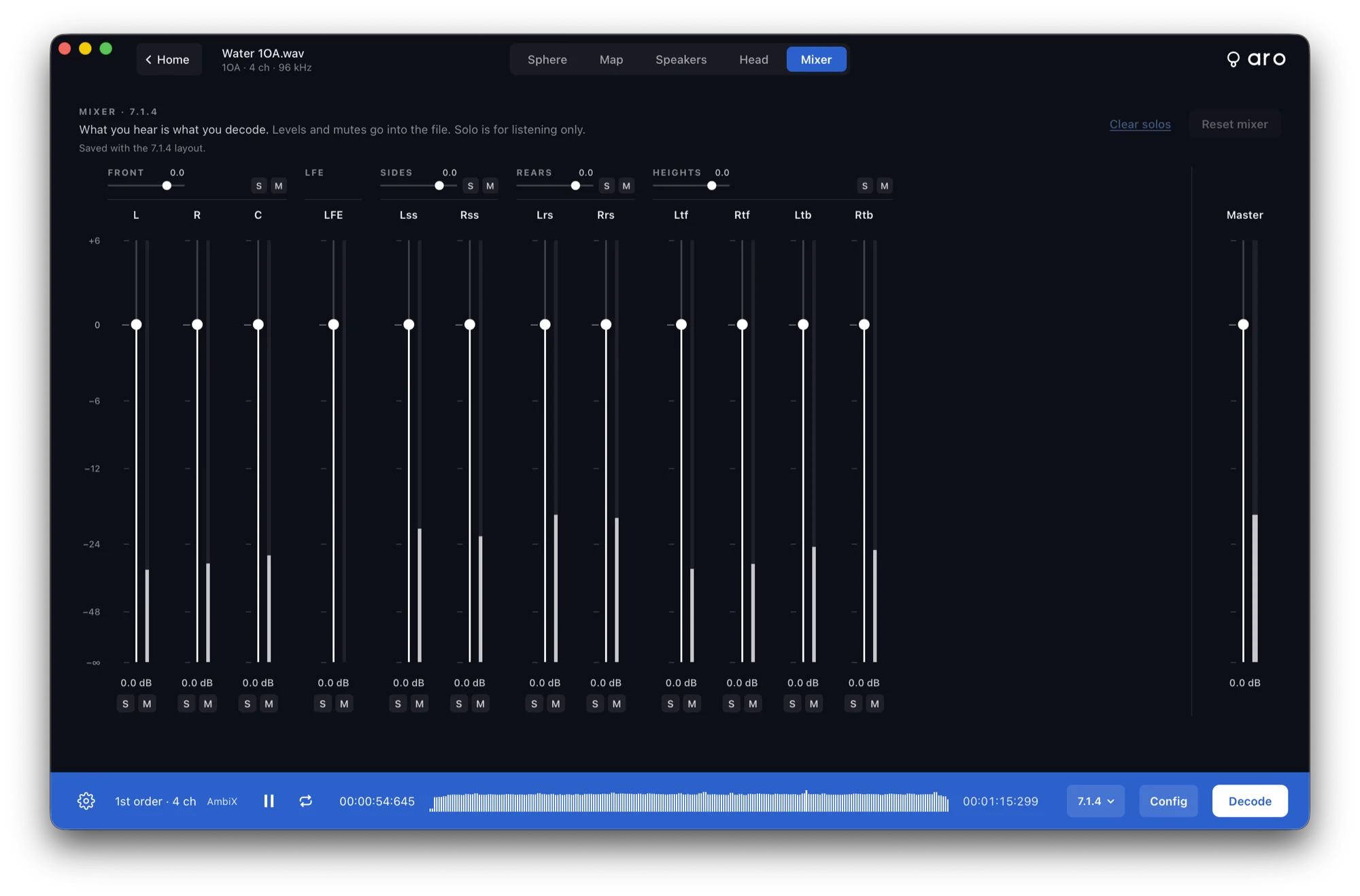
Choose a speaker layout or Orbit Binaural and listen before you commit. Every output has a level and a mute, so what you hear is exactly what you decode.
1st to 7th — 4 to 64 channels, AmbiX or FuMa
Stereo, 5.1, 7.1, 7.1.4, 9.1.6 or your own OSLS layout
Orbit Binaural
Turn, tilt and roll the whole scene
Beamforming and custom decodes
Encode to Ambisonics, up to 7th order
Five steps from the mics to a finished file — keep it classic stereo, or make it spatial.
Separate files or one M-S file. Double Mid-Side adds the rear mic.
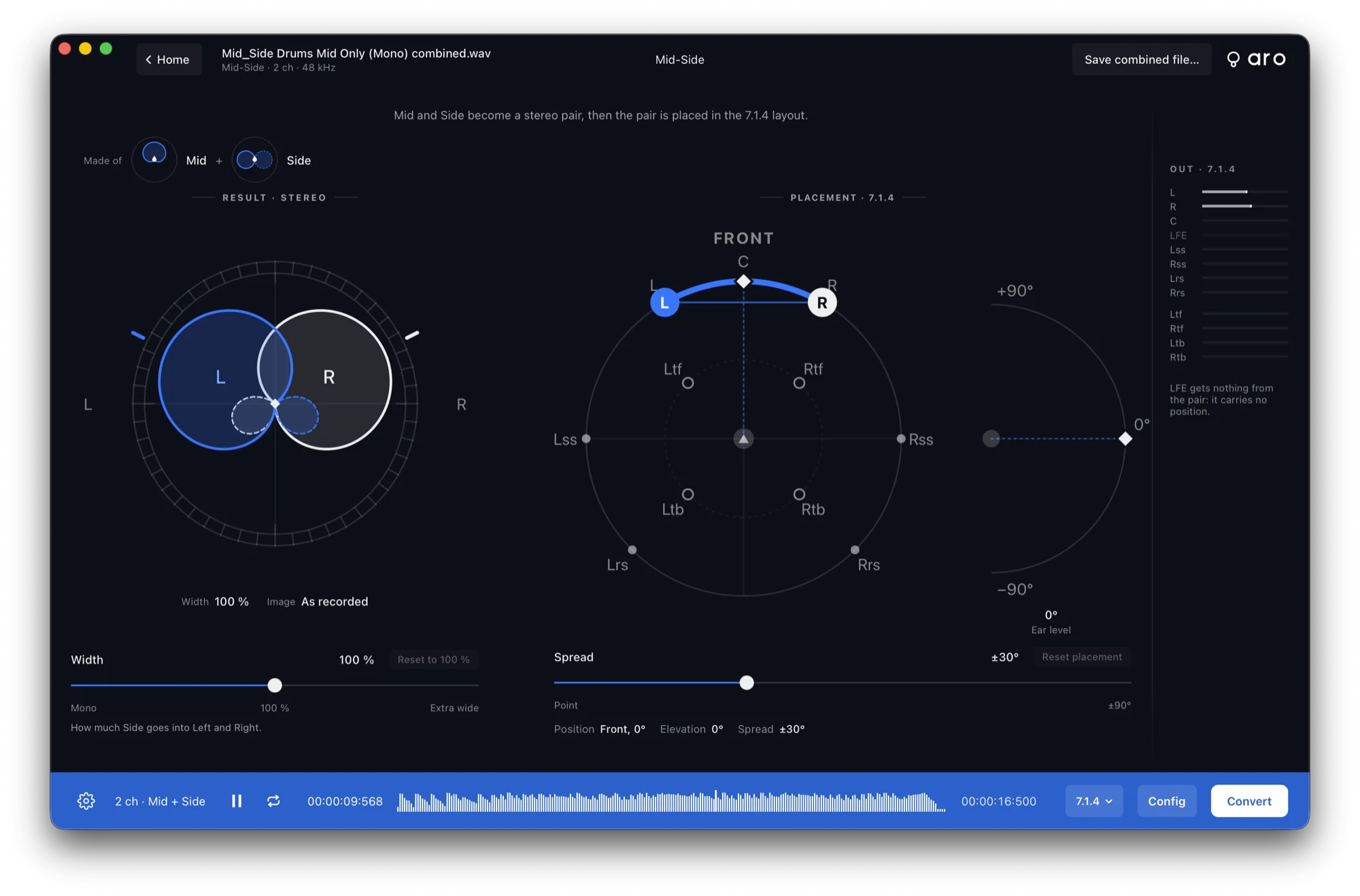
Mid and Side become a stereo pair, with each mic’s pickup drawn so you can see what you have.
Drag from mono to extra wide and hear the image open up as you move.
Keep a traditional stereo image — or place the pair on 7.1.4, 9.1.6 or Orbit Binaural.
A finished WAV, ready to drop into your session.
What you hear is what you decode.
macOS 13 (Ventura) or later. Apple Silicon only — there is no Intel build.
A standalone app first. AU, VST3 and AAX plugins follow, late 2026 to early 2027.
Ambisonic WAV, 1st to 7th order (AmbiX, FuMa and .amb). Mid-Side, Double Mid-Side and A-format recordings.
A decoded WAV for your layout, or Orbit Binaural for headphones.
Any output your Mac can see — speakers or headphones.
Aro is coming soon to macOS 13 and later on Apple Silicon, with AU, VST3 and AAX plugins to follow, late 2026 to early 2027.
Release news for Aro and occasional notes on the rest of the Orbit Spatial tools. No spam — unsubscribe anytime.