



Orbit 1.5.1 Beta — A Rebuilt QC PDF Report, New Privacy Controls & Session Fixes
The 1.5.1 beta is out now with a completely rebuilt QC PDF report — proper A4 pagination, an album cover and contents page, per-track or whole-album export and a live preview — plus optional privacy-first usage data and smoother session handling.
The 1.5.1 beta is out now. It’s a smaller update than 1.5, but there’s one big thing in it: a QC PDF report rebuilt from the ground up. Alongside it are new privacy controls and a handful of fixes to how sessions open and load.
As always with a beta — if you’re on the beta channel, the update should be waiting for you.
A brand-new QC PDF report
The PDF report has been rebuilt from the ground up. Expect cleaner, more readable pages with proper A4 pagination and polished loudness and waveform graphics, plus a live preview as you set it up — so you can see exactly what you’re going to get before you commit.
This is available in both Orbit and Orbit Pro. Orbit (Standard) gets the full rebuilt report for per-track export.
Orbit Pro adds the complete album workflow — an album cover and contents page, whole-album export, and batch exporting. So you can render an entire master in one pass rather than a track at a time.
Note: IAMF PDF exporting is not currently working in this beta. We’re on it.
There’s still more to come here — it’s very much a beta — but this is a big step up from where the report was.
New privacy controls
Orbit can now share optional, privacy-first usage data — purely to help us see which features matter most and where to focus next. It’s never tied to your account, your name, or your projects.
And it all stays in-house. The data goes to Downlink — our own custom analytics platform, Orbit-themed and built specifically for Orbit. There’s no third-party platform involved, and we will never sell or share your data with anyone. Ever.
You’ll see a one-time notice on first launch, and you can opt out (or back in) any time under Preferences ▸ Privacy.
Smoother session handling
A few rough edges smoothed out:
- Double-clicking a session in Finder now opens it correctly.
- Opening a file cleanly replaces what you had open — offering to save first if there are unsaved changes.
- There’s now a clear way back to the home screen.
A quick guide to PDF export
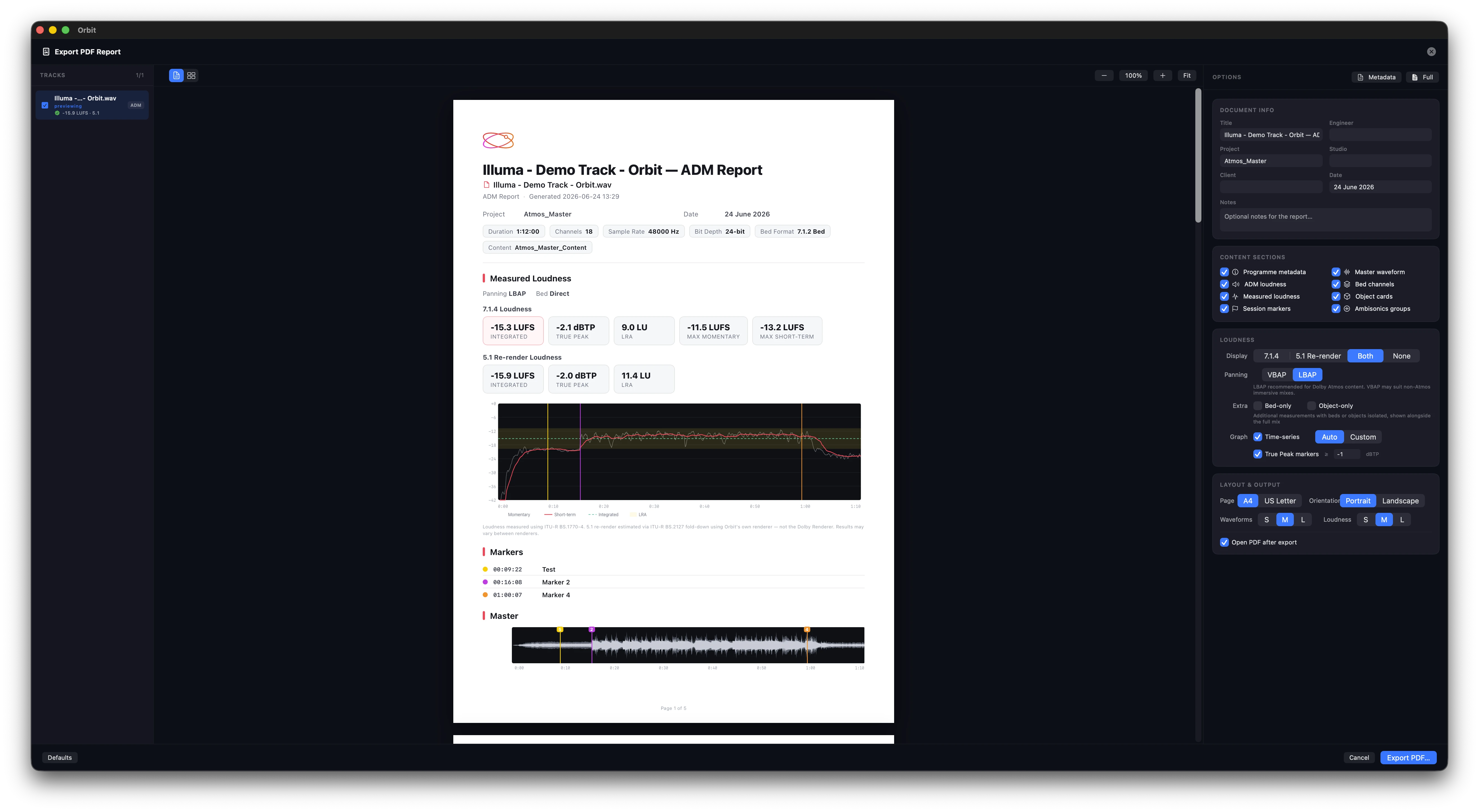
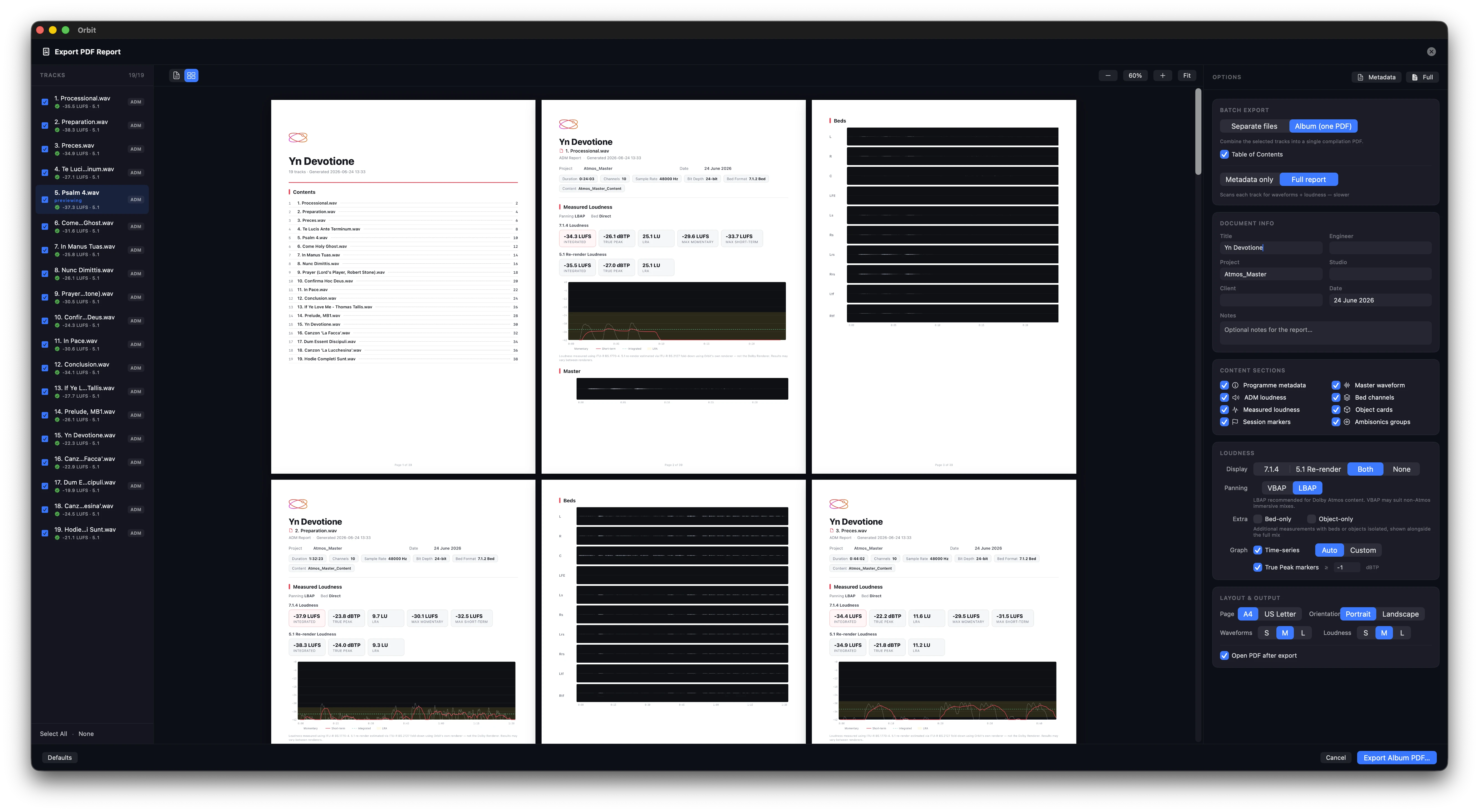
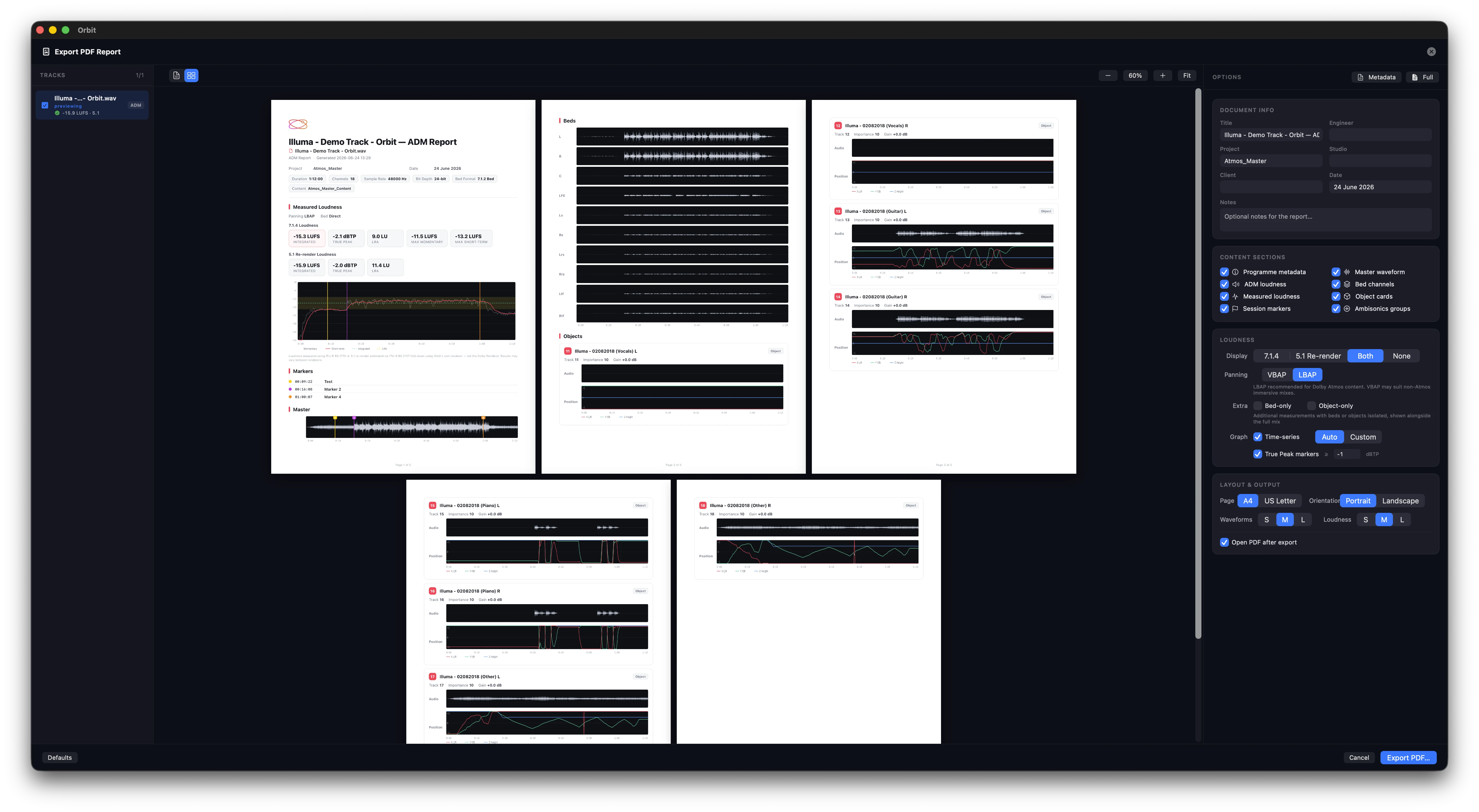
Open PDF Export and you’ll be presented with this: the track list on the left, a live preview of the report in the middle, and all of your options down the right.
Give loudness a moment
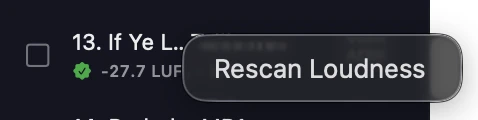
Loudness figures may not show up straight away — wait for the measurement to finish. If it hasn’t started, you can kick it off manually: right-click a track in the left sidebar and choose Rescan Loudness.
Whole albums, all at once
If your album has a lot of ADMs in it, hit Select All at the bottom of the left sidebar.

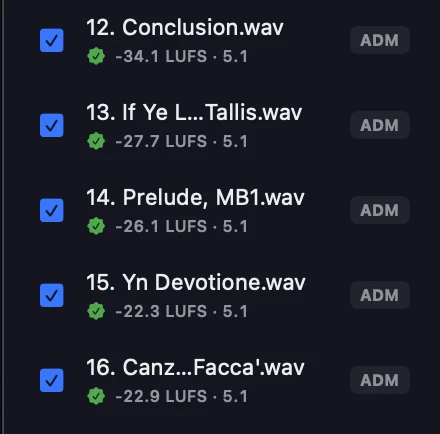
This starts scanning each file using a 5.1 re-render — the standard most delivery specs measure loudness against. Netflix’s Dolby Atmos home-mix requirements, for instance, call for loudness and true-peak to be measured on a 5.1 re-render.
One thing worth being upfront about: we use our own engine, not Dolby’s — but it’s ITU-R BS.1770-4 compliant. We built it open by design, which is what lets the same loudness pipeline handle EBU ADMs, IAMF, and whatever format comes next.
It’s accurate. By default, Orbit’s loudness engine uses LBAP (layer-based amplitude panning) — the same family of approach Dolby uses, which is what FLUX describes as LBAP in their Spat renderer. Because we’re aligned on the panning model, the re-render lines up closely; any difference on the integrated value comes down to Dolby’s own tweaks on top, and stays well within delivery tolerance. If your workflow calls for VBAP instead, you can switch to it.
One standing recommendation, though: if your goal is Dolby Atmos-specific delivery, always make your final check against the official Dolby tools — or, once Cota is available, run it in your favourite DAW on a 5.1 output from the Dolby Atmos Renderer.
Want to see just how accurate — brutally accurate, as we like to put it? Cota, our upcoming plugin, runs the exact same loudness implementation. Have a look here →
The preview updates as you go
Change anything in the report and the preview re-renders in real time. While it’s working, you’ll see Rendering… in the bottom-left of the window.

Full Album mode
With more than one track selected, switch to Full Album to produce a single PDF complete with a table of contents. The album title is shared across every page, with each track’s name shown just beneath it.

A couple of honest beta notes:
- We’re still speeding up how quickly titles update in Album mode — every change has to re-render the title on each page, so give it a second.
- A few right-sidebar options — Bed Only and Objects Only — aren’t fully wired into the new export yet. Everything else is.
Grid mode
Flip on Grid to see every sheet laid out before you export — a quick way to eyeball a whole album, contents page included.
Enjoy!
This is still a beta, so if something doesn’t behave, head to the feedback portal: orbitspatial.io/account/feedback — your reports are genuinely useful and feed straight into the next build.
— The Orbit Spatial Team