

Orbit 1.5.2 — Anything Is Possible
Meet OSLS, the Orbit Speaker Layout System: a fully customisable, open-source speaker output system that drives any layout up to 64 channels. Plus per-speaker solo, mute and custom groups, a loudness section rebuilt and powered by Cota, and performance improvements across the board.
We built Orbit to play back immersive audio the way it’s actually being made: many formats, many destinations, no single renderer to rule them all. Orbit 1.5.2 takes a big step toward that vision with a feature we’re genuinely proud of.
Meet OSLS — the Orbit Speaker Layout System
OSLS is a fully customisable speaker output system. Any layout you can dream up, Orbit will now output to it — up to 64 channels. 10.1.4? Done. A 30-speaker dome? Done. If you can describe it, Orbit can drive it.
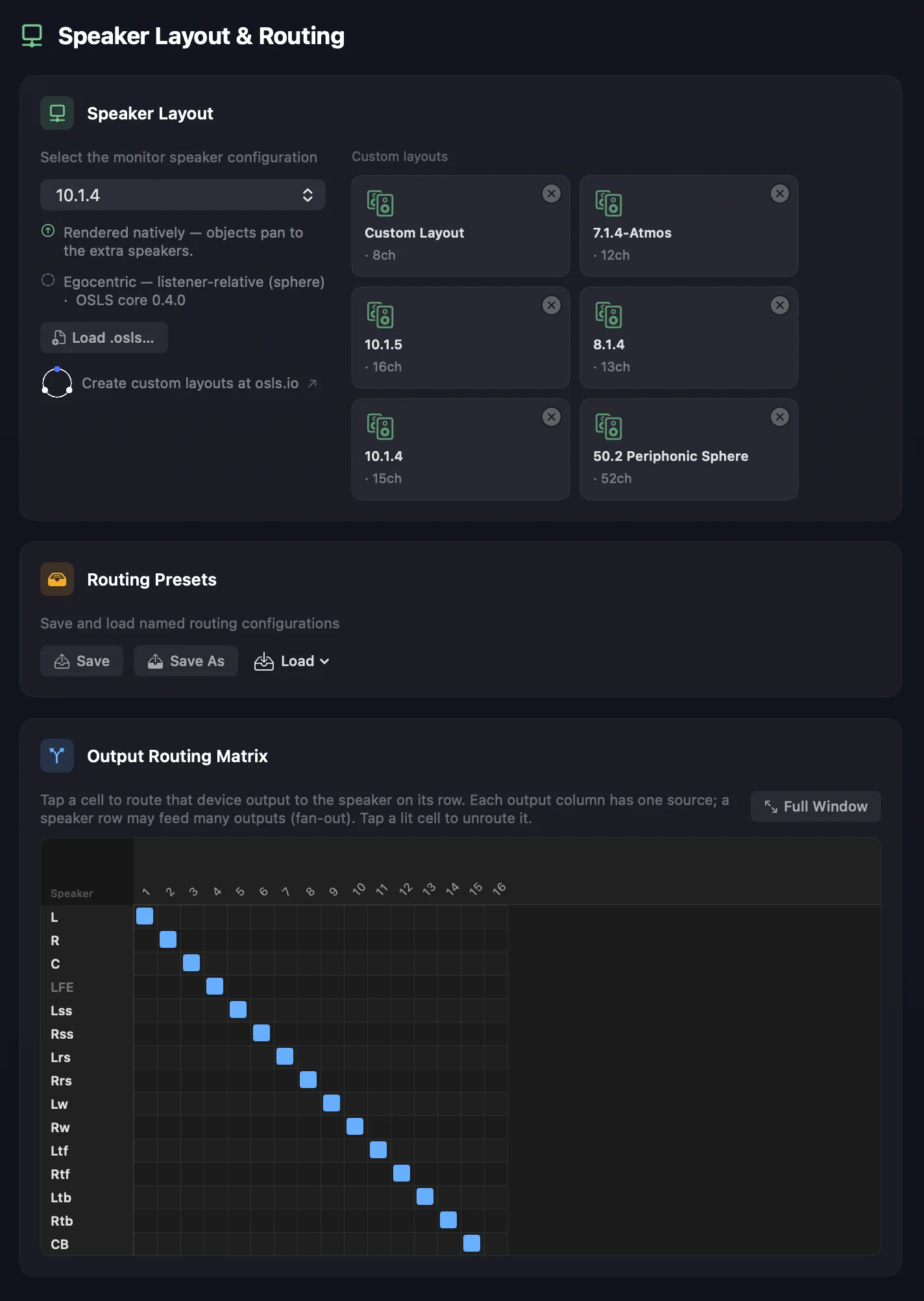
Format mapping is automatic. IAMF and ADM files map to your layout as per their specs: channel elements (IAMF) and beds and direct speaker sources (ADM) output to their direct speakers, or to their nearest neighbours where direct mapping isn’t available, using the configured panning method. Scene- and object-based elements and sources make full use of every speaker in the layout.
Here’s the problem OSLS quietly solves: speaker-layout tables normally get hardcoded and duplicated across your app, your engine and your UI — then they drift, disagree on labels and channel order, and need a code change every time you add a format. OSLS replaces all of that with one human-readable file per layout and one small SDK. A rig — 7.1.4, 22.2, Auro, or a 30-speaker dome — is described once: where each speaker is, its stable ITU-R BS.2051 SP-label (M+030, LFE1…), and its reference frame. Positions can be Cartesian, polar, or both. The per-spec channel orders (ADM, IAMF, MPEG-H) aren’t restated in every file — the SDK resolves them from a shared profiles registry by matching each speaker’s identity. So adding a format becomes adding a file, and there’s a single source of truth for everyone: native, browser, Windows, mobile.
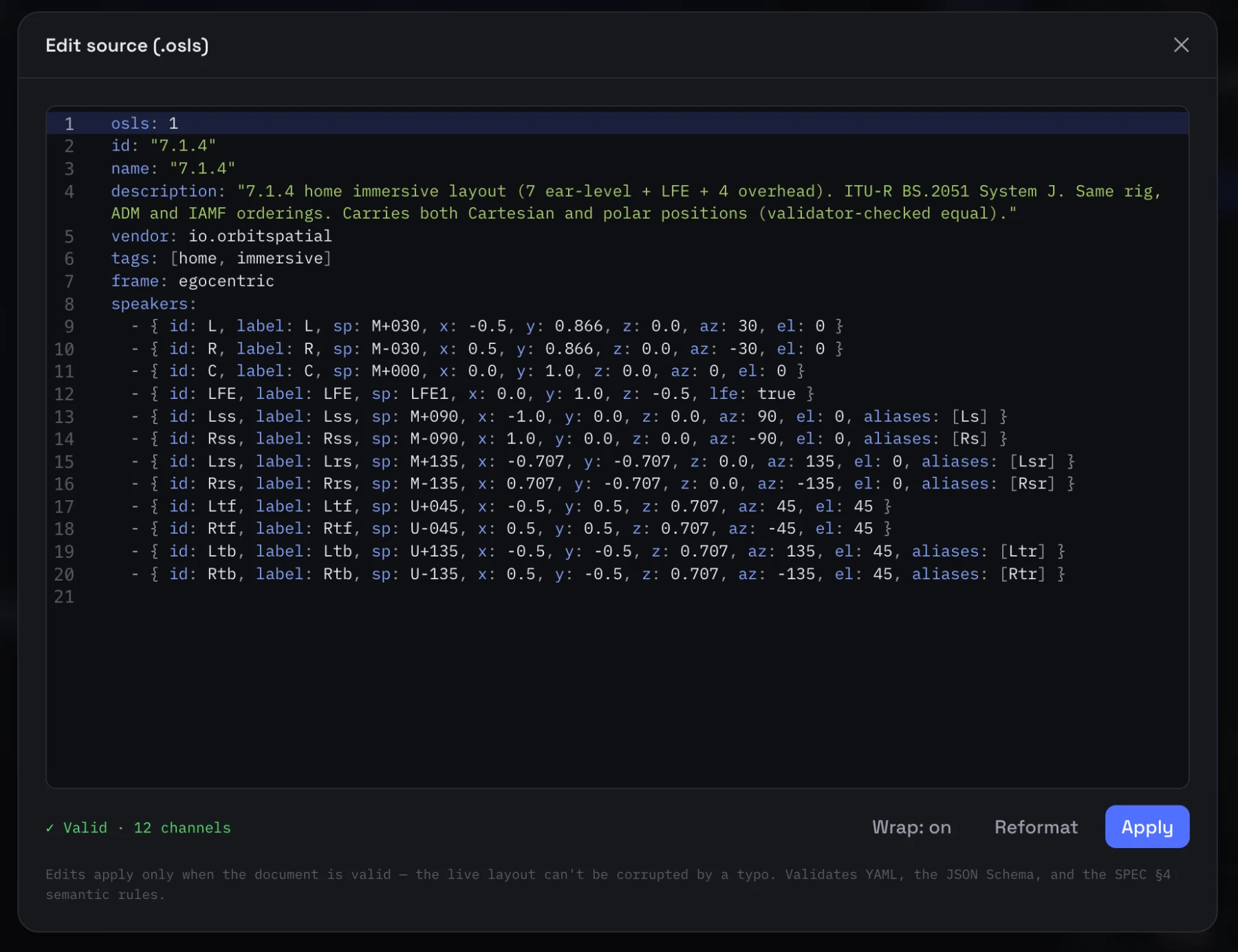
And the restraint is the point. OSLS describes the rig — geometry, identity, per-spec ordering, LFE — and deliberately stops there. It’s not a renderer (the down-mix, panning and HRTF math stays in the engine) and not a patch map (which physical output a channel hits is your app’s job). Small on purpose, which is exactly why it’s easy to build on.
Want to build your own? Head to osls.io to customise a layout in the browser 3D designer.
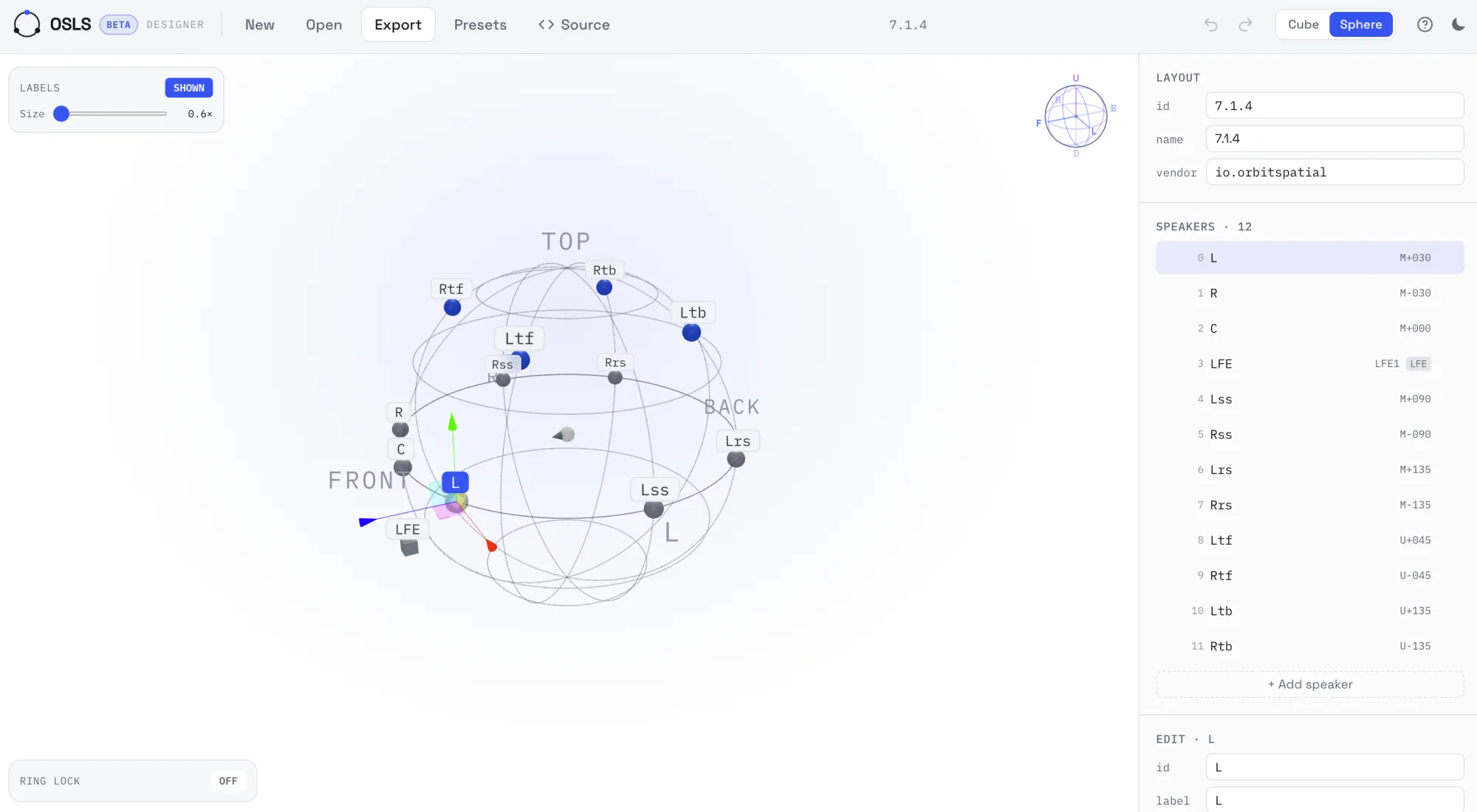
And here’s the part we’re most excited about: OSLS is fully open source under the Apache 2.0 license — permissive, with an explicit patent grant. The full spec, JSON Schema, blessed layouts and reference SDKs (TypeScript, a C ABI, Swift and WASM, so the browser resolves layouts identically to a native app) are all on GitHub: github.com/South-Loop-Studios/osls. Want to contribute or build it into your workflow? Go ahead.
Solo, mute, and group — right on the speakers
The new speaker layout view in Orbit Pro lets you solo, mute, and build custom groups of solos and mutes across the new multichannel output system. It’s a simple idea with a lot of power for testing and beyond.
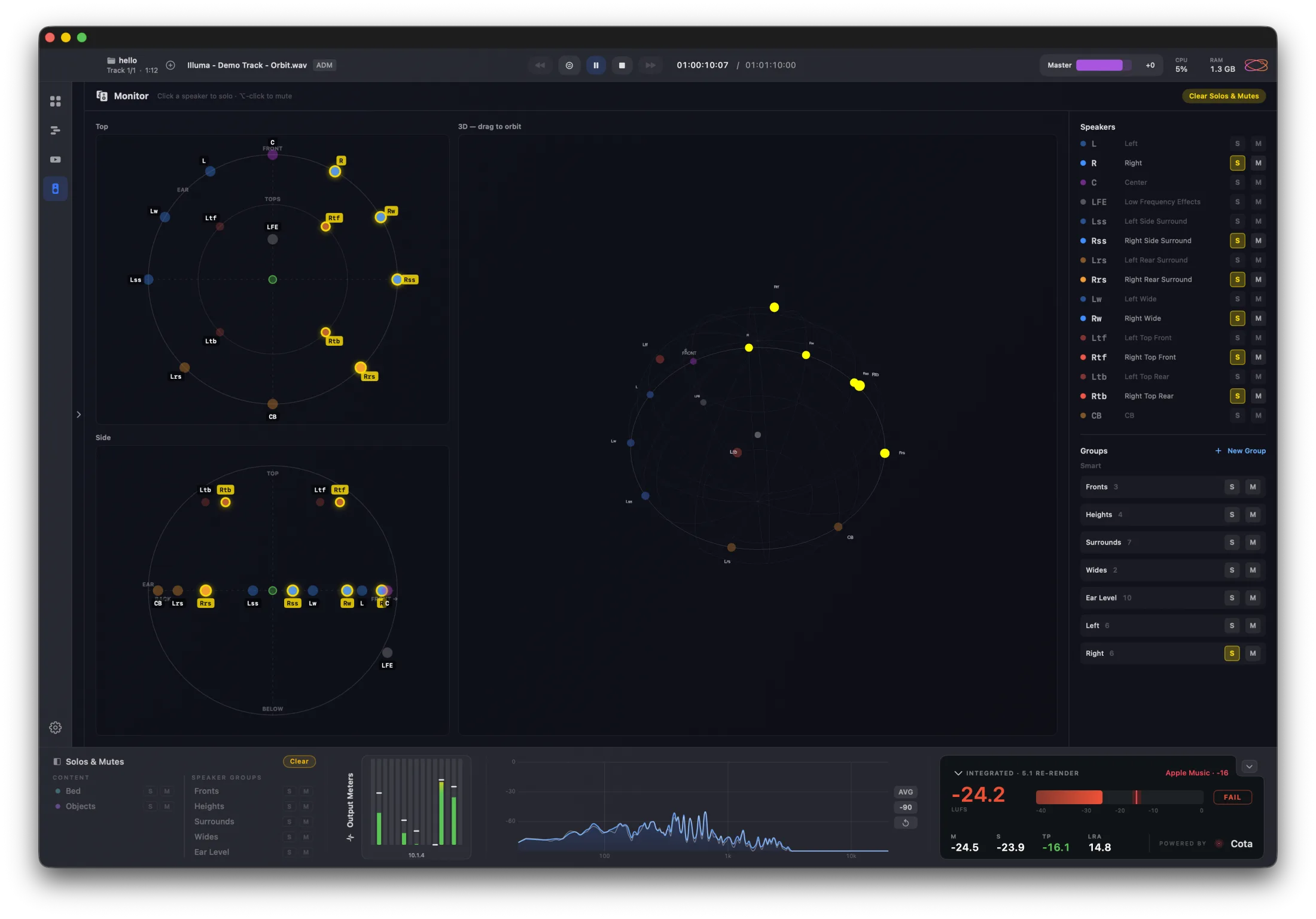
You get top-down, side, and 3D views. Click any speaker in any view to solo it, or use the sidebar. The footer now carries your custom solo groups across every view, so you always have access no matter how you’re looking at the layout. Got more solo groups than screen space? The list scrolls.
Loudness, powered by Cota
The loudness section in the footer has been restyled and rebuilt to display Powered by Cota — our dedicated BS.1770-5 loudness plugin and framework. Cota is a standalone app, but we’ve brought its look, feel, and clarity into Orbit, so you get clearer loudness information at all times. We’ve also reworked the 5.1 re-render pathway for more accurate metering.
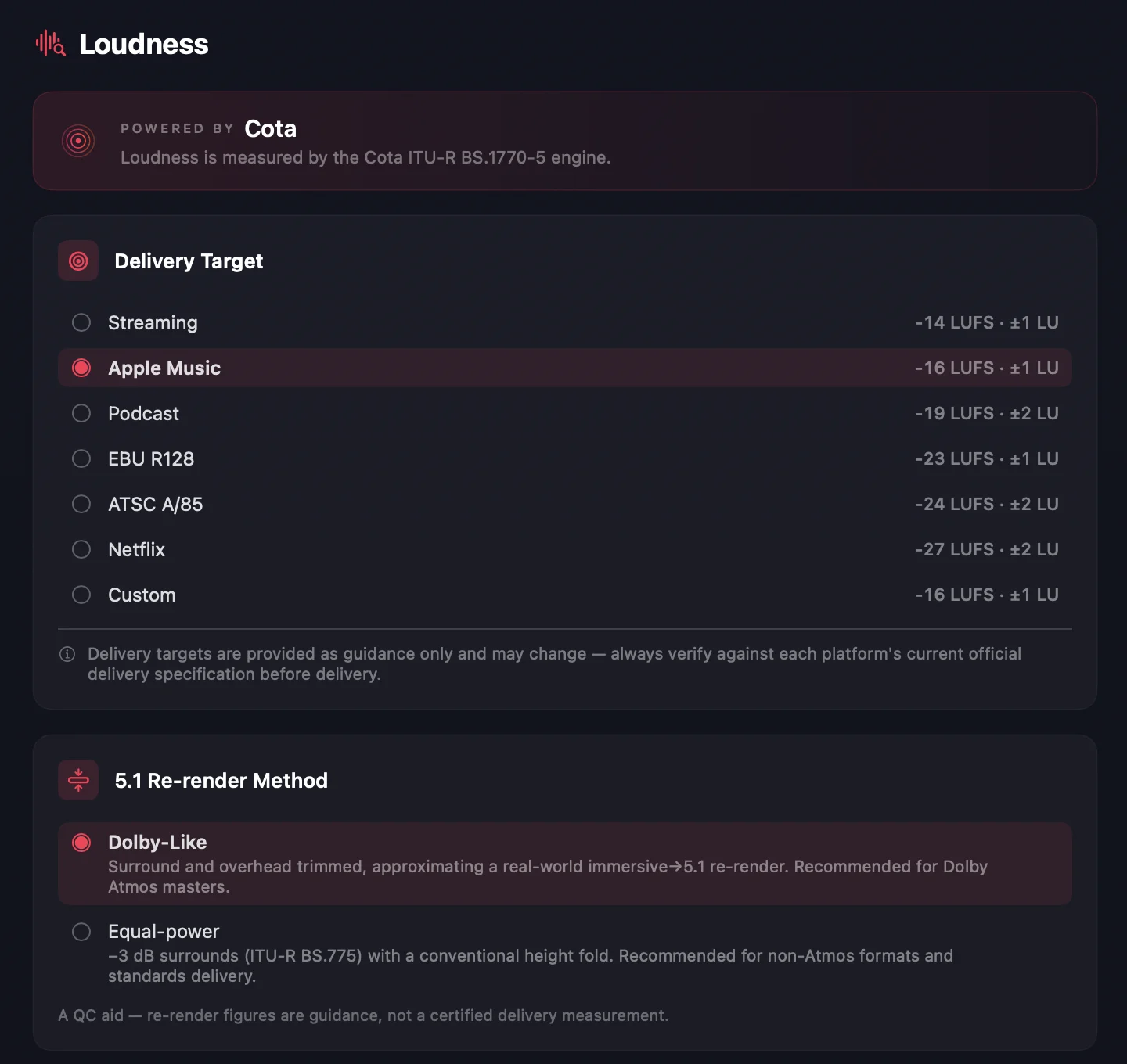
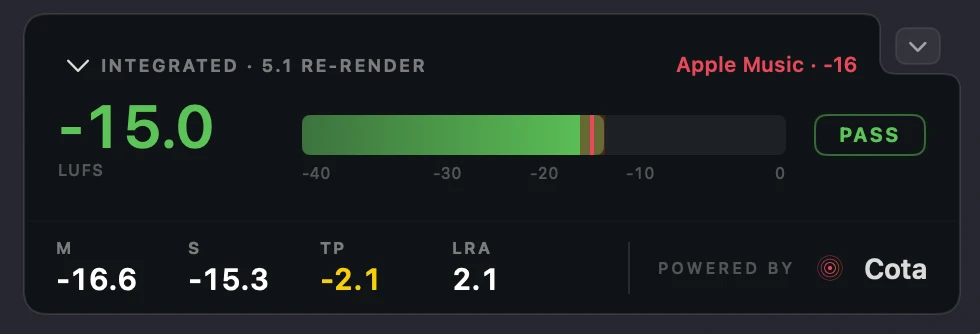
One honest note: Orbit uses its own custom renderer, which is exactly what lets it play back any immersive format independently — ADM BWF, EBU ADM, IAMF, and more to come. So if you’re expecting loudness figures to line up perfectly with another renderer like the Dolby Atmos Renderer, that isn’t possible — and that’s the nature of immersive. With so many formats and destinations emerging, some variation in loudness is expected, so test your content on every renderer you can. That said, Orbit’s loudness is brutally accurate. We’ve verified it against the standard tests defined in BS.1770-4, EBU R128 and more. Read about our loudness accuracy testing at orbitspatial.io/cota.
Also in 1.5.2
The PDF viewer has been refined — bed- and object-only loudness selection has been removed, and everything from the 1.5.1 beta has been pulled across.
You can now delete cable connections between ADM sources and IAMF elements in the IAMF / Eclipsa export window — just hold Option and click a connection to delete it.
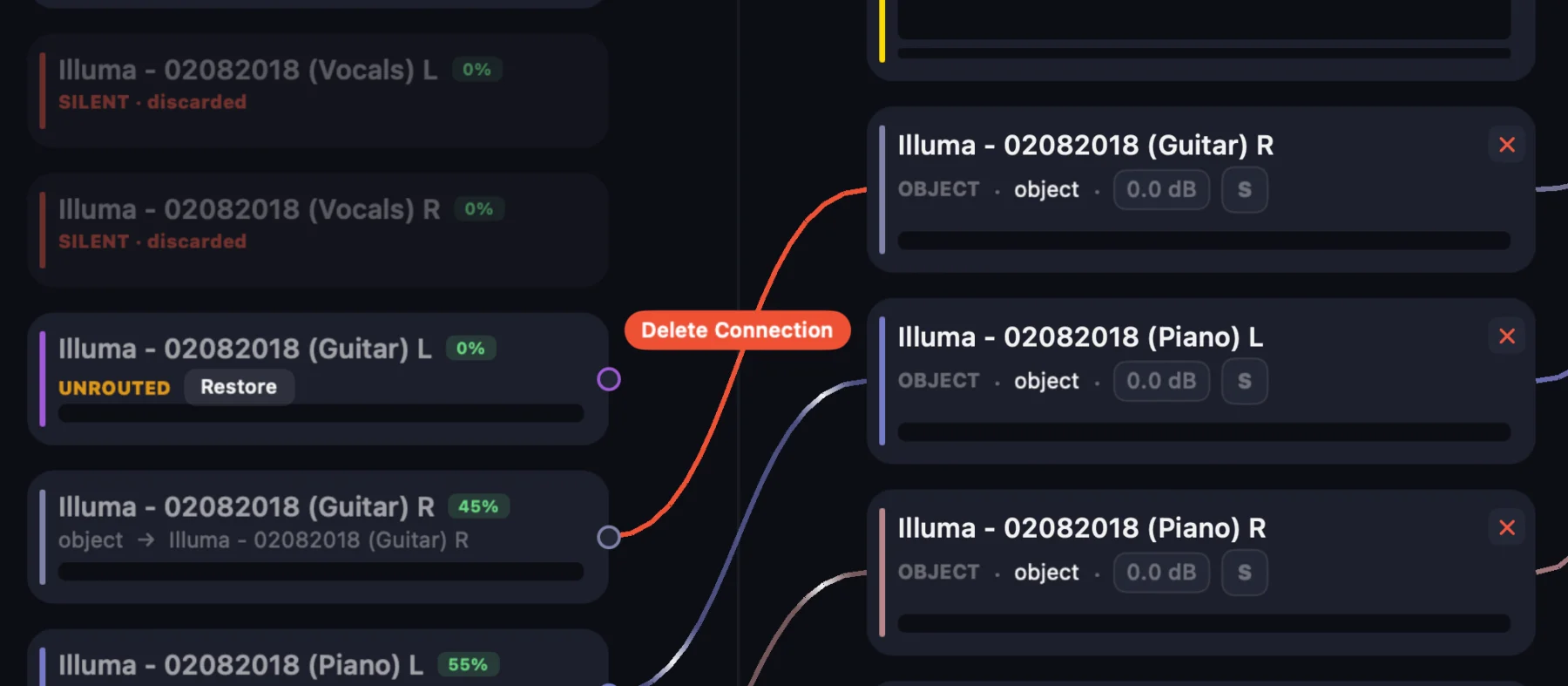
And we’ve shipped performance updates across the board: Orbit is more efficient than ever, keeping CPU and memory usage as low as possible.
Update to Orbit 1.5.2 today, and start building layouts at osls.io.
— The Orbit Spatial Team