







Orbit 1.5.3 Beta — One Window for Every Export
The 1.5.3 beta brings a brand-new Export Audio window (⇧⌘B): binaural for everyone, speaker layouts up to 7.1.4, WAV/MOV/MP4 output, loudness normalisation with a true-peak limiter, and range export. Export a clean 7.1.4 or 5.1 WAV and macOS plays it back in Apple Spatial Audio. Plus an IAMF compatibility stereo track so your files open everywhere.
The 1.5.3 beta is out now, and it’s all about getting audio out of Orbit. Almost everything to do with exporting now lives in one place: a brand-new Export Audio window, on the same ⇧⌘B shortcut you’ve always used for a binaural bounce. (IAMF export keeps its own dedicated window — more on that below.)
As always with a beta — if you’re on the beta channel, the update should be waiting for you.
If you’re not, give it a try! We believe in users being able to try out new features as soon as possible and help shape the future of Orbit through your feedback.
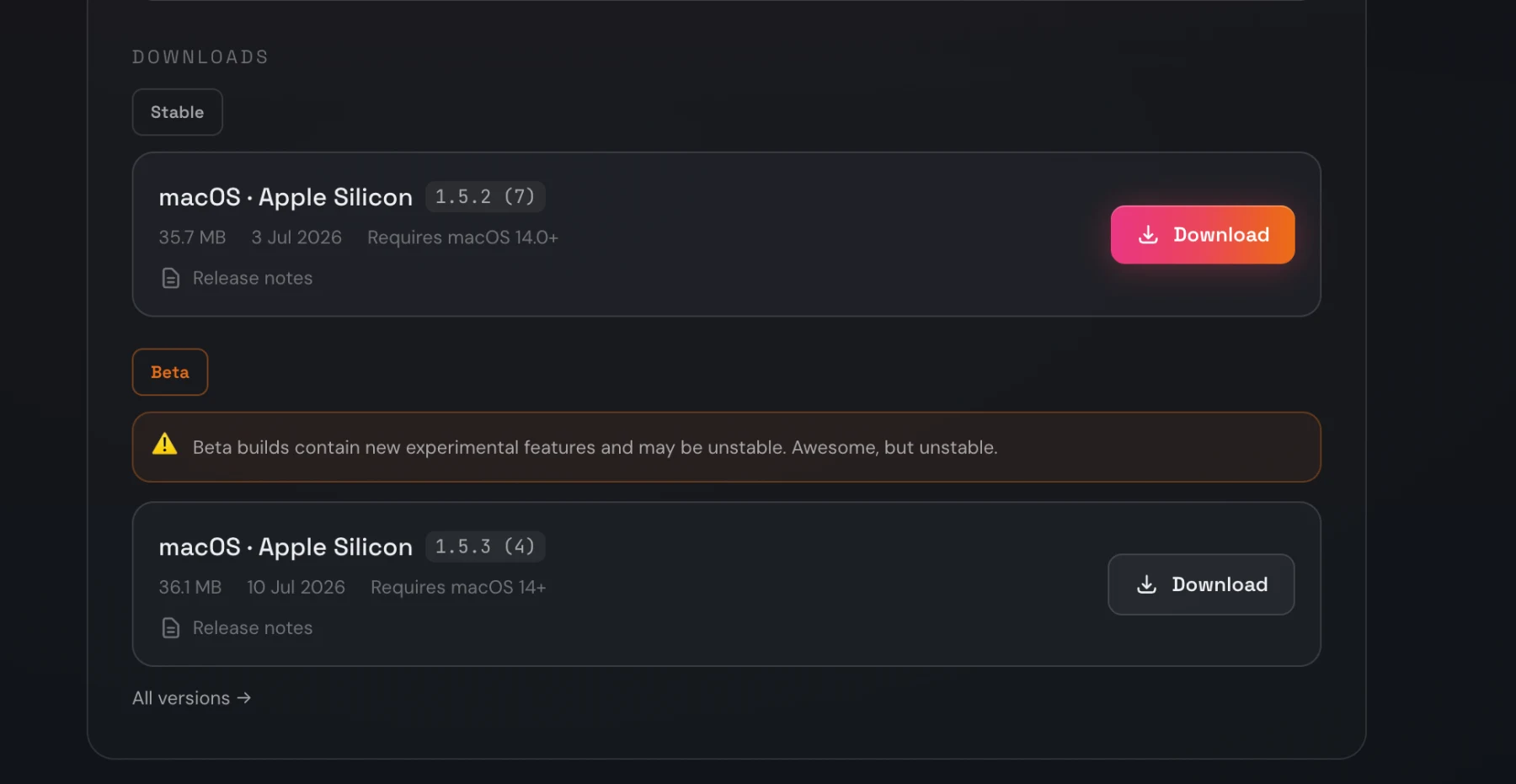
You can download the beta just below the stable build in your account portal for Orbit.
Every export, one window
Open Export Audio (⇧⌘B) and you’ll find the whole export story in a single view: pick your target on the left, dial in format, range and loudness, and watch a live speaker preview and a running summary update on the right.
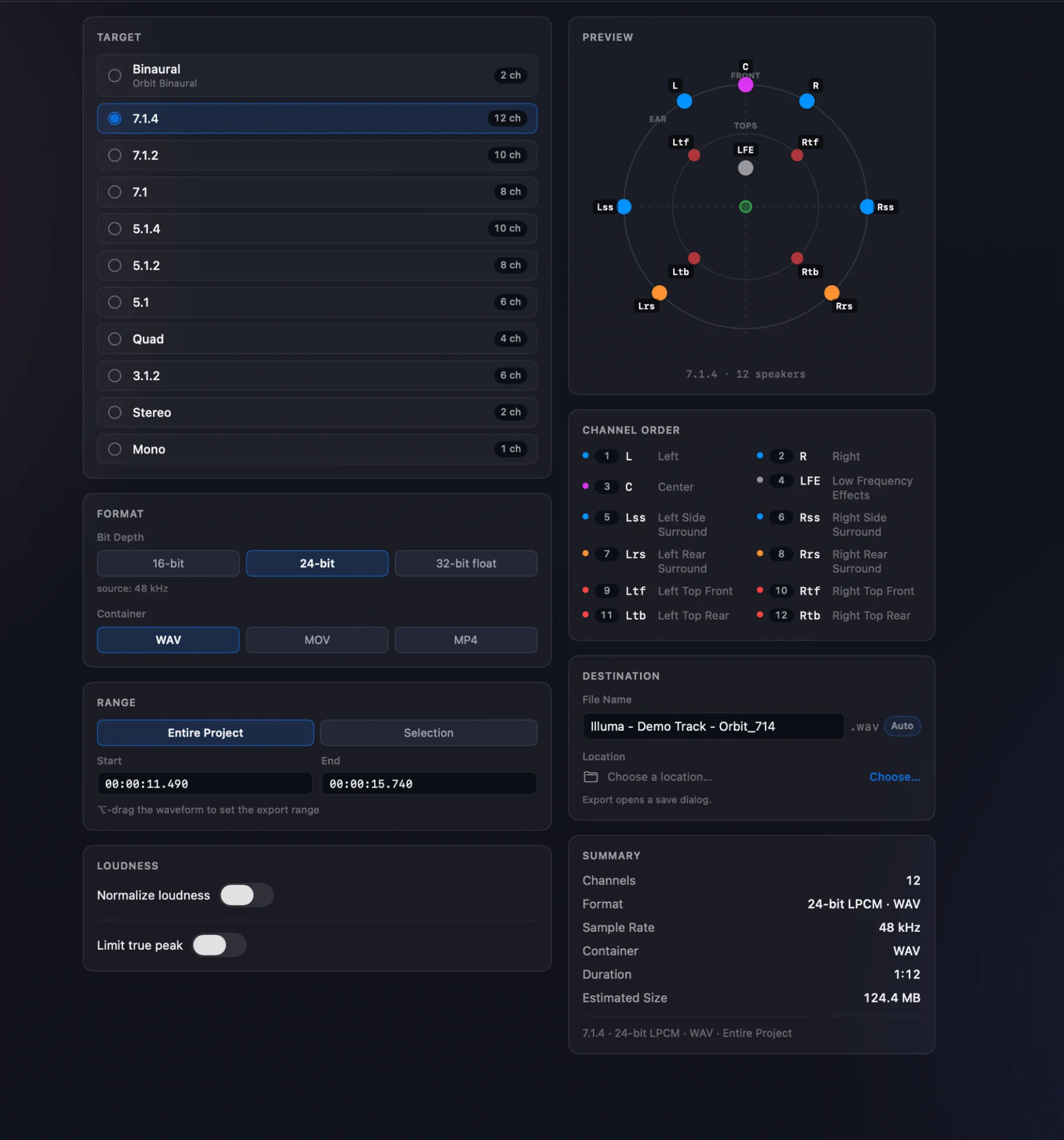
Here’s what’s in it:
- Binaural — free for everyone. Export a 2-channel binaural render with your choice of renderer: Orbit Binaural or Apple Spatial Audio.
- Any speaker layout up to 7.1.4 (Pro). 7.1.4, 7.1.2, 5.1.4, 5.1, Quad, 3.1.2, Stereo, Mono — pick one and the preview redraws to match, with the exact channel order laid out beside it.
- WAV, MOV or MP4 (video: Pro). Export audio on its own, or muxed together with your session video.
- Loudness normalisation (Pro). Normalise to a target LUFS with a true-peak limiter, and see the measured result reported back to you after the export.
- Range export (Pro). ⌥-drag the waveform to set a range, or type exact timecodes — the Entire Project / Selection toggle is right there.
- Downmix override per export (Pro). Your live monitoring trims are used by default; override them just for this bounce when you need to. Only on certain speaker format destinations.
- Auto-naming and destination built in. File names follow your settings automatically, so a clean, correctly-labelled file lands where you want it.
Range export is the one to see in motion. ⌥-drag straight across the waveform to set your in and out points — or type exact timecodes — and export just that slice:
This timeline selection is coming to the IAMF export window in a future build, too.
The old Export Binaural WAV menu item is gone — the Export Audio window replaces it, on the same shortcut. Binaural is still one click away; it’s just no longer the only thing you can do from here.
Export 7.1.4 (or 5.1) and let your Mac do the spatial
This is the one we’d nudge you to try first. Choose 7.1.4 as your target and export, and you get a clean, standards-ordered 12-channel WAV — a universal immersive deliverable that any DAW, encoder or NLE will read.
But there’s a neat bonus if you’re on a Mac. A multichannel WAV — 7.1.4, or something as simple as 5.1 — triggers Apple Spatial Audio automatically on playback. Drop that file into QuickTime or the Music app on a Mac, put on AirPods (or any Spatial-Audio-capable headphones) with Spatial Audio switched on, and macOS spatialises it for you — head-tracking and all. No plugin, no special player, nothing to configure. It’s a genuinely lovely way to sanity-check an immersive mix, or to hand something to a collaborator who doesn’t run Orbit.
And if you’d rather bake the binaural render yourself, that’s the other Apple touchpoint: choose Binaural as your target and pick Apple Spatial Audio as the renderer to get a pre-rendered 2-channel file that matches Apple’s own spatialisation.
IAMF files that open everywhere
If you export IAMF, this one’s for you. IAMF MP4 exports can now carry a standard stereo compatibility track (Pro) alongside the immersive mix — so the file just plays in QuickTime, Finder previews, browsers and NLEs, while IAMF-aware players still use the full immersive mix. The stereo track matches exactly what you hear in Stereo monitoring.
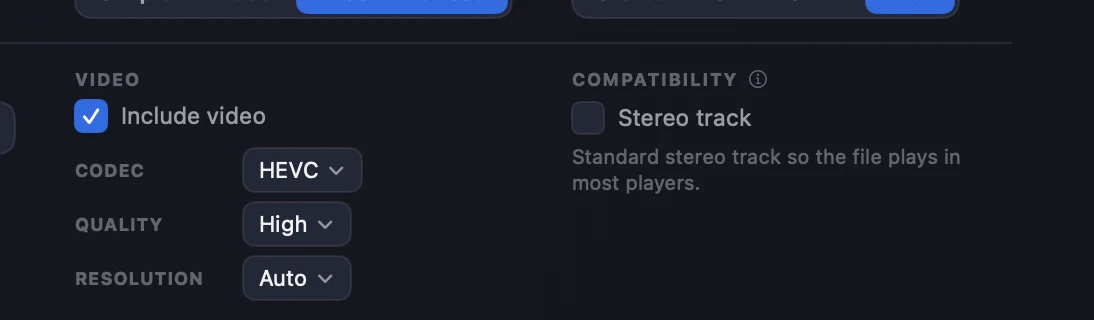
One thing worth knowing: the Stereo track option lives in the Compatibility section next to the video settings, and it only appears when Include video is switched on. Export IAMF without video and you won’t see it — the compatibility track rides along with a video export.
Which IAMF version plays where
IAMF is still a young format, and where a file plays back depends on which version of the spec it targets — so it’s worth being clear about where your exports will land:
- YouTube — and other IAMF-aware players today — support the V1.1 spec and below. If your goal is upload-and-play compatibility, export to V1.1 or lower.
- The Esfera preset targets the V2 draft spec — the version that introduces objects. Because V2 is still a draft, files exported this way currently play back only in Orbit (reimport the file) and on our upcoming Esfera platform at esfera.audio. They won’t play on YouTube yet.
We expect broad V2 support to arrive across the industry once the spec comes out of draft. We’ve chosen to support it early — even in its draft form — because we believe getting the format into people’s hands now, and showing what object-based IAMF will be capable of, is good for the future of immersive audio.
Fixed in this build
A cluster of export fixes landed here too:
- IAMF MP4 exports no longer crash ffmpeg-based tools and pipelines — a mix-presentation-ID collision has been resolved. We’ve verified the fix against both the IAMF Web Demo and ffmpeg.
- Exports now fold using your live monitoring downmix trims rather than stale defaults — what you hear is what you get.
- Binaural bounces now include HOA content and match headphone monitoring exactly.
Requires macOS 14+. This is a beta build — and the export window is brand new — so if anything sounds or feels wrong, especially in there, we want to hear about it: orbitspatial.io/account/feedback. Your reports feed straight into the next build.
— The Orbit Spatial Team