




Orbit 1.5.9 — Speaker Arrays, Two Layouts to Switch Between, and a Redesigned Preferences
Speaker arrays for rooms with more speakers than the mix has channels, Multichannel 1 and 2, a speaker test with a tone generator and an output meter, marker names on the timeline, and every Preferences pane redesigned. Built on the new Orbit 2.0 audio engine.
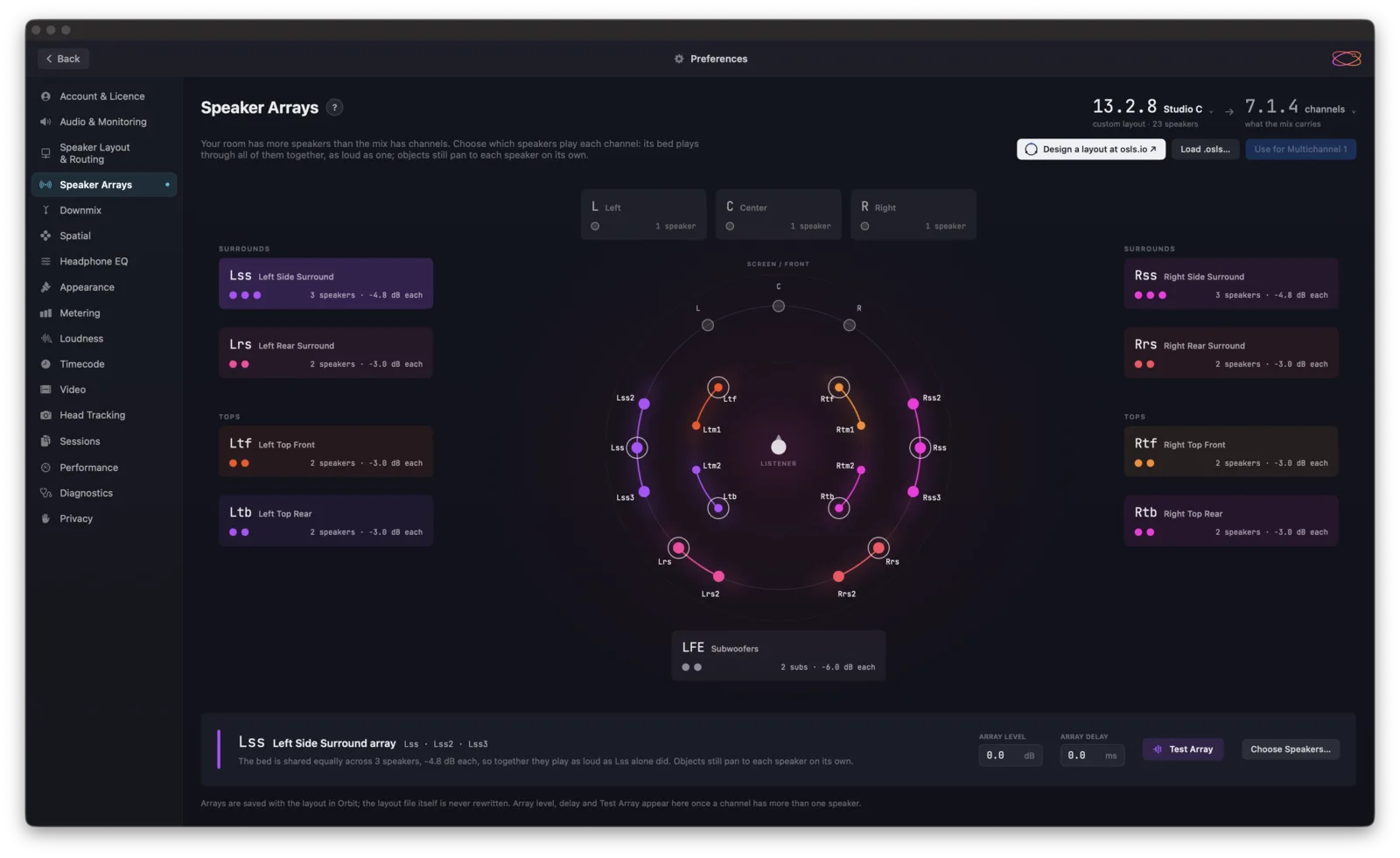
Orbit 1.5.9 is about the room you mix in: speaker arrays, two layouts to switch between, a speaker test with a tone generator, marker names on the timeline, and redesigned Preferences — on the new Orbit 2.0 audio engine.
Speaker arrays (beta)
For rooms with more speakers than the mix has channels — a dub stage with three speakers down each side, or a pair of subs.
Preferences ▸ Speaker Arrays groups speakers into an array that stands in for one channel. The channel plays through the whole array, as loud as one speaker would have been; objects still move between the speakers individually. Each array has its own level, delay and colour, and Test Array plays them all at once. Choose what the mix carries — 7.1.4, 9.1.6 and more — and bring your room in from an .osls file or design one at osls.io.
In Orbit Standard and Pro, and coming to Orbit Lite.
Multichannel 1 and 2
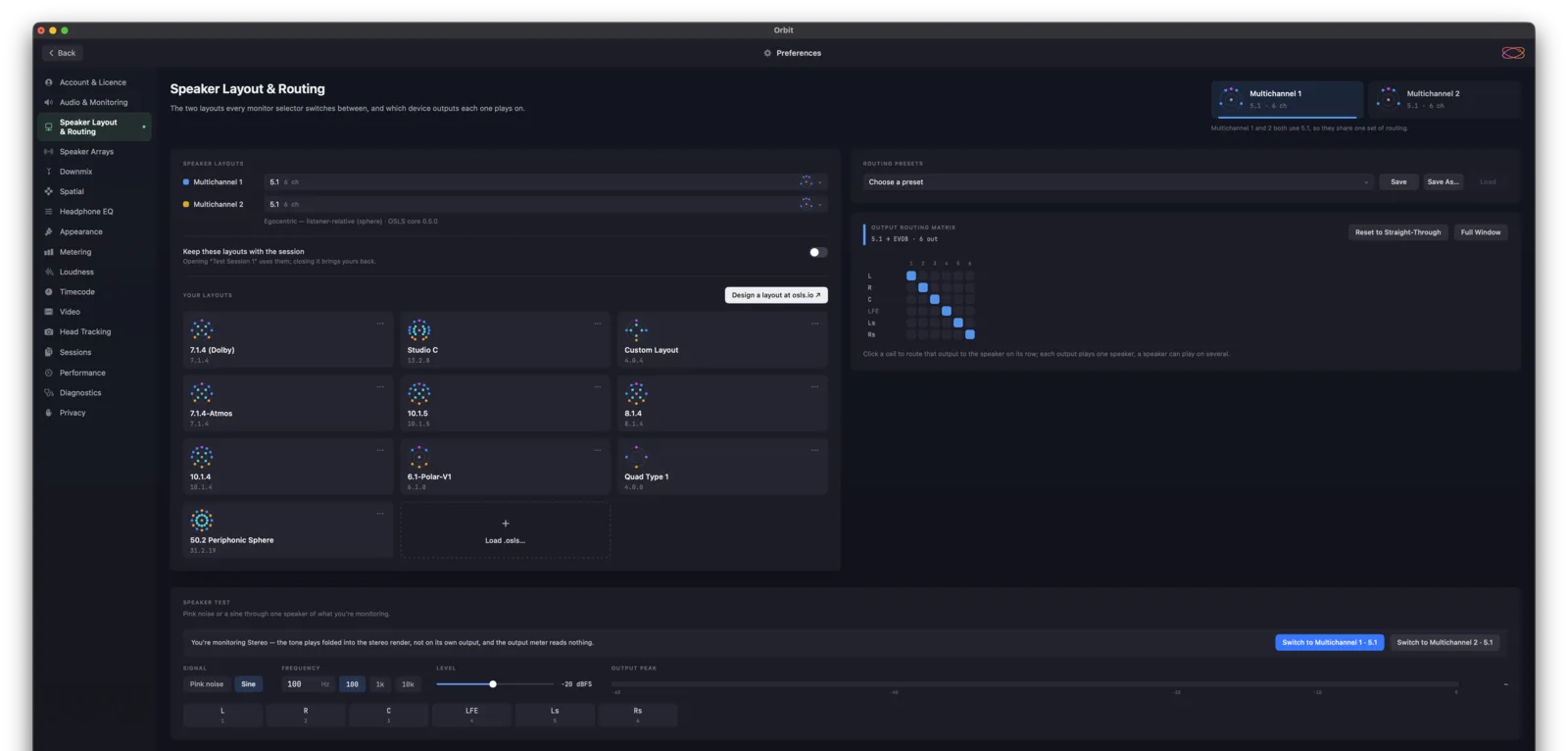
Two speaker layouts — your 7.1.4 room and a 5.1 check, say — to switch between from any monitoring selector. Speaker Layout & Routing shows both, and the routing matrix edits whichever you pick. Tick Keep these layouts with the session and a session brings its own.
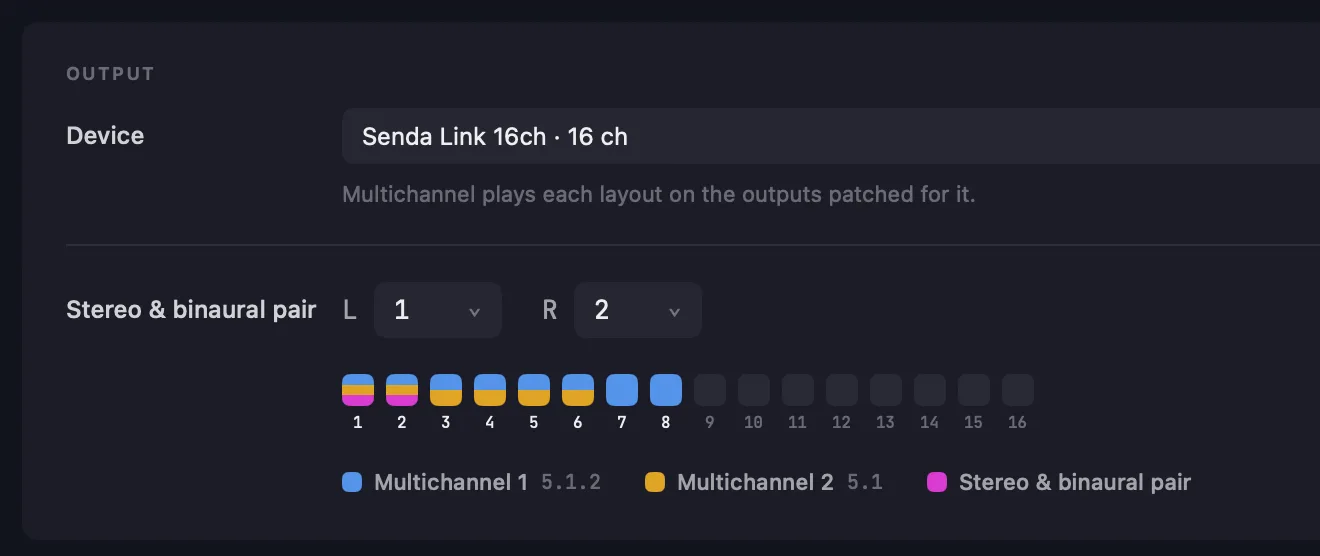
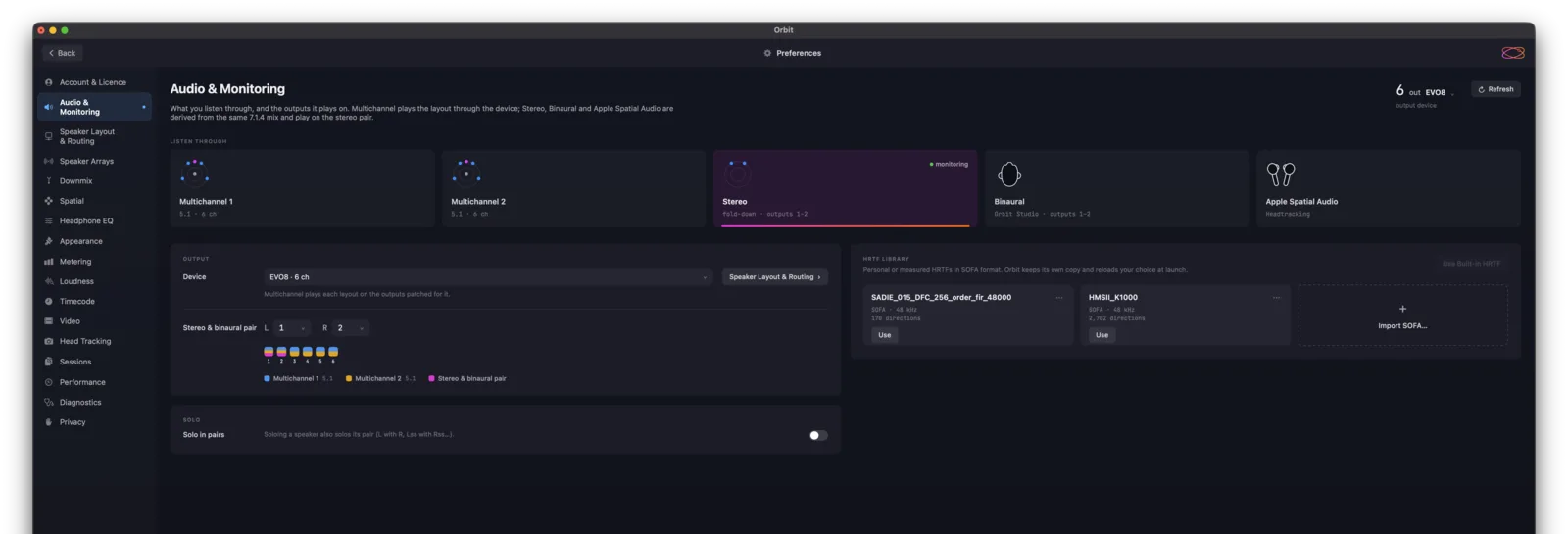
On Audio & Monitoring, every output on your interface shows which layout it carries — Multichannel 1 in blue, Multichannel 2 in amber, the stereo and binaural pair in magenta.
The Speaker Test, across the bottom of Speaker Layout & Routing, now plays pink noise or a sine at any frequency from 20 Hz to 20 kHz. An output meter shows the level reaching the speaker, moving the level no longer clicks, and the panel fits any room from stereo to 64 speakers.
Markers
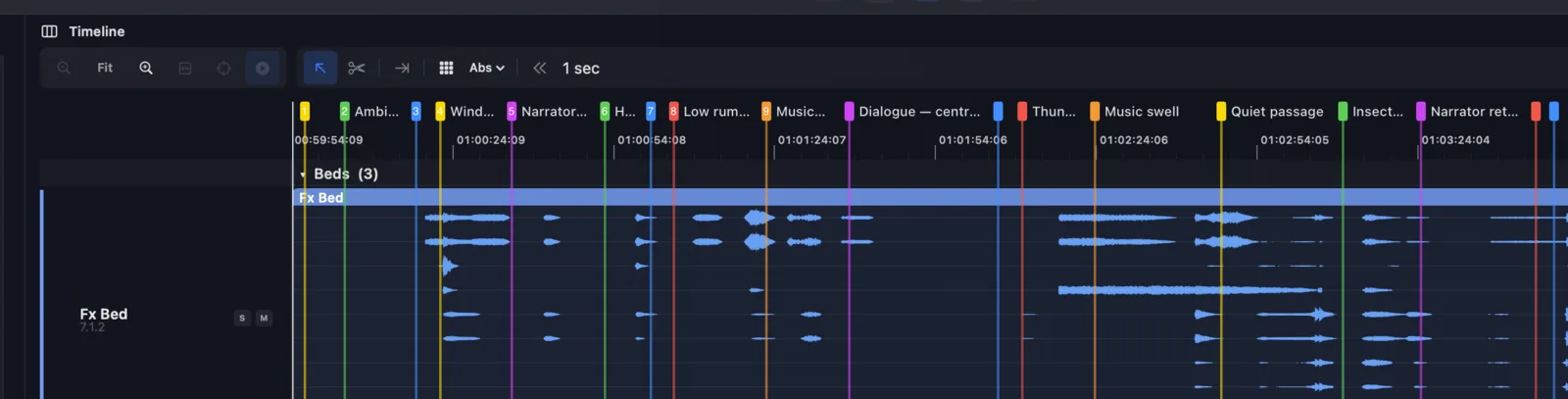
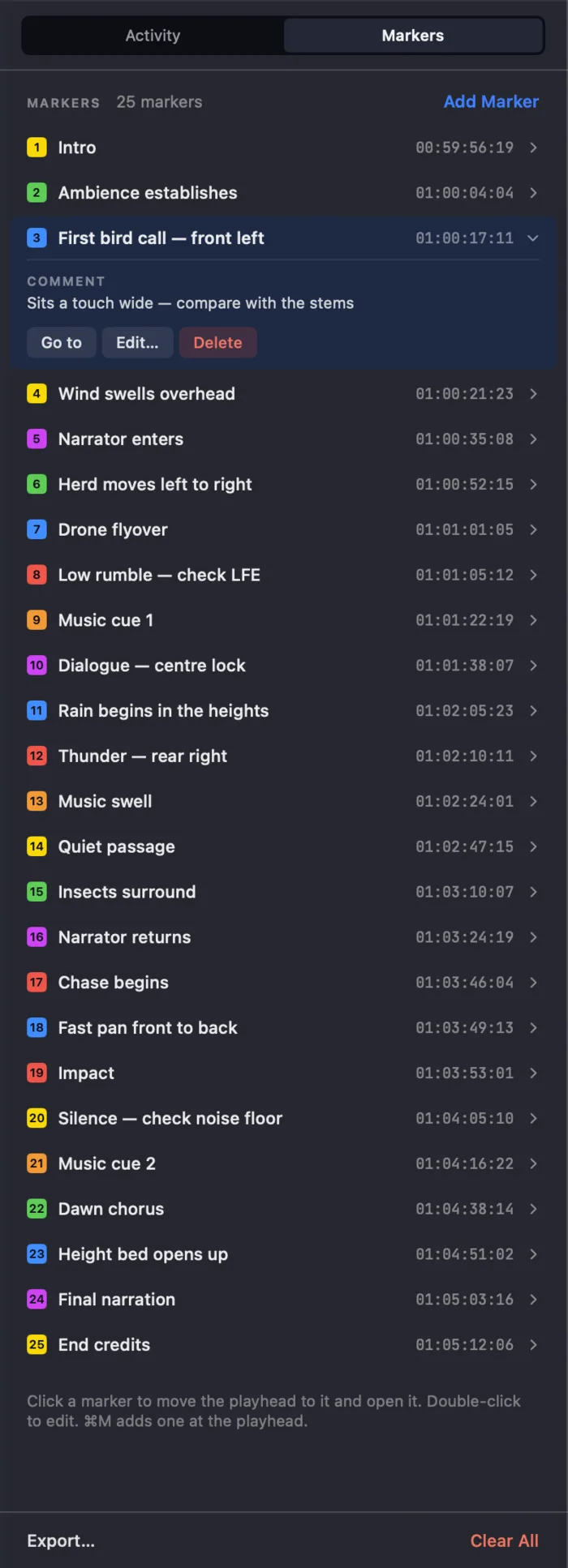
Each marker now shows its name on the timeline, in a row of its own so a loop region never covers it. Markers close together shorten their names; hover for the full one. A Markers tab in the Timeline’s right-hand panel lists them all — click to jump, double-click to edit.
Preferences, redesigned
Every pane, from Account to Privacy — and the choices you used to pick from lists are now cards you can see.
Also in 1.5.9
- Timeline clicks land exactly where you click, at any zoom, on a new ruler.
- Smoother waveforms — no lag dragging the track names, no hairlines.
- Create Session from Preview shows its progress — how much is copied, how long is left, and a Cancel button. It copies your audio once, so it’s quicker, and no longer freezes.
- Fixed: IAMF waveforms showing as silent, waveforms drifting on long files, and the timeline vanishing while resizing.
- Speaker test calibration and loudness measurement have also had improvements.
- Send Us Feedback in the Orbit menu, or write to [email protected].
What about 1.6.0?
A few things here were designed to arrive with 1.6.0. We’re taking our time with 1.6.0 — it brings big changes, so rather than hold everything back, we’ve brought some of them to you now.
Processing and Mixing are coming in 1.6.0. It’s a big leap forward for Orbit, and it goes into beta in late October or early November.
Requires macOS 14+. Update to Orbit 1.5.9 today — Orbit will offer it to you automatically.
Stable build — v1.5.9.
— The Orbit Spatial Team