

Orbit Lite 1.2.0 — Now Plays Video, Speaks IAMF
Orbit Lite 1.2.0 plays IAMF and Eclipsa with video-to-picture sync, switches mix presentations and EBU programmes, and outputs binaural, up to 24-channel and Apple Spatial Audio — all from one load-it-and-listen app. A free update, macOS.
Orbit Lite has always had one job: load an immersive file and listen. No inspection, no reports, no ceremony.
Orbit Lite 1.2.0 keeps that promise — and quietly does a lot more. It plays IAMF and Eclipsa. It shows video in sync with the audio. It handles EBU broadcast masters with programme and language switching. And it now drives up to 24 channels of speaker output. Same one-window app. Same “load it, hear it.” Much bigger reach.
Best of all, it’s a free update for everyone who already owns Orbit Lite.
Now with video
Load an IAMF or Eclipsa Audio™ MP4 that carries a video track, and Orbit Lite plays the picture in perfect sync with the spatial audio.
Seeking is smooth and responsive right up to 4K — scrub anywhere and the frame lands instantly. Fragmented-MP4 (fMP4 / Eclipsa) files are supported too, so playback starts fast and stays glued to the audio timeline.
Go fullscreen and the transport gets out of your way: an auto-hiding control bar brings play, scrub and volume — plus a monitor switch — back the moment you move the mouse, then fades so nothing sits between you and the mix.
IAMF, natively
Orbit Lite now opens IAMF and Eclipsa files directly. When a file carries more than one mix, the Mix Presentation switcher lets you jump between them — exactly the way programme switching works for ADM — and the waveform re-renders to match the mix you’re auditioning.
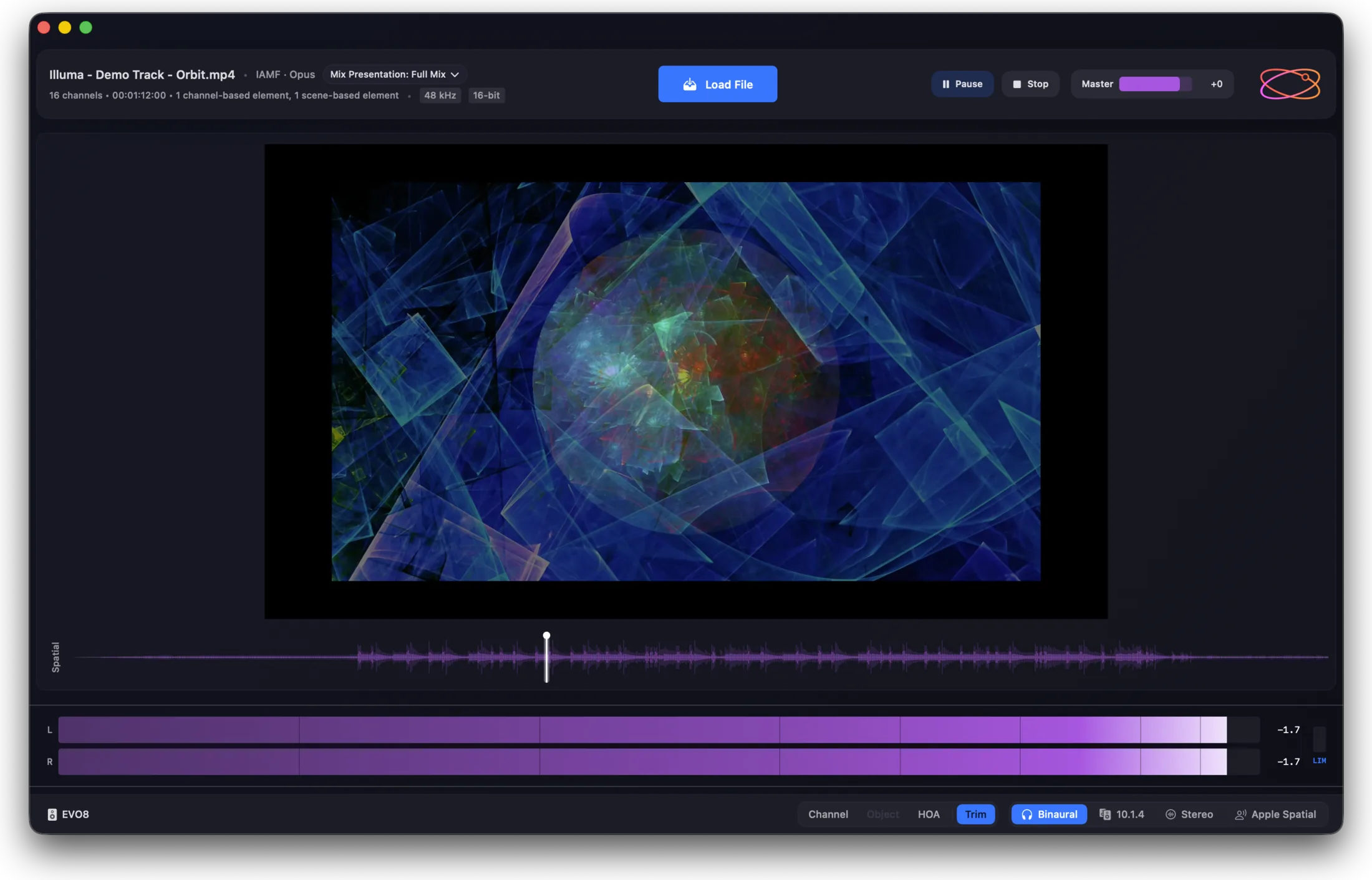
The solo terminology is format-aware, so the app always speaks your file’s language: Bed / Object / HOA for ADM, Channel / Object / HOA for IAMF. One app, both worlds, no translation in your head.
From ADM BWF to Eclipsa
Lite plays your ADM BWF masters too. As with every format, they’re rendered by Orbit’s own engine — which is exactly what lets one small app play ADM BWF, IAMF and Eclipsa side by side.
Built for broadcast
Orbit Lite now understands EBU ADM masters. Files with multiple programmes and languages are fully supported — switch programme or language and Lite re-renders to the selection, so checking a multilingual broadcast deliverable is as simple as picking from a menu.
Truer waveforms
The spatial waveform is now built by OrbitCore’s FastWaveformBuilder, which renders the true spatial signal — correctly accounting for higher-order ambisonics (HOA) and real object motion rather than approximating them. What you see is what’s actually playing.
Changed something upstream, or want a fresh draw? Rescan Waveform (⌘⇧R) rebuilds it on demand.
Out to anything
Play IAMF today — and hear it however you monitor:
- Binaural — clean, non head-tracked headphone rendering.
- Up to 24-channel speaker output — 7.1.4 and well beyond, via OSLS multichannel routing.
- Apple Spatial Audio — render through Apple’s pipeline (macOS) to hear what listeners hear.
- Stereo fold-down for a quick check on any device.
New in Preferences, you can also choose your object panning algorithm — VBAP or LBAP — to match how your content was authored.
A calmer, clearer app
Open Orbit Lite and you’re greeted by a new Welcome screen with your recent files one click away — or drop straight into an ADM or IAMF file.
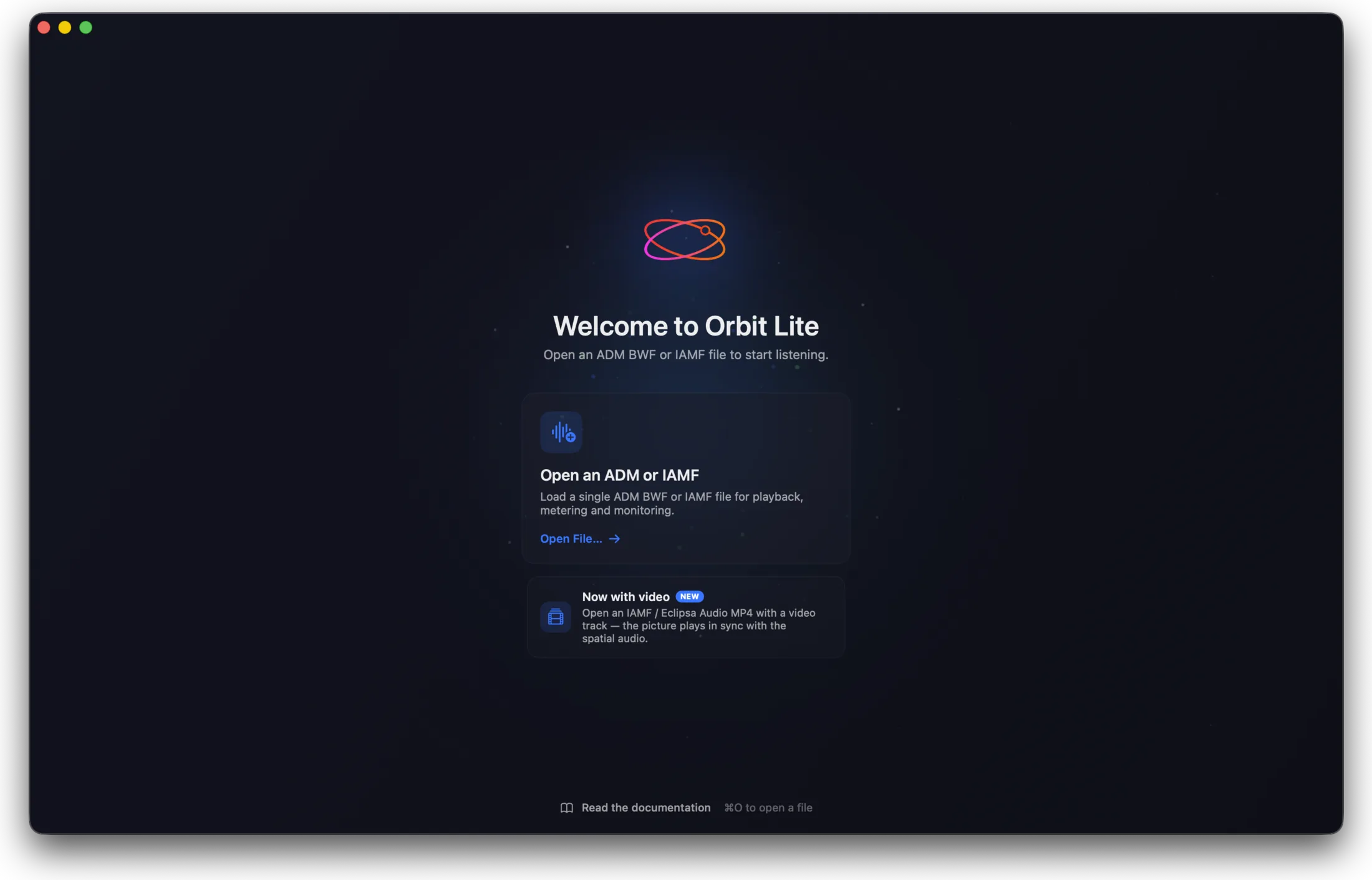
Done with a file? Close File (⌘W) returns you to the welcome screen without quitting. The footer has been redesigned for a cleaner read of format, monitor and levels, and we’ve fixed a batch of menu-reactivity and stability issues across the app so everything stays responsive.
Orbit Lite 1.2.0 is available now as a free update — just download and replace. New here? Orbit Lite is a one-time £35, macOS.
Buy Orbit Lite — £35 · See everything Lite does
— The Orbit Spatial Team