


Orbit Lite 1.3.2 Beta — Binaural Rooms, and Now on Intel Macs
The Orbit Lite 1.3.2 beta lets you choose the room you hear binaural in, or build your own. Plus simpler Apple Spatial Audio controls, Speaker Arrays, redesigned Preferences, and Orbit Lite on Intel Macs for the first time.
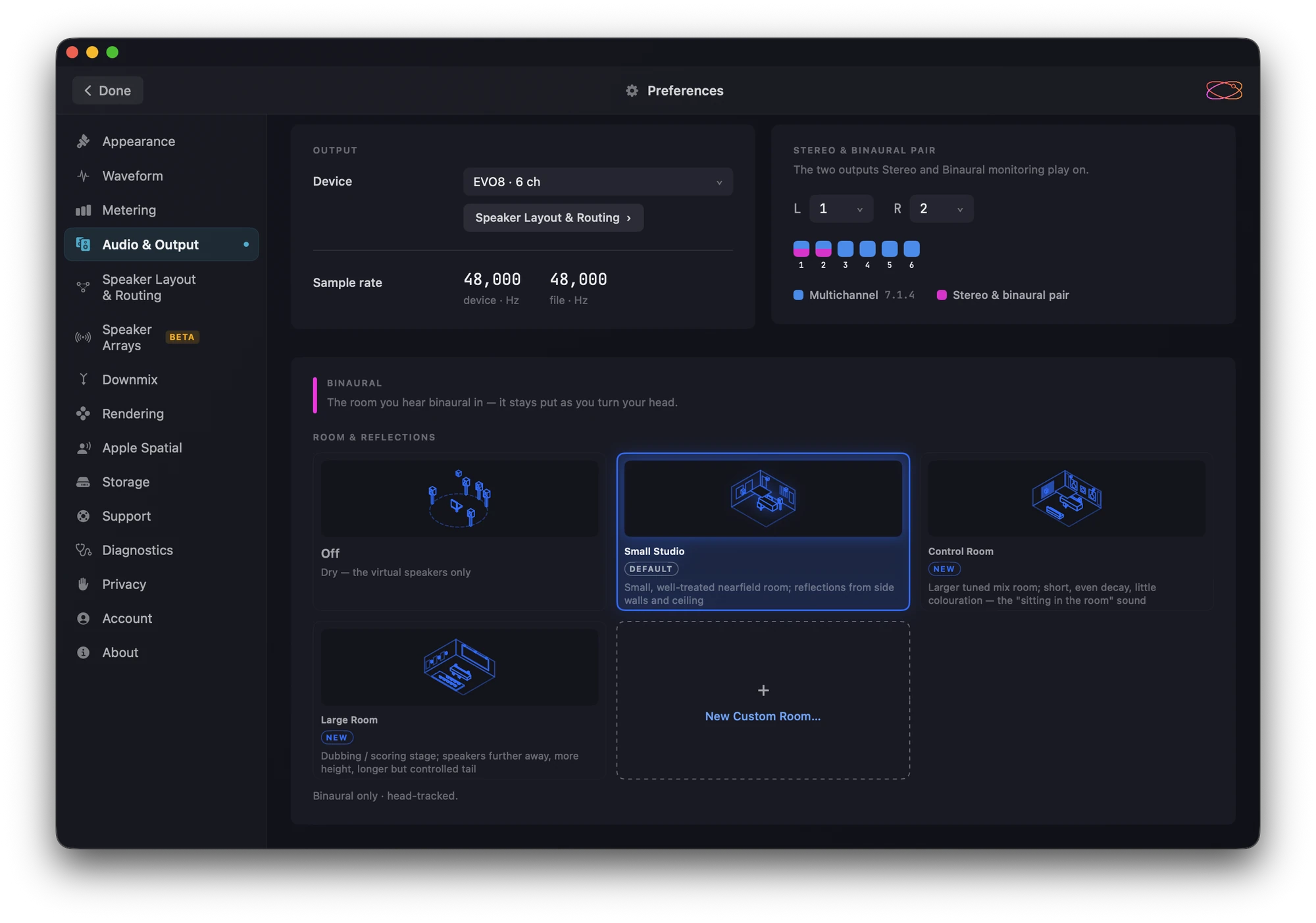
The Orbit Lite 1.3.2 beta is out now. You can now choose the room you hear binaural in, the Apple Spatial Audio controls are simpler, and Orbit Lite runs on Intel Macs as well as Apple Silicon.
If you’re on the beta channel, the update should be waiting for you. If you’re not, you’ll find the beta just below the stable build in your account portal.
Binaural rooms
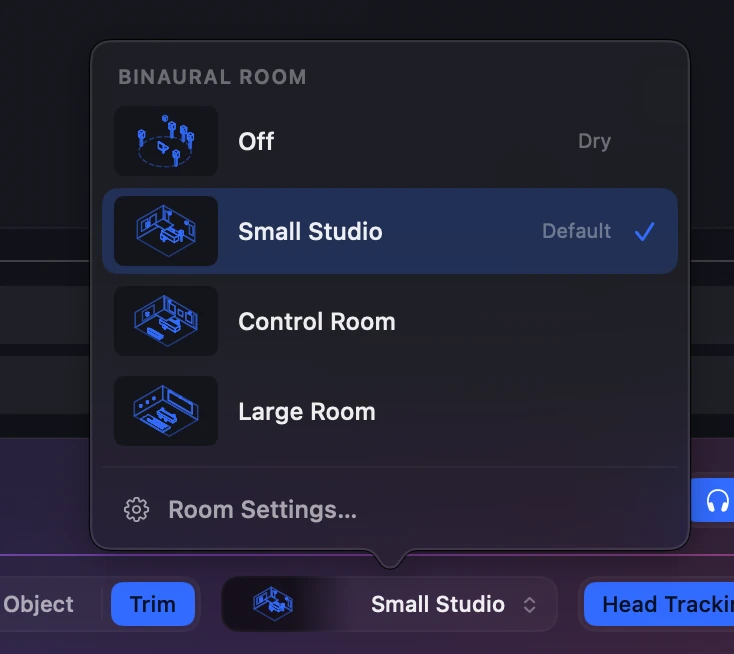
Binaural has always put you in front of the speakers. Now you choose the room they’re in: Small Studio (the default), Control Room, Large Room, or Off.
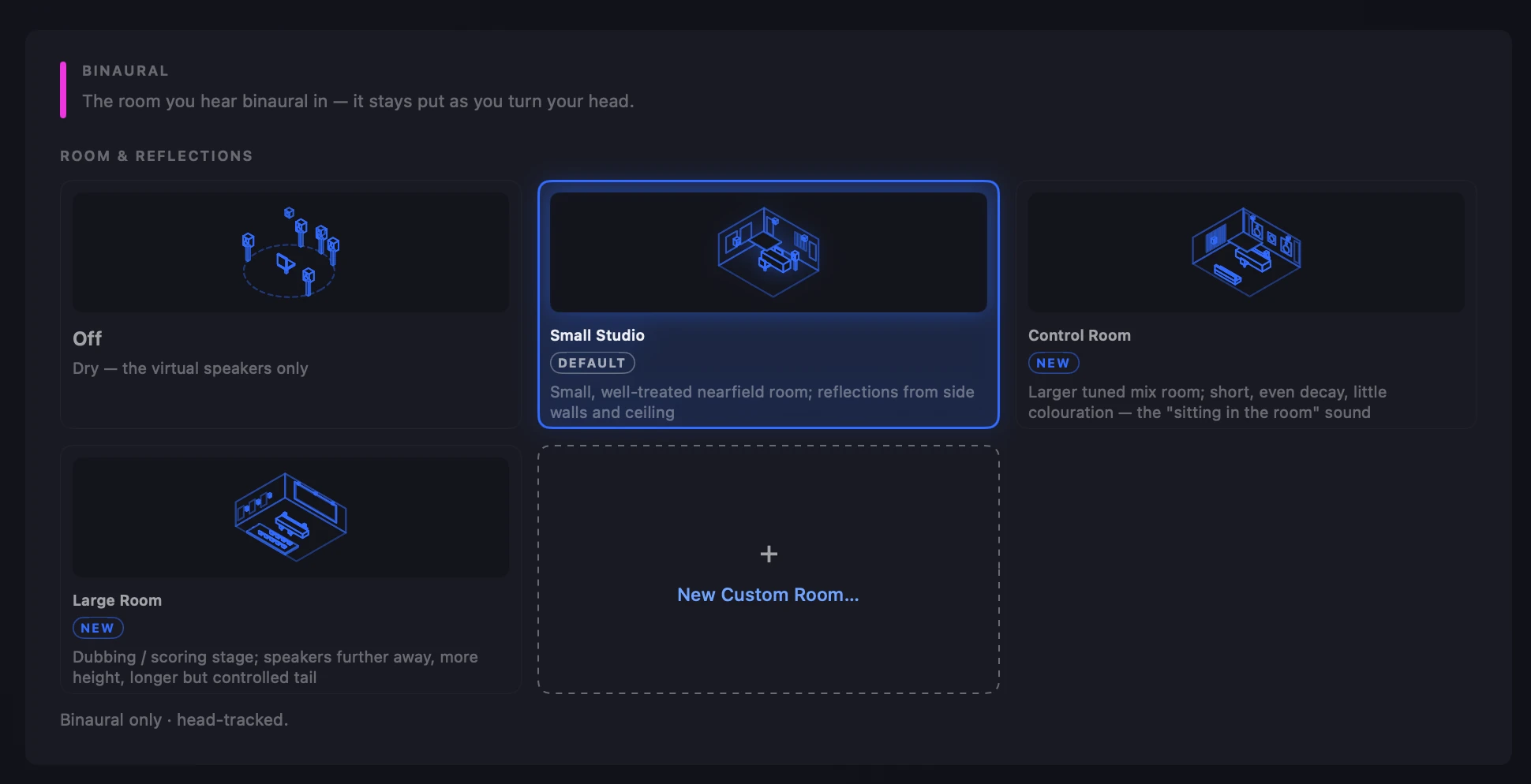
The room stays put as you turn your head. Every room plays at the same level as Off, so switching changes the room, not the volume, and you’re comparing the space rather than reacting to it getting louder. Switching is smooth, with no click.
In Binaural mode, a room chip in the footer shows the room you’re in. Click it for a menu of every room, your own included.
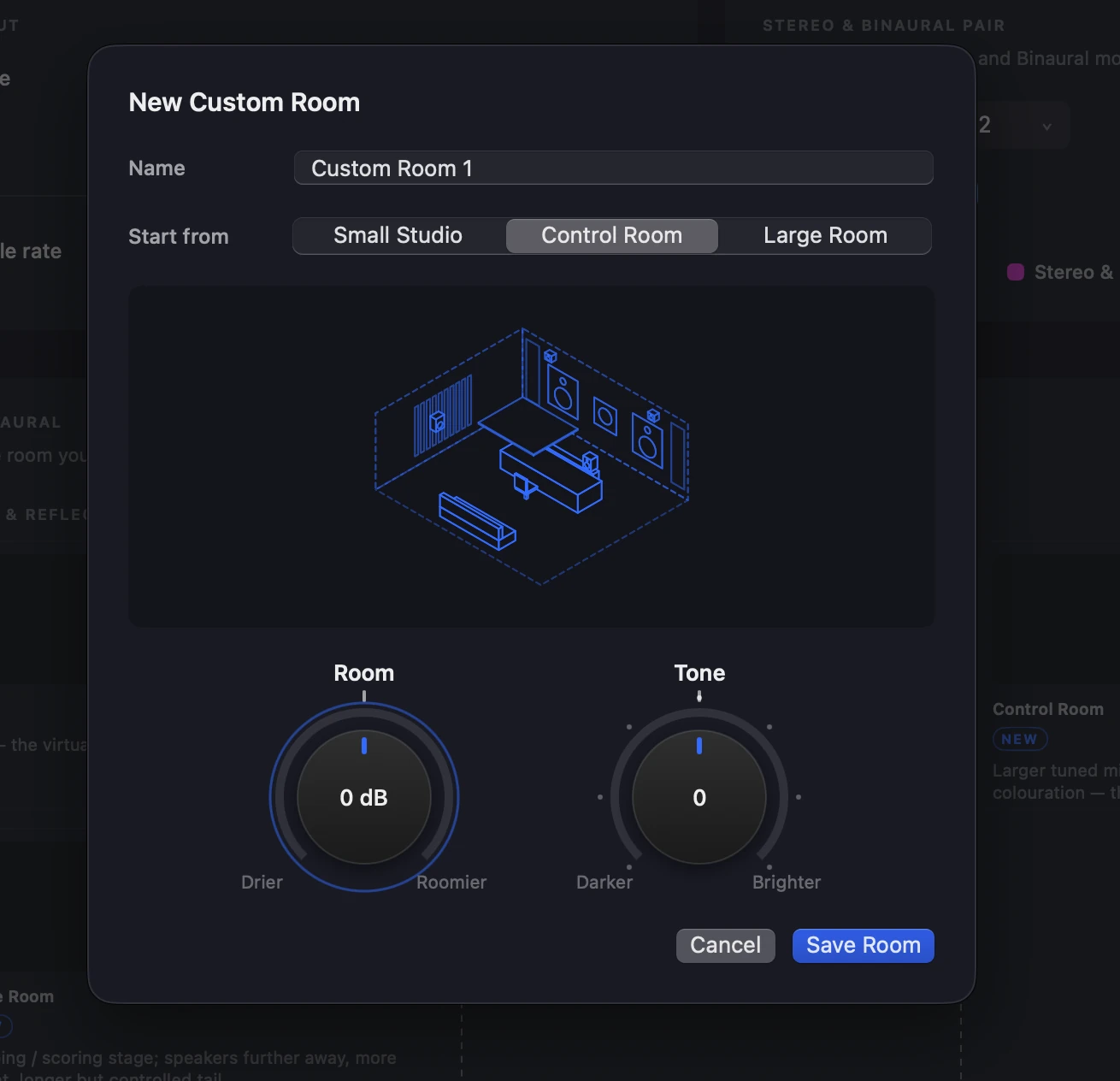
Build your own
Start from any room, set its Room (−6 to +6 dB) and Tone on two knobs, and give it a name. Right-click a custom room to edit or delete it.
Binaural also has about 3 dB less low end below 150 Hz than before.
More in the docs: Binaural Rooms.
Simpler Apple Spatial Audio
The Apple Spatial menus in the footer are now Music | Cinema, a Level slider, and two switches: Head Tracking and Personalised. Together the switches choose the same four modes as before, without the guesswork.

Speaker Arrays (beta)
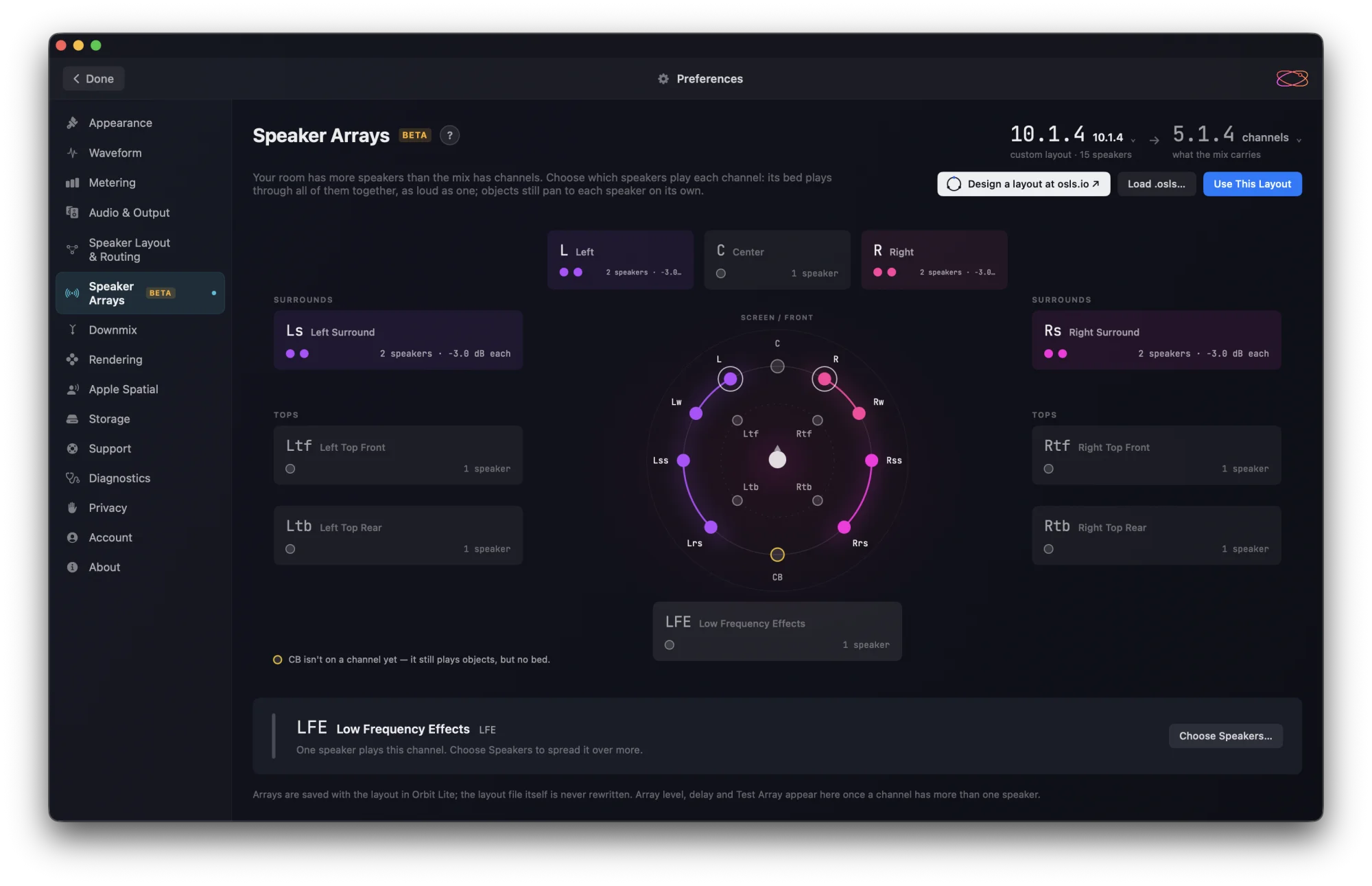
For rooms with more speakers than the mix has channels, Preferences ▸ Speaker Arrays chooses which speakers play each channel. It came to Orbit in 1.5.9, and now it’s in Orbit Lite.
Redesigned Preferences
Preferences has a new design to match Orbit’s. Audio & Output holds the new Binaural panel with the room cards. Account now sits just above About and shows your email address masked, for example s••••@mail.com.
Now on Intel Macs
Orbit Lite now runs on Intel Macs as well as Apple Silicon, in beta. Everything above works on both, with one exception: Apple Spatial Audio isn’t offered on Intel.
Also in this beta
- The loading screen no longer shows your email address.
- On the Welcome and licence screens, the background now reaches the top of the window.
Everything that’s changed is in What’s New.
Requirements: macOS 14 or later, on Apple Silicon or Intel.
Already own Orbit Lite? The beta is in your account portal, just below the stable build. New here? Orbit Lite is a one-time £35 for Mac, iPad and iPhone, with a 14-day free trial.
Start the 14-day trial · See everything Lite does
— The Orbit Spatial Team