

See What You Hear
Professional ADM visualization and QC in three dimensions. From full 7.1.4 systems to headphone binaural — experience immersive audio without complexity.
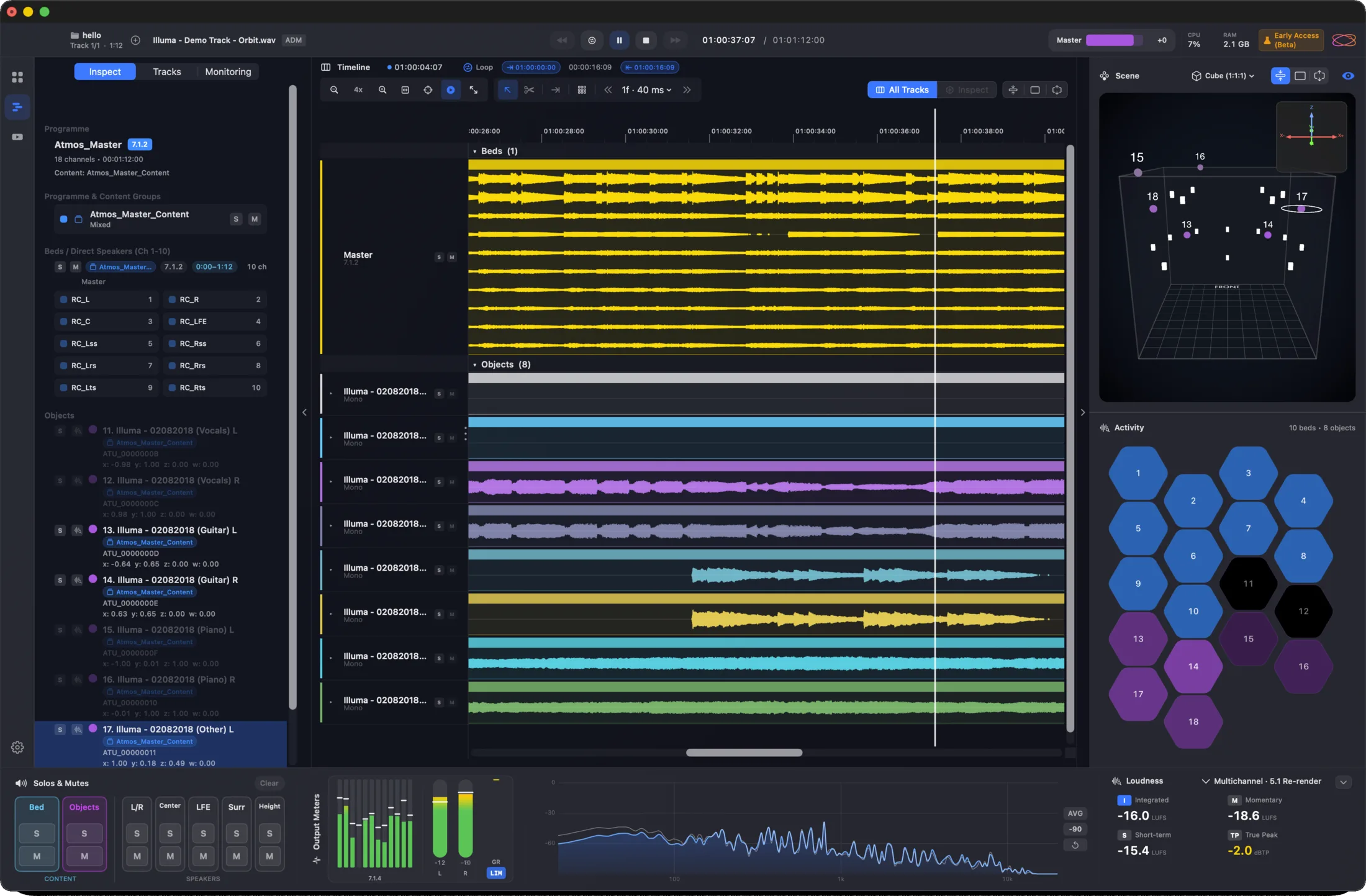
25 features — Pro adds 11
Every Orbit edition shares the audio engine and the spatial QC suite. Pro layers on the finishing tools — sessions, video, IAMF / AXML export, multi-track playback, and the bigger workflow surfaces.
Save Your Place,
In One File
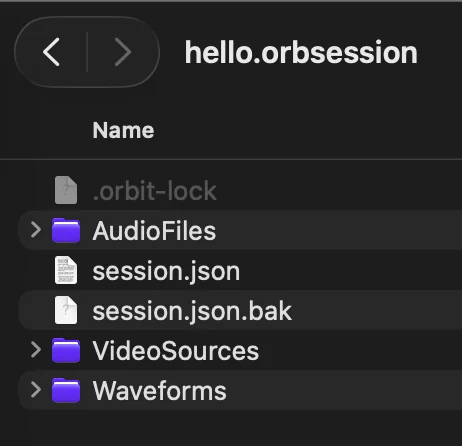
Save the full state of your work as an .orbsession file — loaded ADM or IAMF (Eclipsa), video clips, markers, loop regions, layout, the lot. Open it tomorrow, on another Mac, in another studio, and pick up exactly where you left off.

Self-contained
Audio, video, markers, layout, settings — packaged into a single portable file.
Sharable
Hand a session to a colleague, open it on the studio iMac, archive for next year — the state goes with it.
Resumable
Loop region, scrub position, marker selections — every UI state restored when you reopen.
Picture & Sound,
In One Timeline
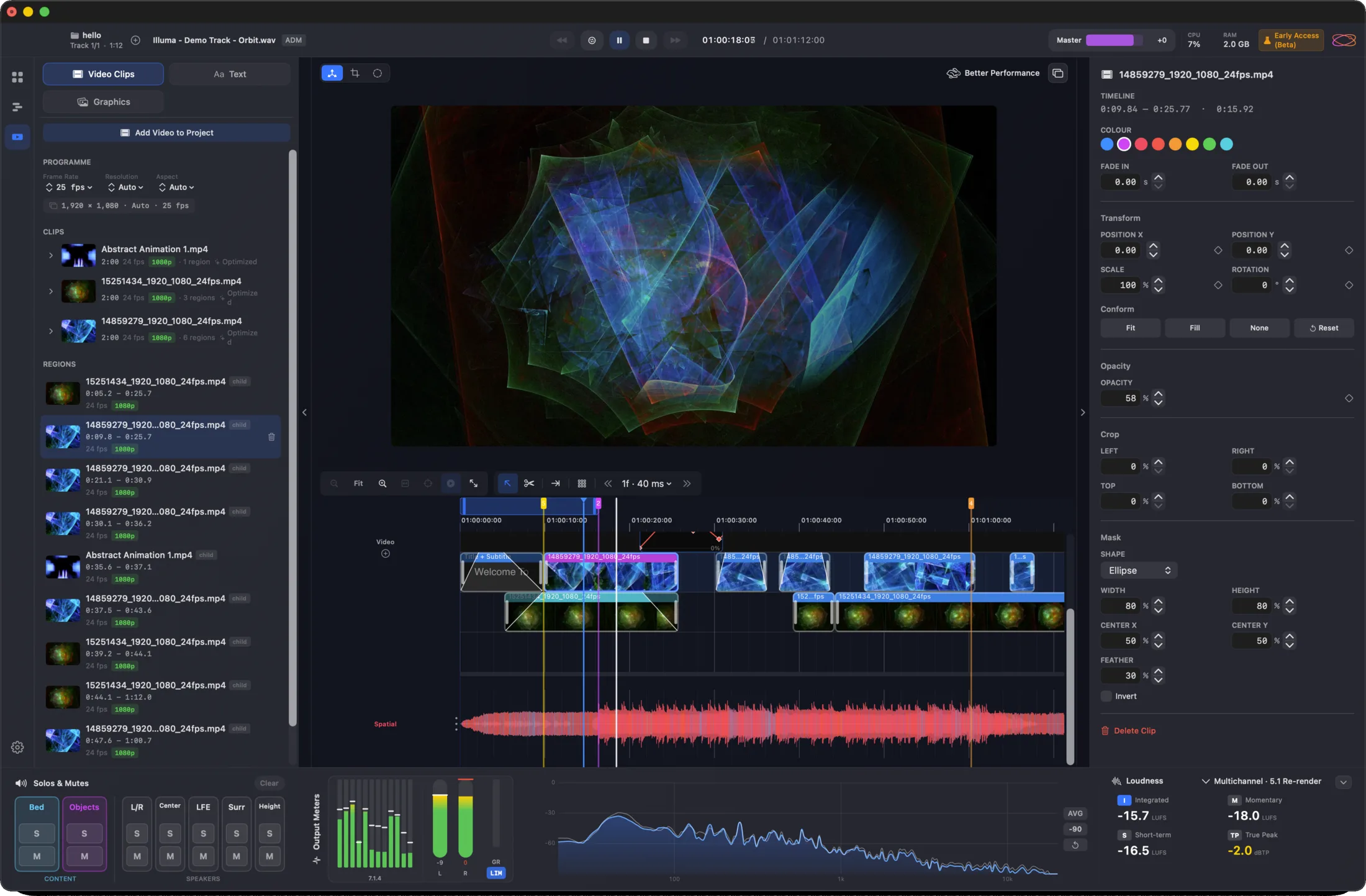
Sync video to your ADM masters, then cut, trim, and arrange clips on a multi-clip video timeline with scrub, loop, and snap. Export an IAMF + MP4 bundle ready for delivery to platforms that accept the format — ideal for creators working across sound and picture.
Quite possibly the world's most
advanced IAMF export.
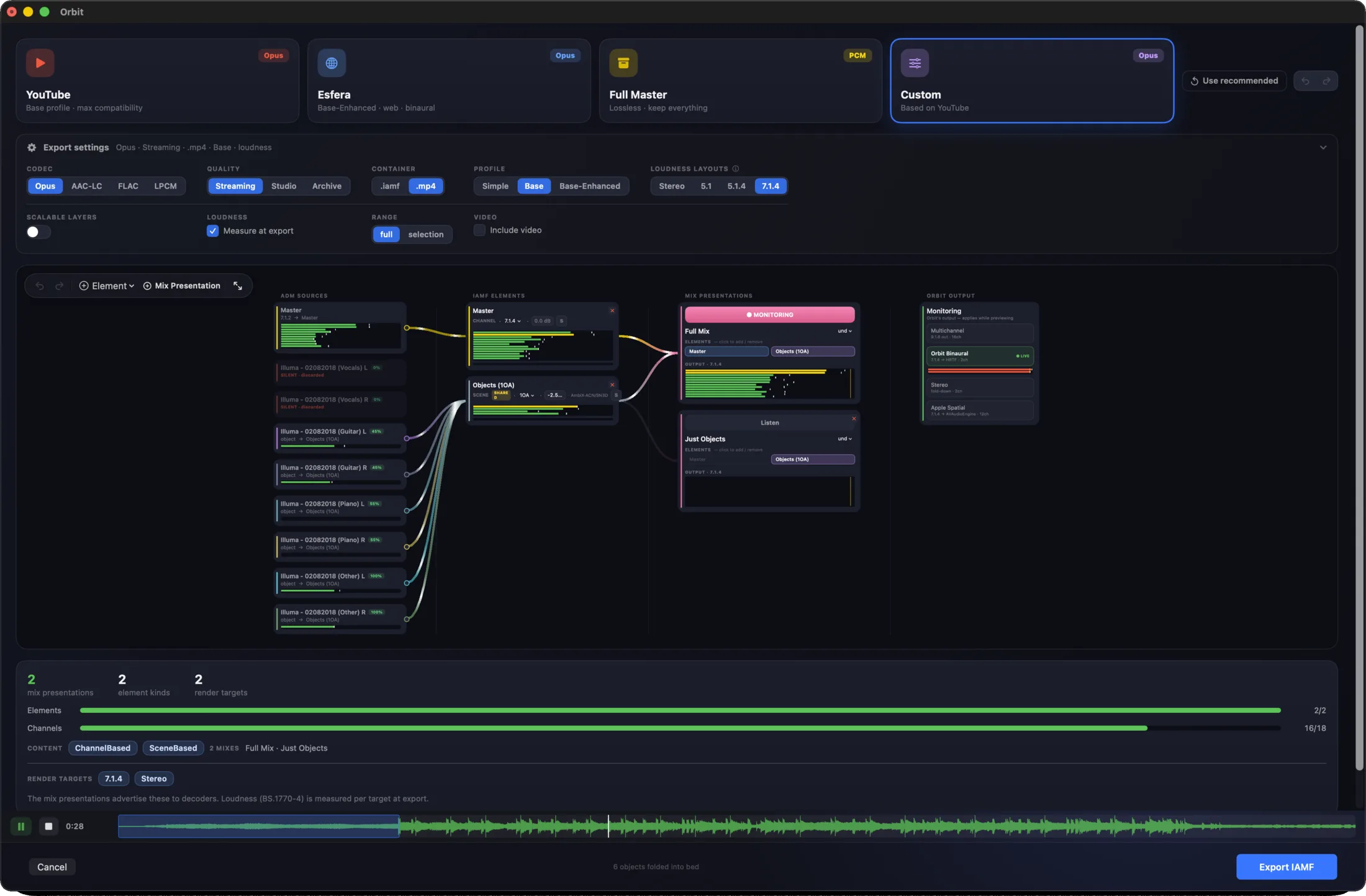
Take your ADM BWF masters straight to IAMF / Eclipsa — the immersive standard powering YouTube's Eclipsa Audio™. Shape every signal path through a full routing graph, choose your codec, profile and render targets in one window, and hear exactly how it'll sound before you commit. Nothing else works quite like it.
Codecs
Opus, AAC-LC, FLAC, LPCM — pick the trade-off that fits your delivery target.
Profiles
Simple, Base, or Base Enhanced — spec-compliant IAMF for every platform tier.
Render Targets
Stereo, 7.1.4, binaural — render the targets each platform needs, auditioned before you commit.
AXML, Standalone
For Round-Trips
Extract the structural metadata of any ADM master as a standalone AXML file — the same XML that lives inside a BWF, pulled out so you can read it. Brilliant for confirming the file actually got encoded the way you expected, and a fantastic teaching tool for showing people exactly what makes an ADM tick.
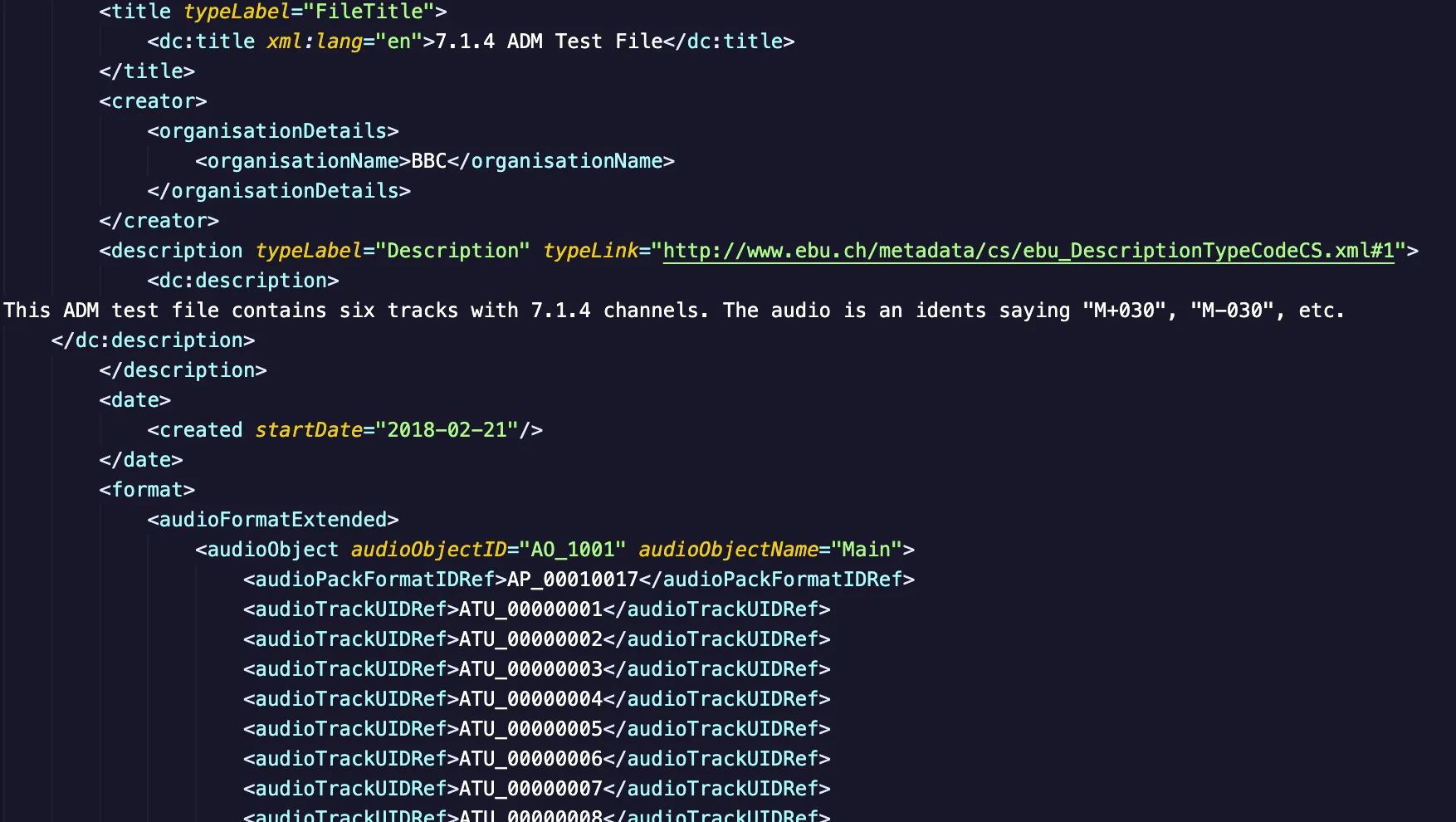
Shown opened in VS Code · A built-in AXML viewer is coming soon
Spec-compliant XML
Pure ITU-R BS.2076 AXML — exactly the structure that lives inside the BWF, nothing added, nothing lost.
Verify encodes
Confirm a deliverable actually got the channel layout, object count, and metadata it was supposed to carry — before it ships.
Teaching tool
Show students, clients, or new engineers exactly what makes an ADM tick — every audioObject, every block, every reference, plain XML.
Tight Loops,
Deep Zoom
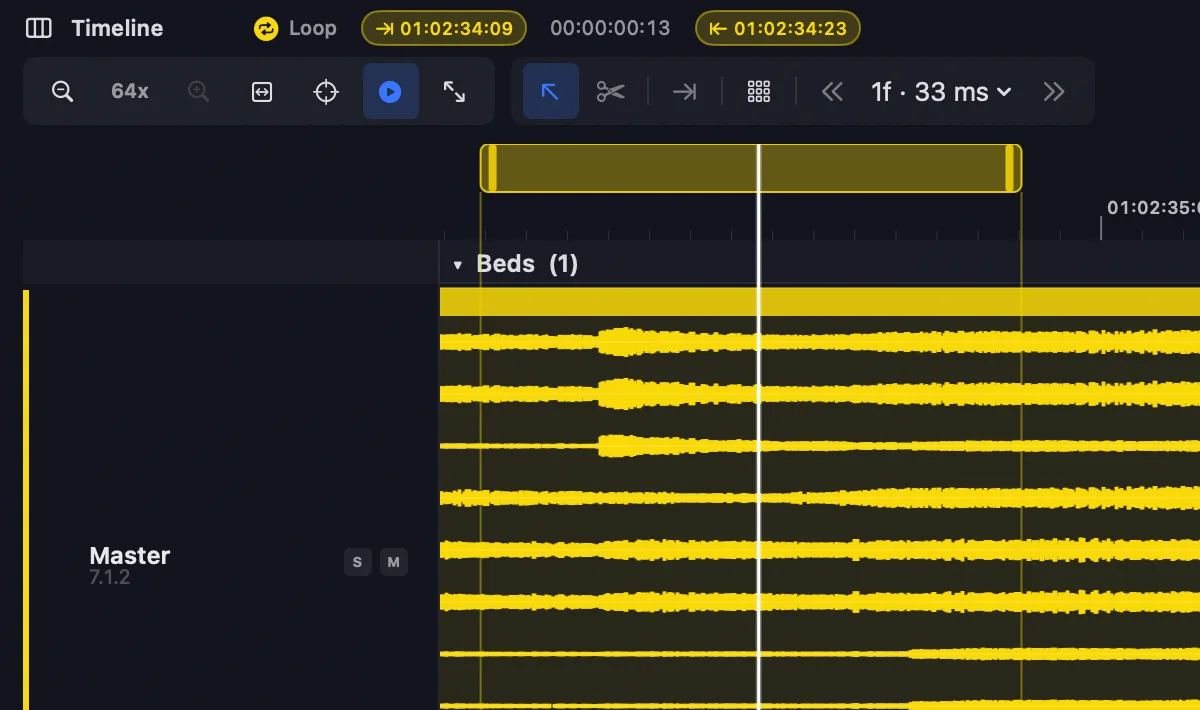
Drop a loop region around any section and let it cycle while you tweak parameters or check a difficult passage in context. Zoom deep into the waveform to isolate transients, debug crossovers, or scrub fades sample-accurately.
Notes That Travel
With The Mix
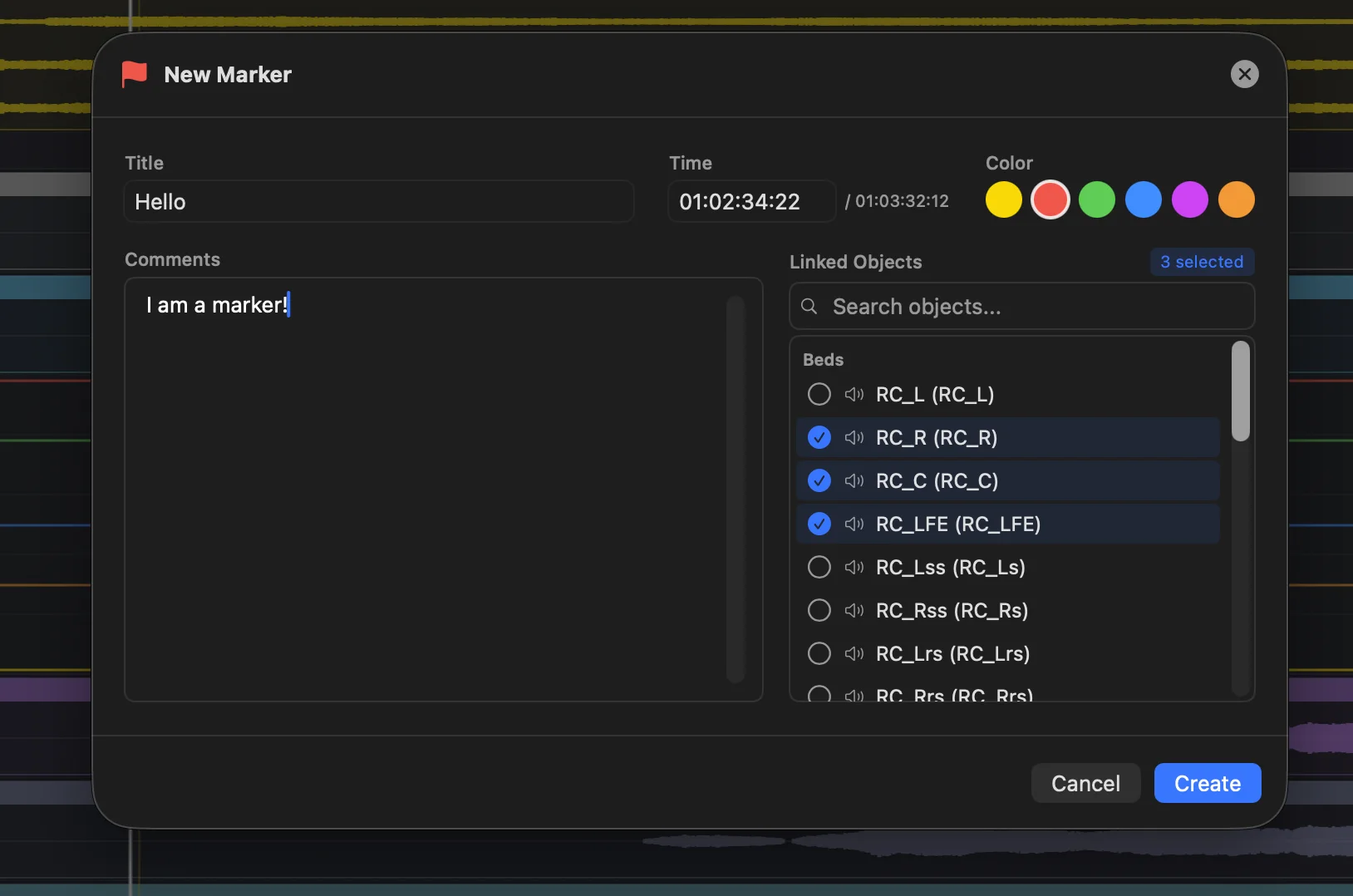
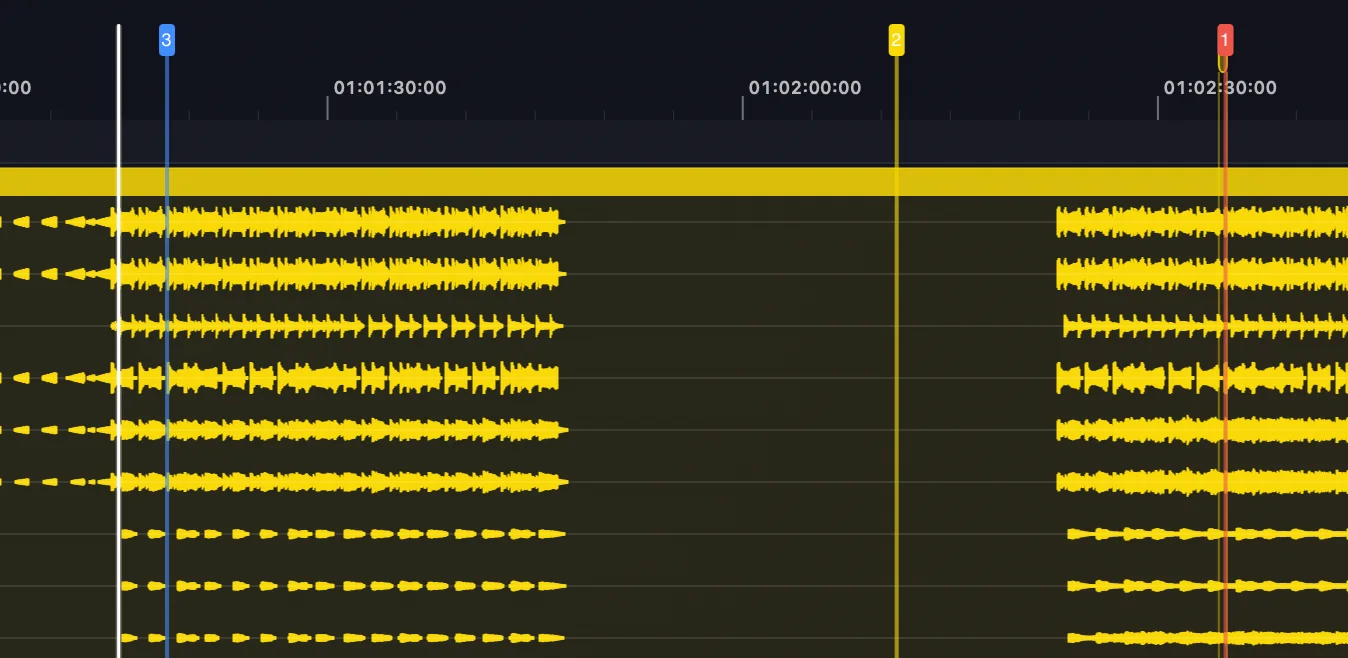
Drop markers anywhere on the session, link them to specific objects, and add comments. Each marker carries the time, the linked objects, and your note. Export the full marker map as a shareable PDF for stakeholders or as CSV for issue trackers and spreadsheets — review without ever opening Orbit.
One Mix Down,
One Click
Queue multiple ADM and IAMF tracks and let Orbit roll through back-to-back. Auto-advance moves to the next track when one finishes — perfect for album reviews, batch QC, or letting clients hear the whole shortlist without you driving the transport.
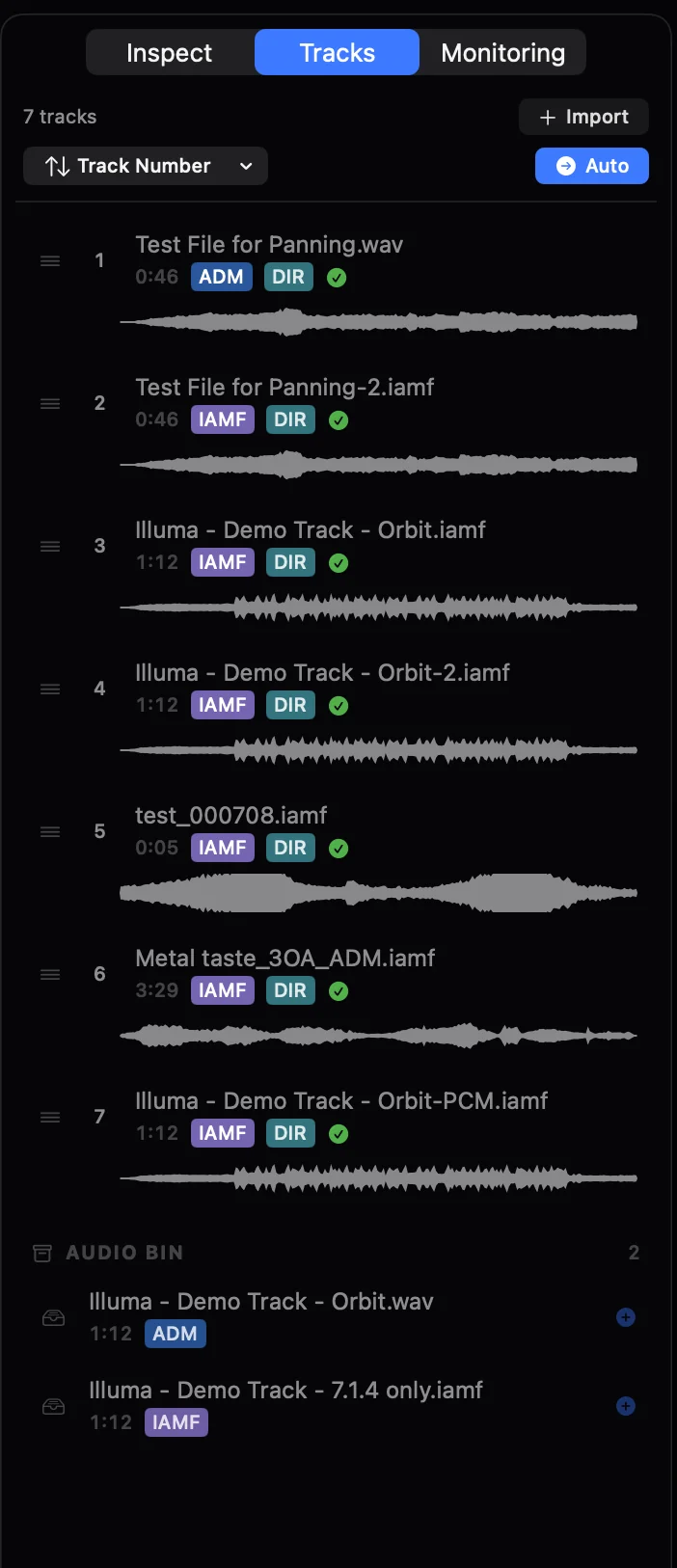
Queueable
Drop ADM and IAMF tracks into the playlist, drag to reorder, save the queue with the session.
Auto-advance
Track ends, the next one starts. Or pause between for client check-ins. Toggle per session.
Mix-down friendly
Album QC in one sitting — loudness check the whole record, then the singles, without re-loading.
Every Track,
Side By Side
Show every track's waveform at once — beds and objects stacked vertically — so you can scan an entire session in a single view. Find the one track with a level issue, the one object with a silent gap, without drilling through each one individually.
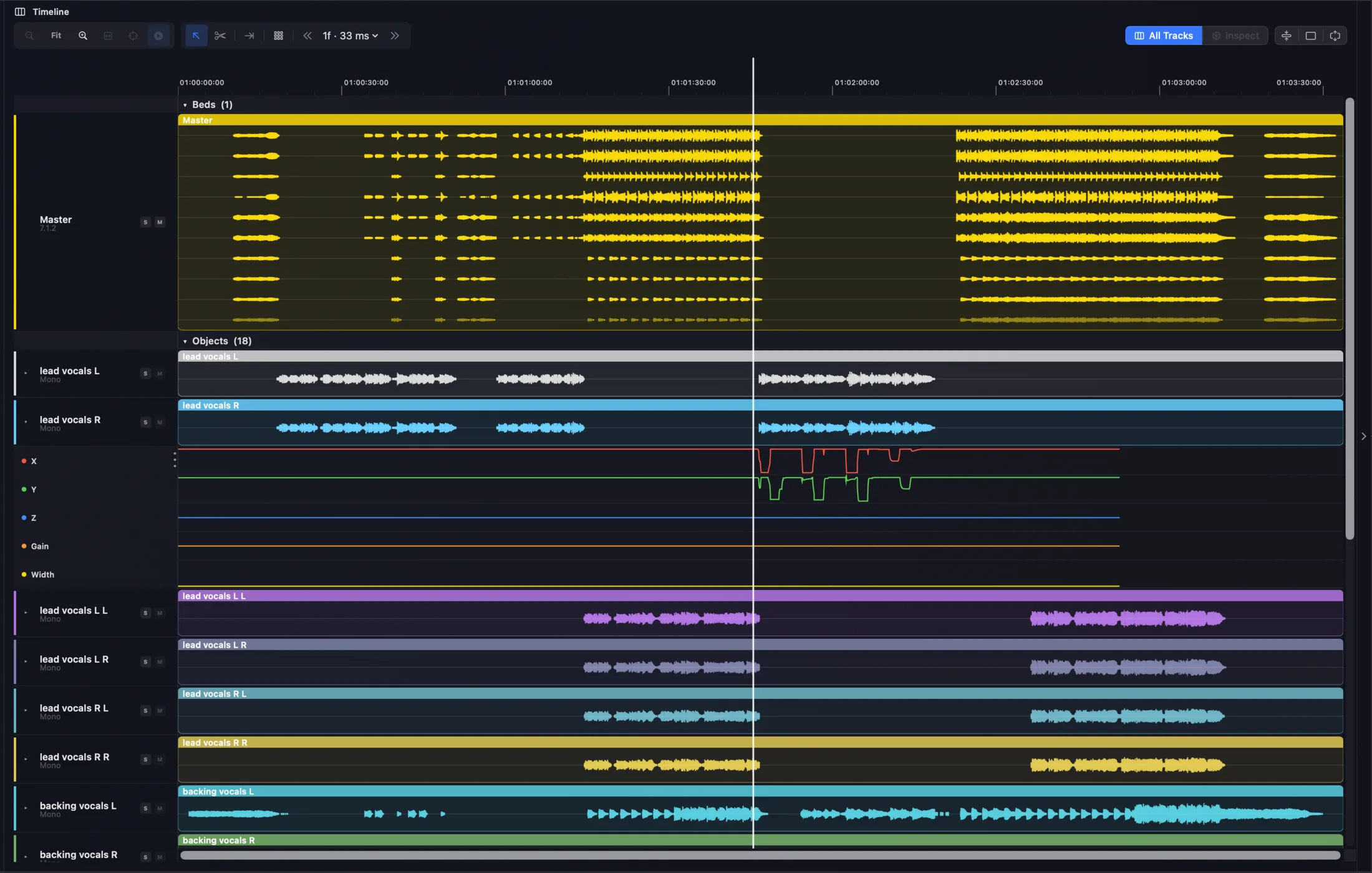
Stacked
Every bed and object on its own row, time-aligned, time-locked to the master scrubber.
Scannable
Spot anomalies — silent gaps, level mismatches, dropped objects — in seconds, not minutes.
One Track,
Every Trajectory
Drill into any track to see its waveform alongside the X / Y / Z position trajectories — the spatial movement of an object visualised against the audio that drives it. Catch trajectories that don't match the audio energy, find dropped automation points, sanity-check spatial design before render.


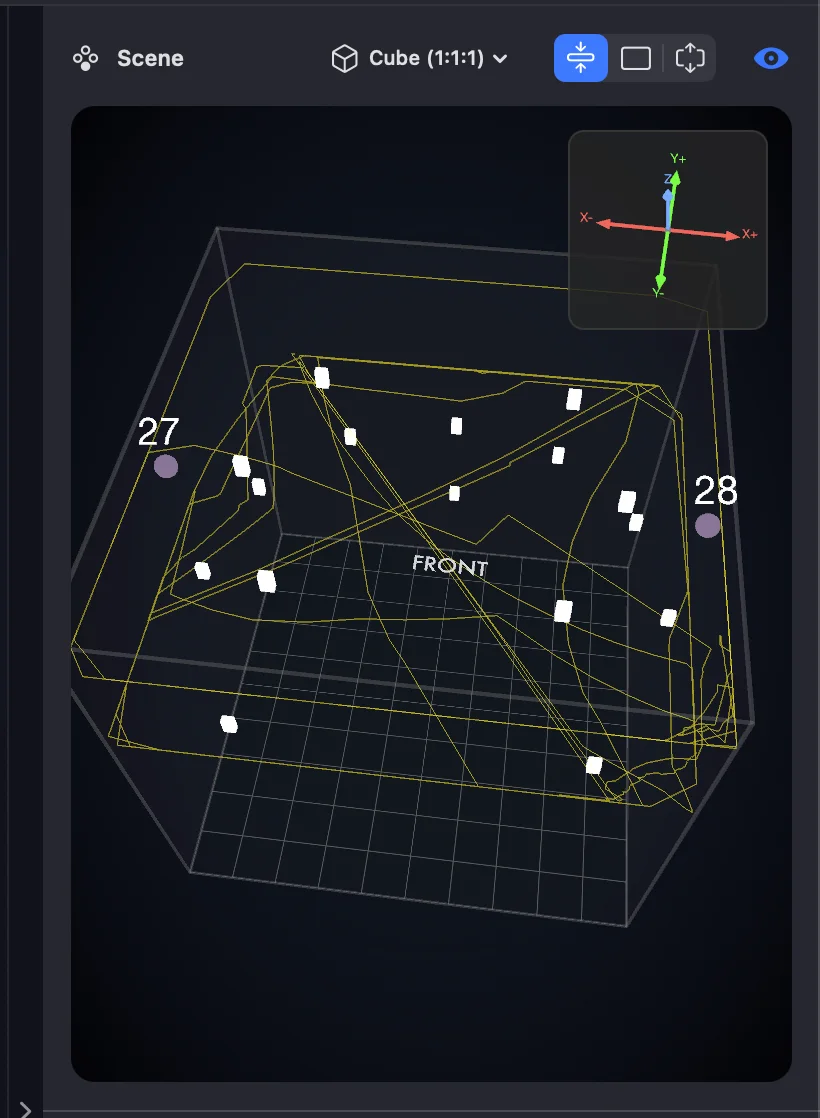
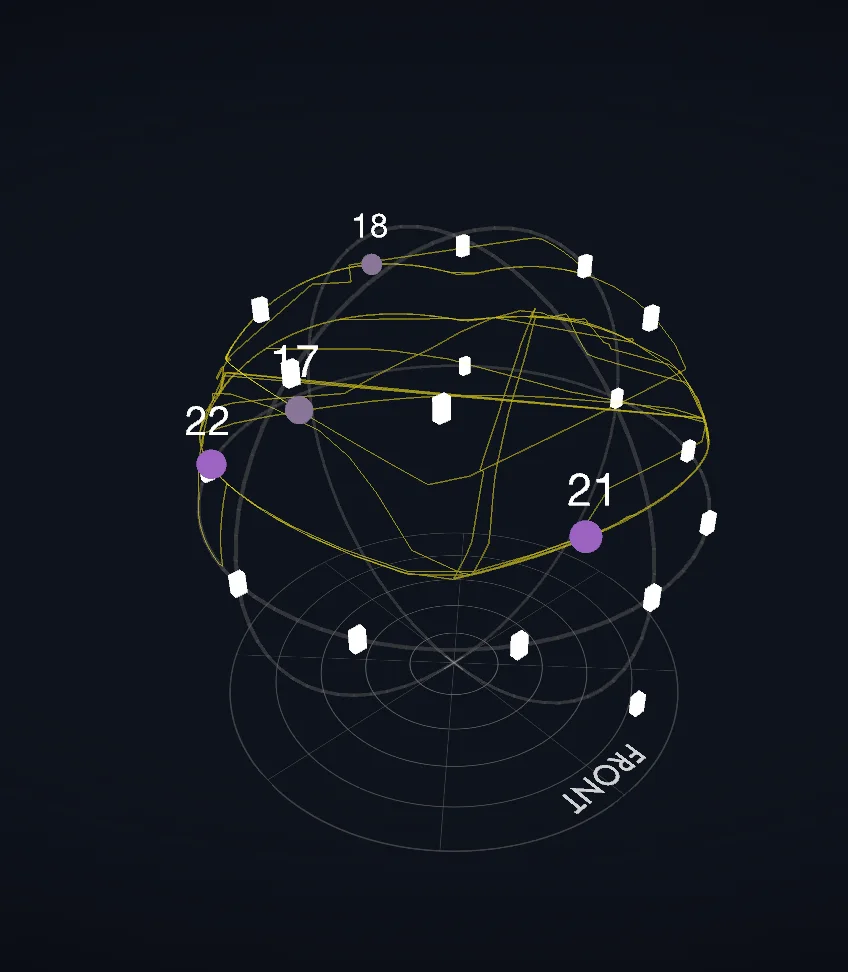
Inspect a track and its path is drawn live in the 3D scene — cube or spherical.
Match Your Room,
Not The Spec
Set Orbit to where your monitors actually sit, and the binaural and stereo fold-down compensate for the difference. Calibration belongs to the room, not the layout — heights set on 5.1.4 hold on 7.1.4 and 9.1.6. Click any speaker to hear pink noise from it alone. In both Orbit and Orbit Pro.
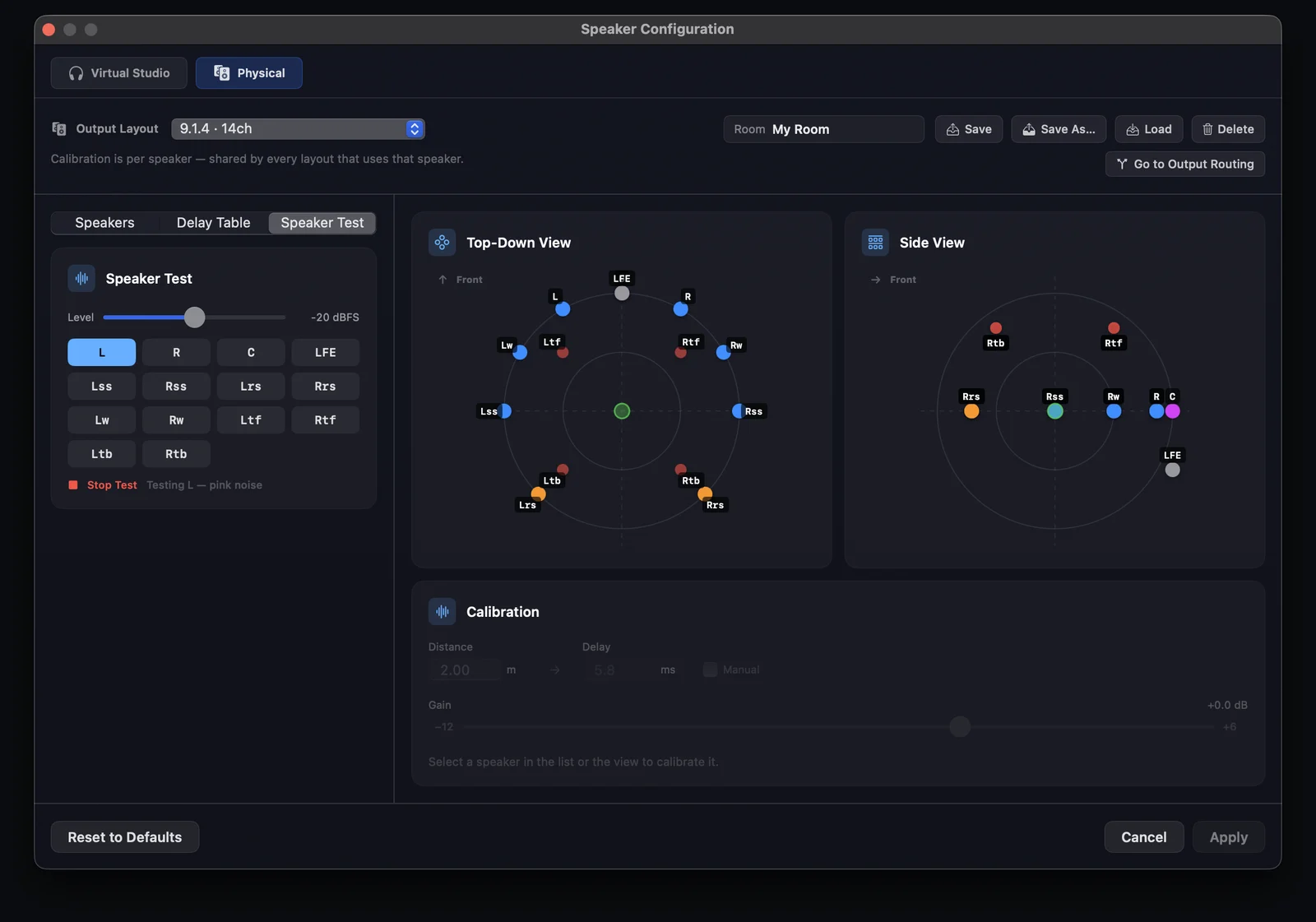
Save a calibrated rig as a named Room — new in Orbit 1.5.7.
Solo, Mute & Group,
Right On The Speakers
A speaker layout view across the whole multichannel output system. Click any speaker in the top-down, side or 3D view to solo it — or build custom groups of solos and mutes that follow you across every view. A simple idea with a lot of power for testing, and it works with any layout up to 64 channels via OSLS.
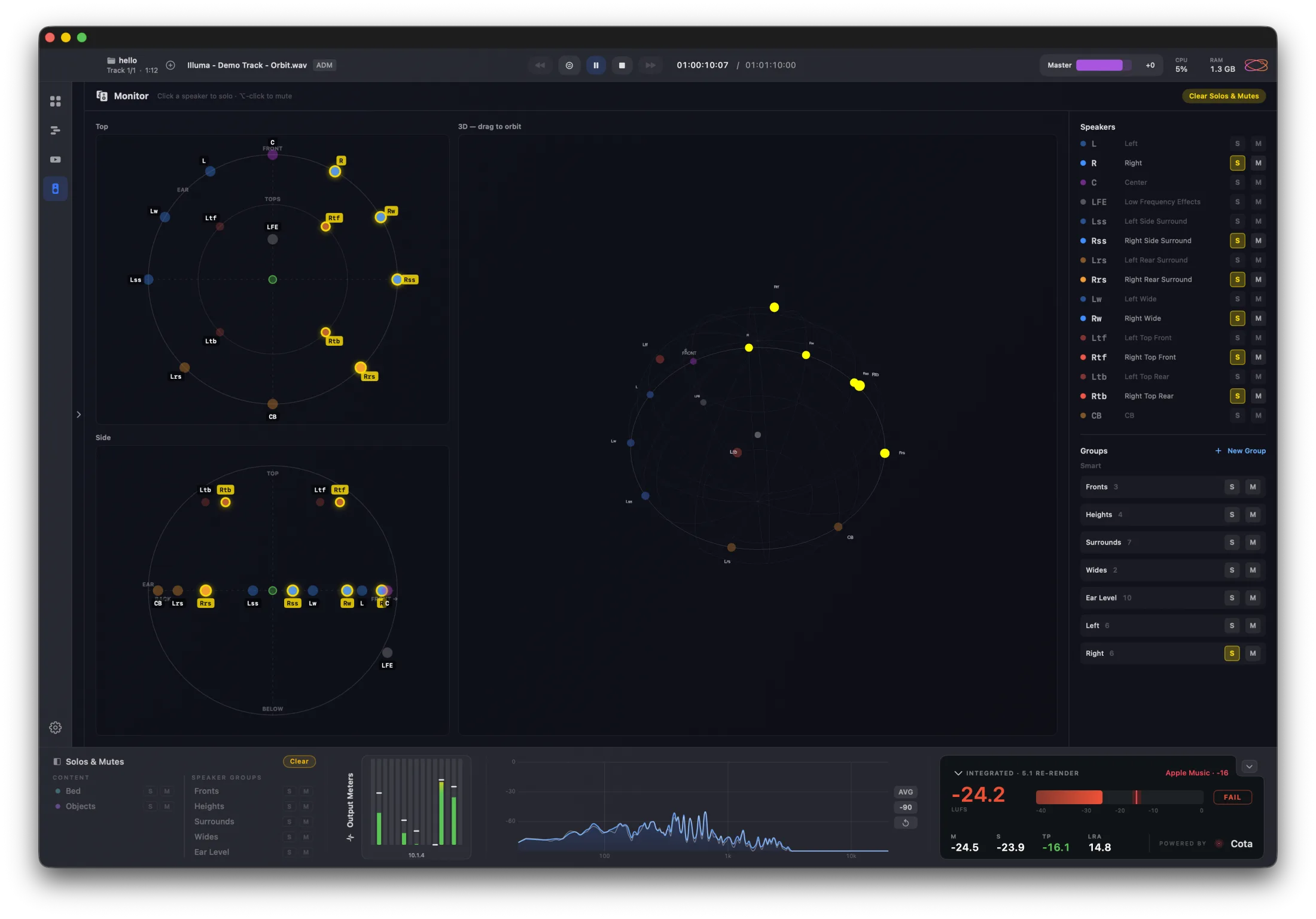
The shared baseline.
Every Pro licence inherits these — and Standard ships with them at the lower tier. Same audio engine, same fidelity, same QC suite.
Three Dimensions,
Zero Guesswork
Watch audio objects move through space in real-time. A coordinate gizmo shows X, Y, and Z axes so you always know your orientation — just like a game engine.
Room Modes
Choose the visualization style that works best for your workflow
Position Tracking
Follow object automation as it plays back through your mix
Object Soloing
Isolate individual elements to verify positioning accuracy
Scene-Based Audio,
Fully Supported
Orbit 1.4 ships with first, second, and third order Ambisonics — in both ADM BWF and IAMF (Eclipsa). Sound fields decode alongside your beds and objects, rendered through the same 7.1.4 speaker bus and binaural pipeline as everything else.
FOA, 2OA & 3OA
First, second, and third order Ambisonics decode and render through Orbit's speaker and binaural outputs
Mixed Scenes
Beds, objects, and Ambisonics together in one file — ADM or IAMF. Orbit handles the lot in a single session
Metadata You Can Trust
Normalisation badges, per-channel source tags, and pack IDs — see exactly what the file declared
Every Object,
At a Glance
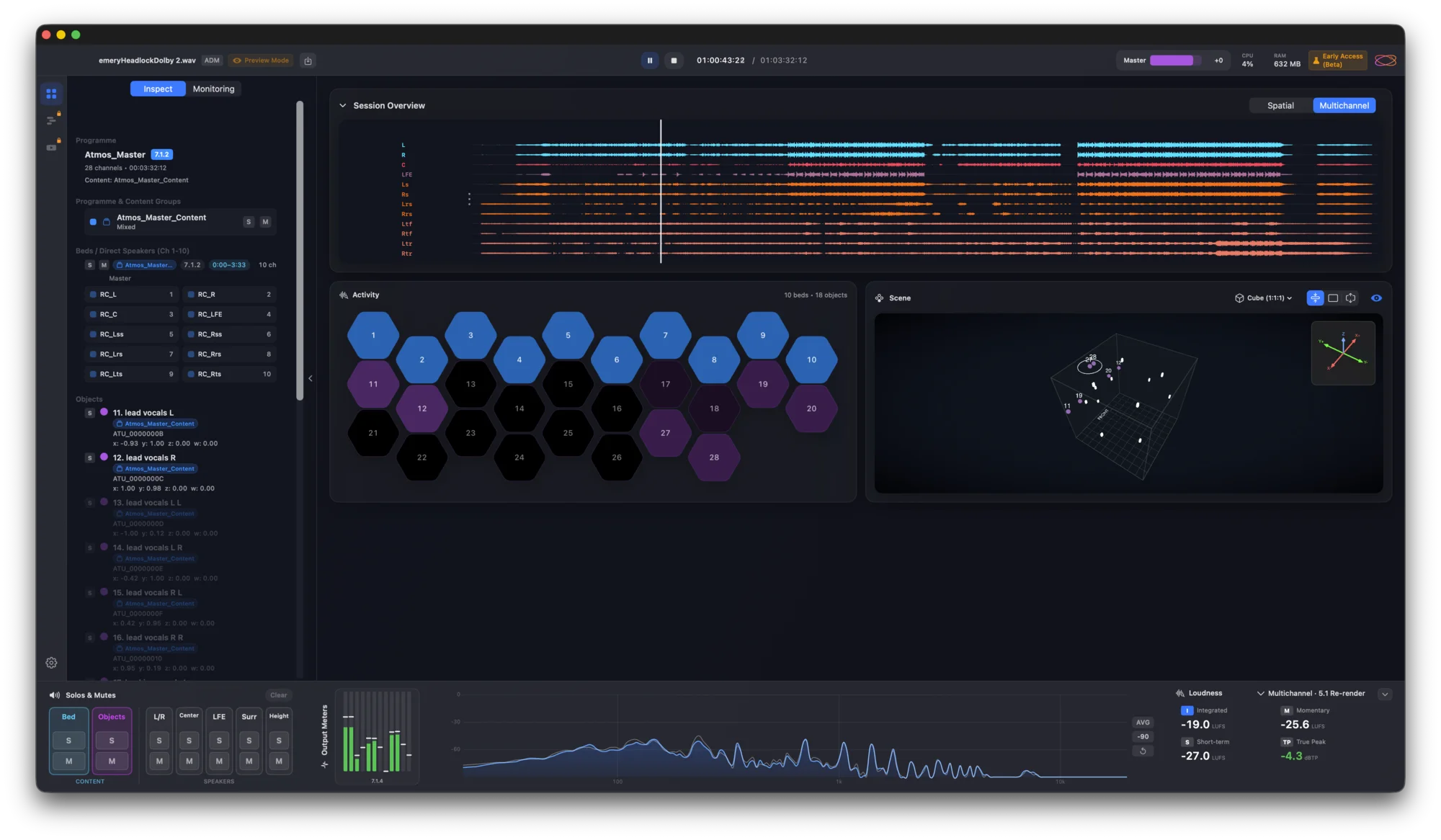
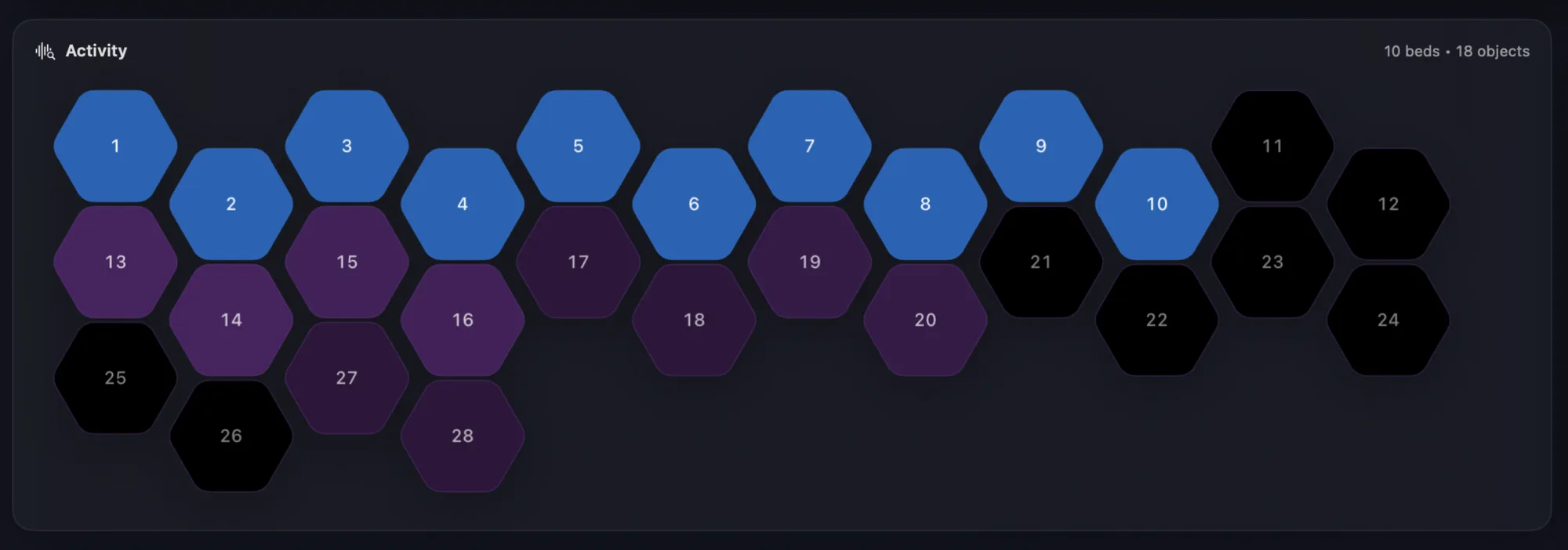
See all beds and objects in a single view. Active channels light up, silent ones stay dim — spot missing content instantly without scrubbing through your entire file.
Active objects pulse with color — beds in blue, objects in your theme color — while silent channels stay dimmed
Click any object to highlight it in the 3D view — double-click to solo and hear it in isolation
Quickly verify all expected objects are present and active — spot missing content without scrubbing
Your Content,
In Detail
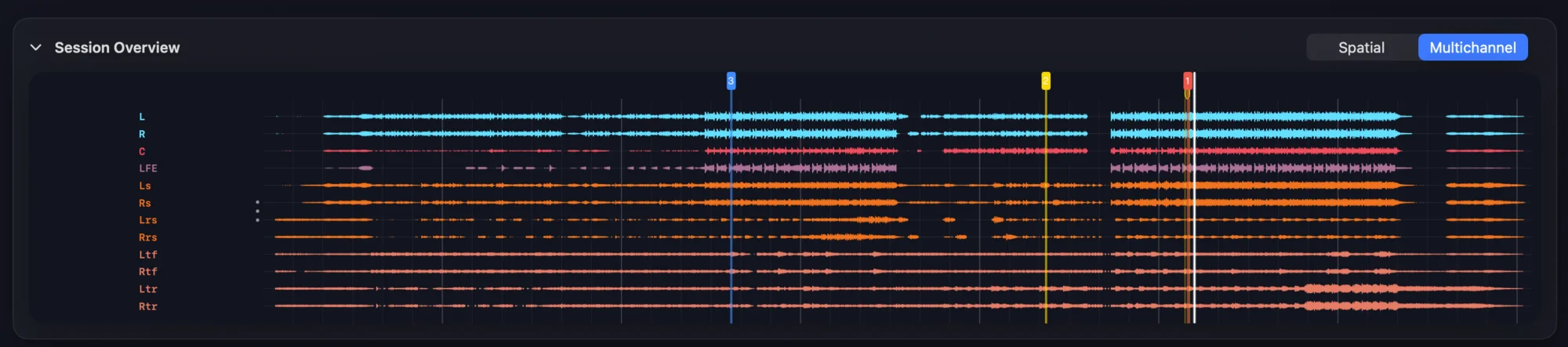
High-quality waveform timeline packed with information. Two view modes show you exactly what's happening in your immersive mix.
See the left/right weight of your content across the spatial field

Full 7.1.4 waveform — see exactly what's coming out of each speaker
High Resolution
Crystal clear waveforms
Toggle Views
Switch between Spatial and Multichannel instantly
Visual Solo
Soloed channels highlight in the timeline
Four Ways to
Experience Sound
From full speaker systems to headphones, Orbit adapts to your monitoring environment.
Fourteen speaker layouts built in, from Mono to 9.1.6 — and any rig you can describe in OSLS.
Full Immersive
Output to physical 7.1.4 speaker systems with flexible channel routing. Map any speaker to any output for complete studio integration.
Binaural
HRTF-based headphone monitoring with head tracking support for AirPods and camera.
Stereo Fold-down
Intelligent downmix to standard stereo. Perfect for quick reference checks.
Apple Spatial Audio
Hear what your audience hears on Apple Music with Apple's own spatial renderer.
Hear What Your
Audience Hears
Check what your mixes will sound like on Apple Music. Orbit uses Apple's own spatial renderer — the same engine powering Spatial Audio for millions of listeners on AirPods, Beats, and Apple headphones.
Uses your iPhone ear scan for the most accurate spatial rendering
Apple's default spatial rendering — what most listeners experience
Works directly with AirPods Pro & Max — no camera needed
Apple Spatial Audio
Check what your mixes will sound like on Apple Music — before they go live.
Turn Your Head,
Sound Follows
Real-time head tracking for truly immersive binaural monitoring. Use Apple Spatial Audio with standard or personalised profiles, AirPods, or your Mac's camera.
Apple Spatial Audio
Standard & personalised profiles
Camera Tracking
Built-in or external webcam
AirPods
Native Pro & Max support
Your Ears,
Your HRTFs
Built-in HRTFs for accurate monitoring out of the box, plus custom SOFA import for personalised rendering. Orbit's 1,944-point HRTF grid enables precise binaural rendering for any speaker position.
High-quality synthesis HRTF for general listening, tuned for the best experience
Flat-response HRTF for accurate monitoring
2 SADIE II HRTFs included — no download needed
AES69-2022 — CIPIC, SADIE II, MIT KEMAR compatible
Full spherical coverage for accuracy
1,944 measurement points • Full spherical coverage
Frequency Response
Magnitude (dB) · Normalized at 1 kHz
Mix On Anything,
Hear It Honestly
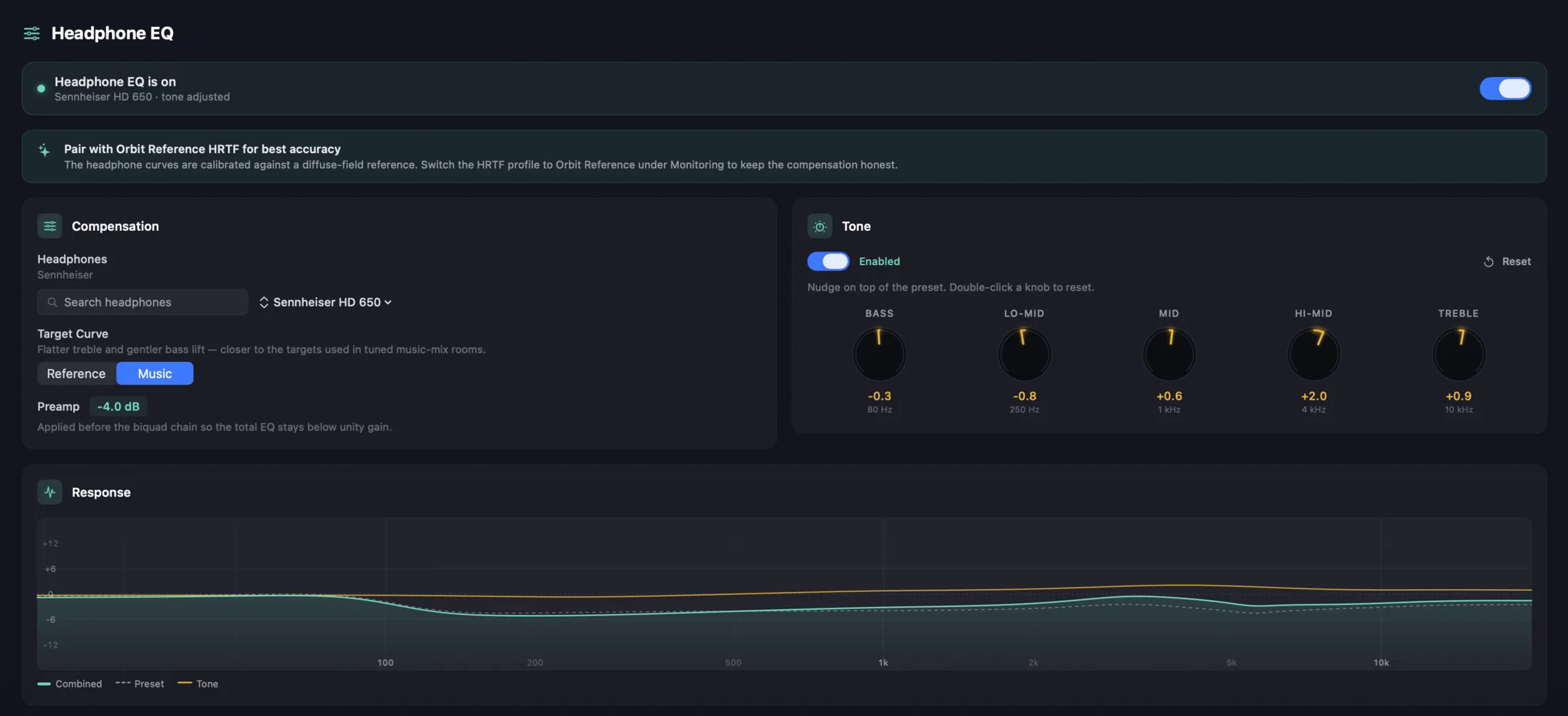
Most of us don't mix on flat headphones — we mix on the cans we own. Orbit ships with a Headphone EQ panel that flattens your headphones against a known target so what you hear is closer to what's actually in the file. Curated AutoEq-derived presets for the usual suspects (HD 650, HD 800 S, DT 770 Pro, LCD-X, AirPods Max, MDR-7506, and plenty more), a five-band tone tilt for taste, and a live response graph that draws the lot.
Compensation
Parametric correction curves derived from AutoEq, plus an automatic preamp so the total stays below unity gain. Reference (Harman 2018) for monitoring, or Music for a warmer tilt.
Tone
Five knobs — Bass, Lo-Mid, Mid, Hi-Mid, Treble — sit on top of compensation. Nudge for taste without touching the underlying curve. Double-click to reset.
Live Response
The graph at the bottom of the panel draws preset, tone, and combined curves in real time as you adjust — you see exactly what's being applied.
Parametric curves derived from AutoEq (MIT Licence). AutoEq data © Jaakko Pasanen.
Delivery Ready
Loudness Analysis
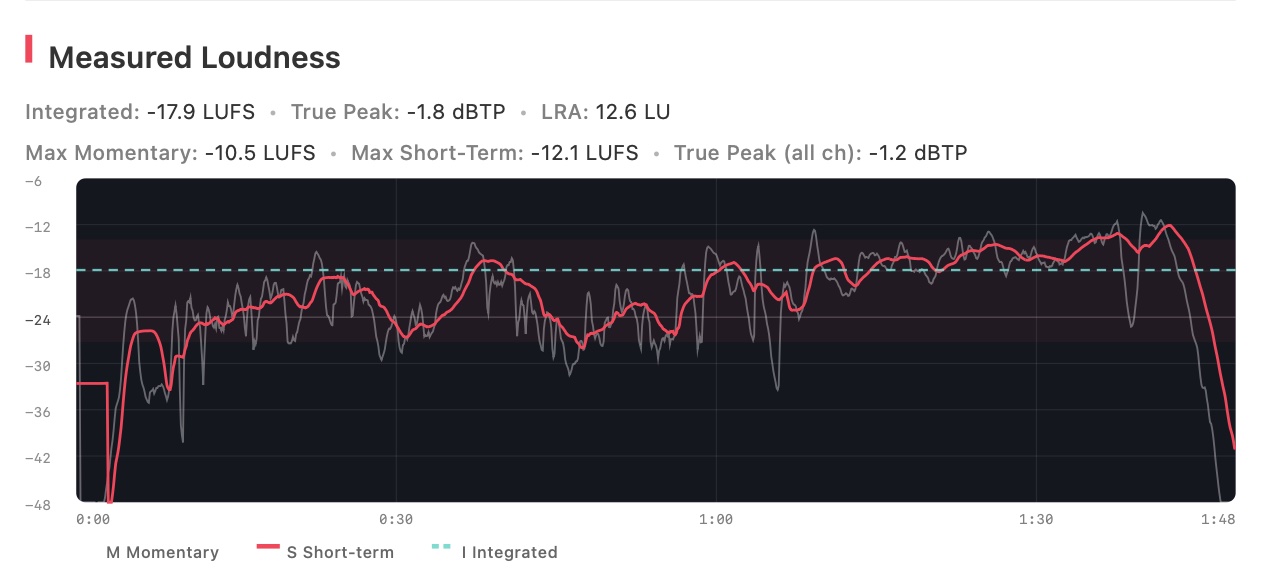
Loudness powered by Cota, our ITU-R BS.1770-5 engine — with peak hold and waveform theme matching, verified against the standard BS.1770-4 and EBU R128 test sequences and cross-validated against ffmpeg/libebur128 to within 0.05 dB on integrated LUFS. Broadcast delivery compliance you can trust. Read how we validated it.
Client-Ready
PDF Reports
Generate detailed reports from ADM BWF files. Visualize bed waveforms, object timelines, and positional automation for fast QC.
Verify content across every speaker position
Track X/Y/Z movement and size automation
Integrated LUFS, true peak, LRA, and time-series graph — measured by Orbit (ITU-R BS.1770-5)
Spot silent objects and missing content
Flexible
Output Routing
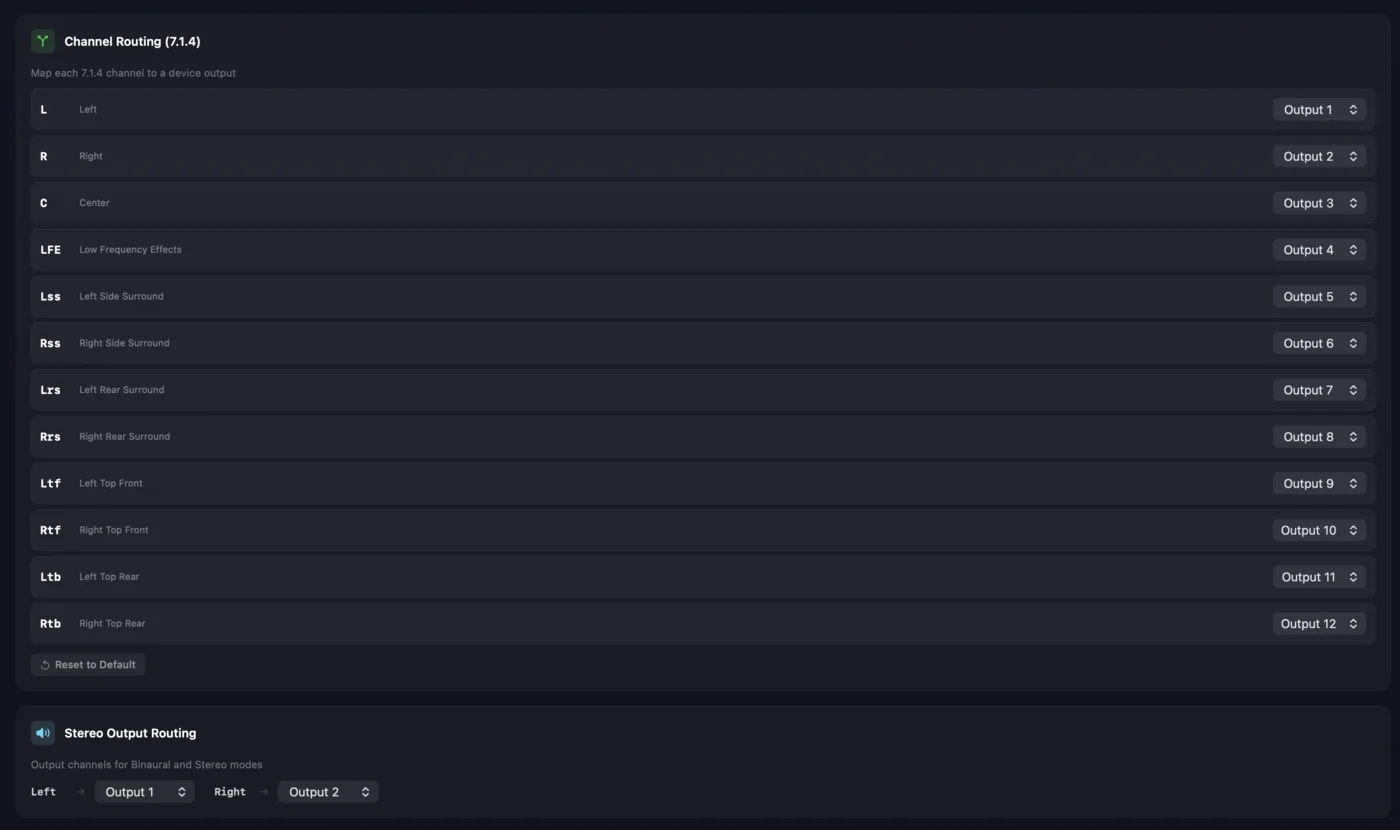
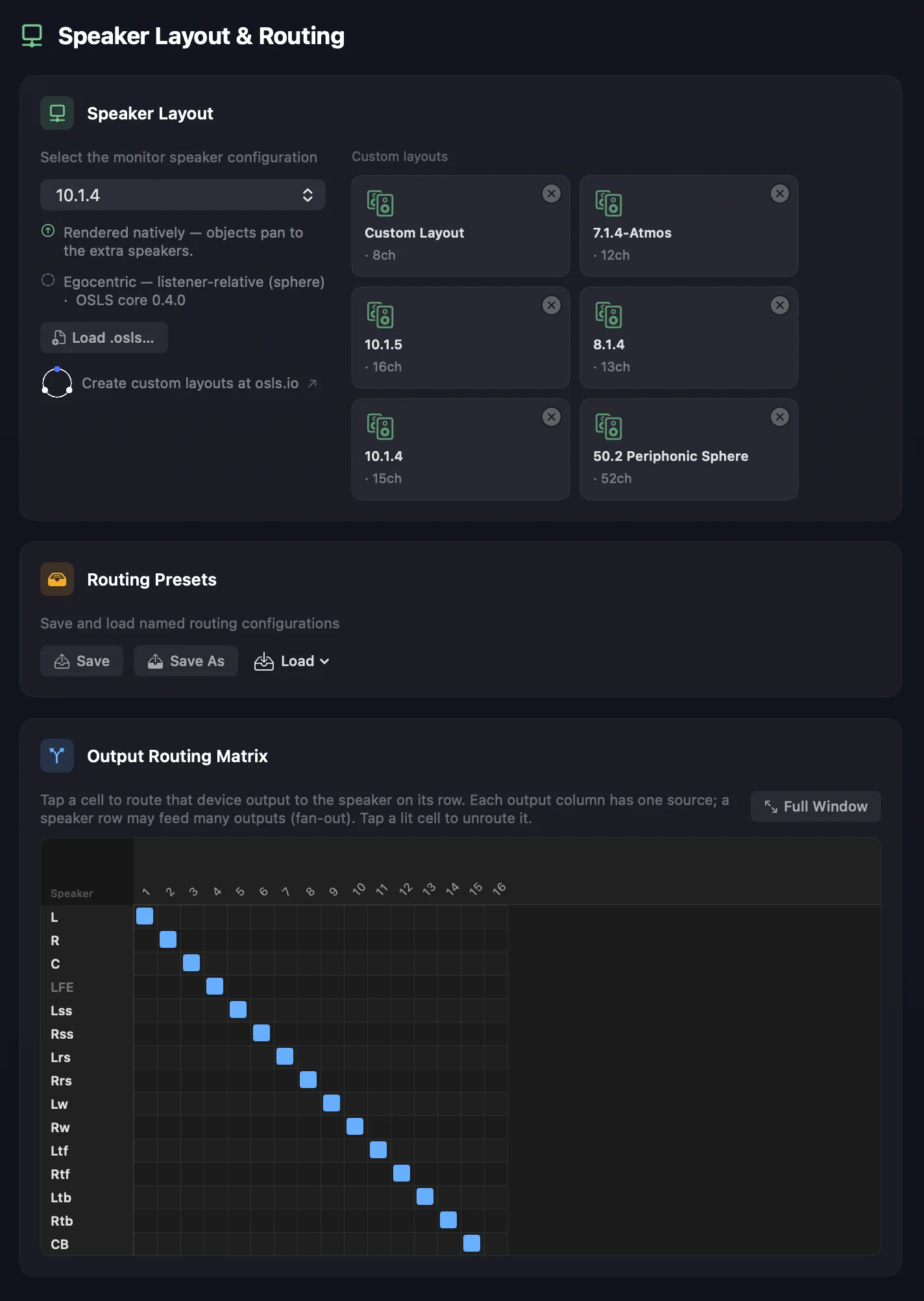
Full control over every output channel. Map any speaker to any device output — across any layout up to 64 channels — so Orbit adapts to your studio setup, not the other way around.
Instantly spot when multiple channels share the same output — no more silent speakers
Separate output selection for binaural and stereo folddown — headphones on outputs 23 & 24? No problem.
Works with any Core Audio device — route to the exact outputs your interface provides
Your Room,
Your Setup
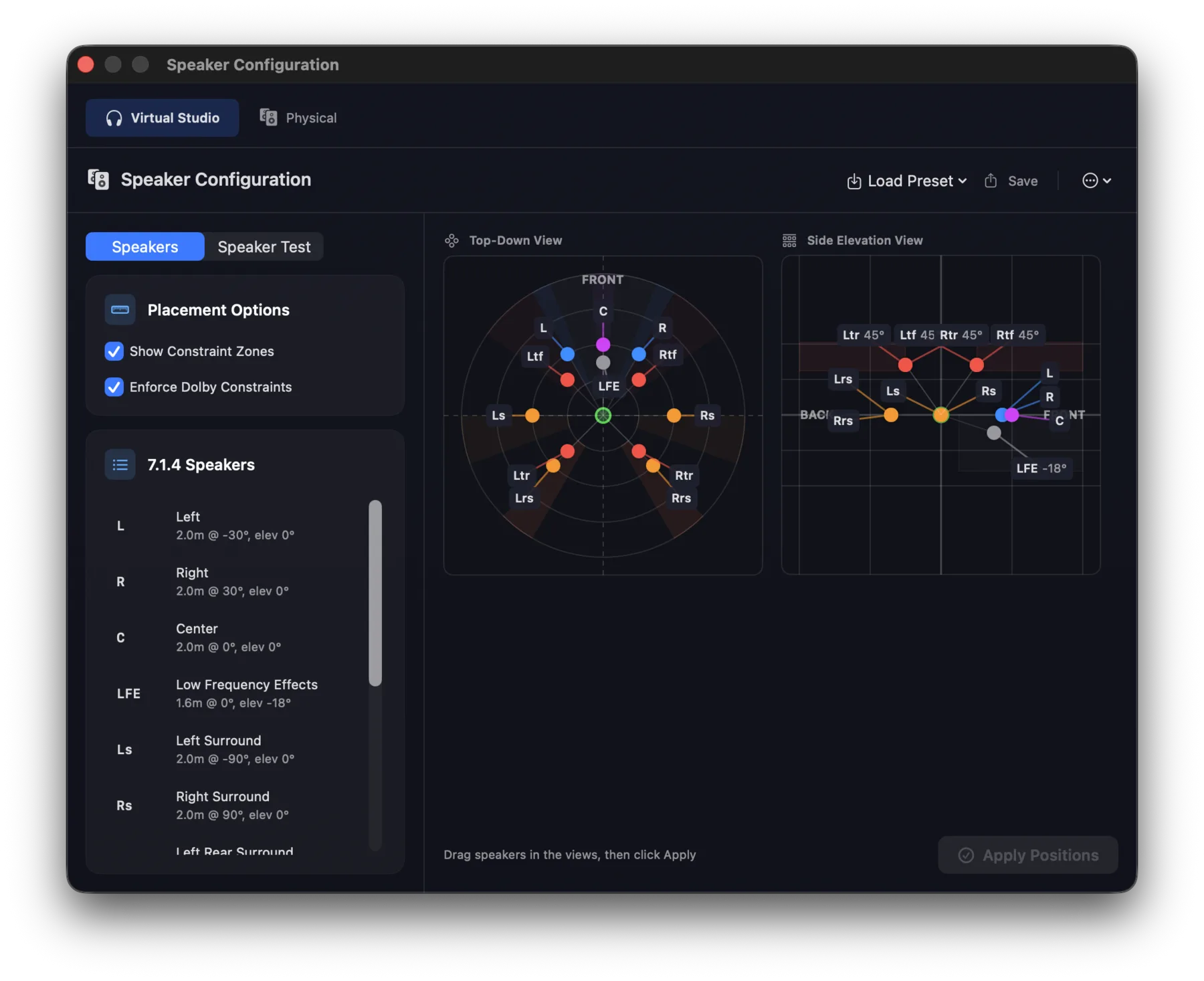
Configure Orbit's virtual speaker environment to match your real-world studio layout — any preset, or a custom rig up to 64 channels via OSLS.
Any Layout
You Can Dream Up
New in 1.5.2 — output to any speaker layout, up to 64 channels. 10.1.4, a 22.2 rig, a 30-speaker dome: if you can describe it, Orbit can drive it. Layouts are described once with OSLS, our open-source Orbit Speaker Layout System, then patched to your interface with the output routing matrix. In both Orbit and Orbit Pro.
Presets or fully custom — beds, objects and scenes make full use of every speaker.
Stable BS.2051 SP-labels, Cartesian and polar positions — one source of truth, no drift.
Spec, JSON Schema and reference SDKs (TypeScript, C, Swift, WASM) on GitHub.
Ready to Experience
Orbit?
Start delivering flawless immersive audio today.
Purchase Orbit Purchase OrbitApple Silicon · macOS 14+