



Orbit 1.5.10 — Stereo Reference, a New Top Bar, and 360 Video Exports
Compare your immersive master with your own stereo mix, one transport with pre-roll and an edit cursor, a new Welcome and your account in the app, the Playlist page, smoother video, and real 360 exports for YouTube, Eclipsa Audio™ and Esfera. Much of it comes early from Orbit 1.6.0.
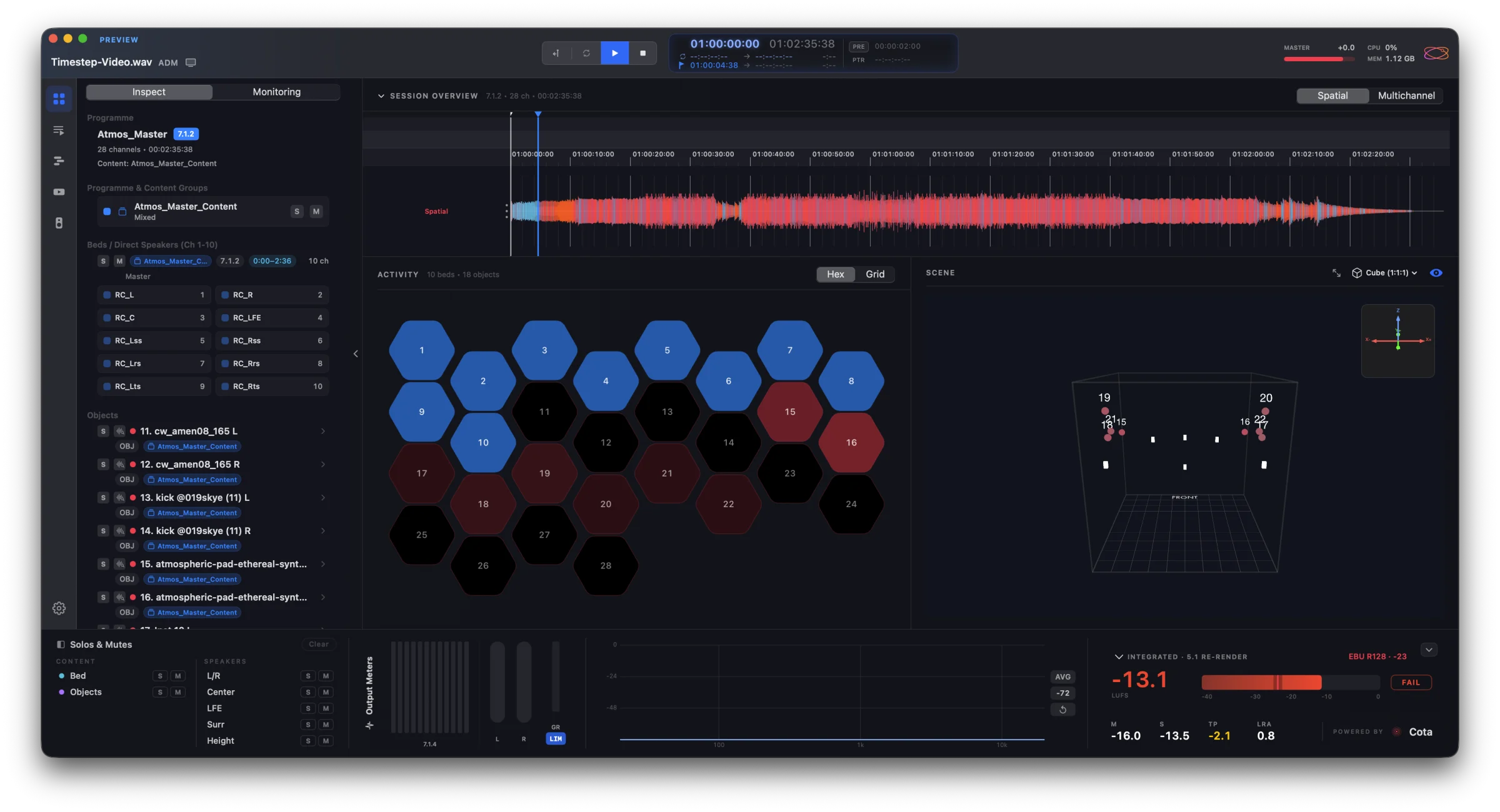
Orbit 1.6.0 has some amazing new features on the way. But some of what we built for it was ready, and we didn’t want you to wait — so Orbit 1.5.10 brings it to you now: a new top bar and transport, a new Welcome, the Playlist page, and a big step forward for video. Alongside it, something new: Stereo Reference.
Stereo Reference
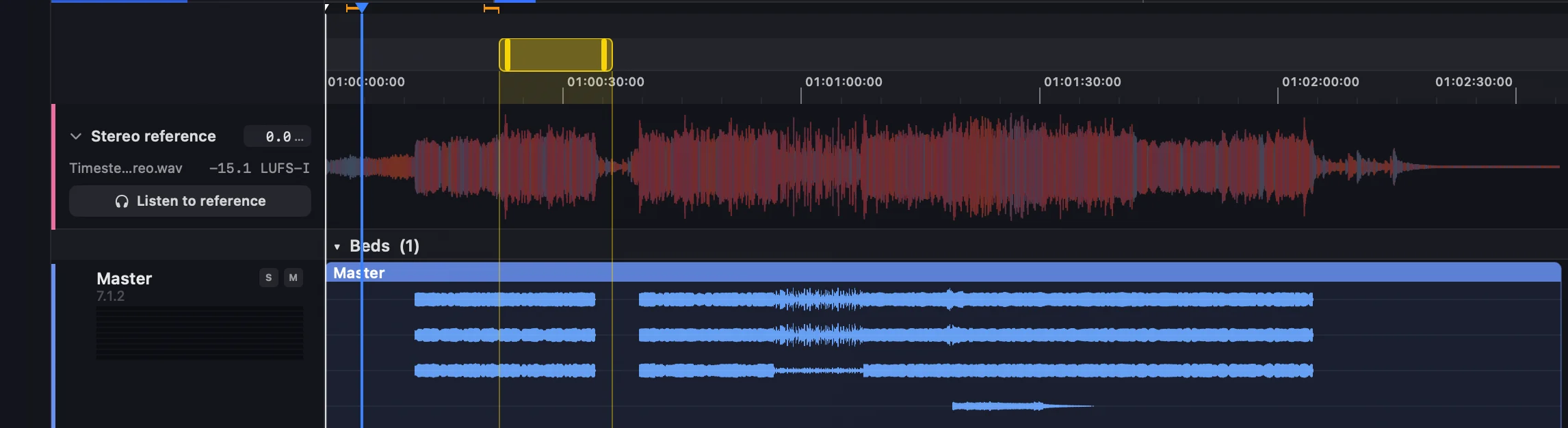
Compare your immersive master with your own stereo mix. File ▸ Add Stereo Reference…, or drop a WAV, AAC or MP3 on the reference lane, and press ⇧⌘A to switch between the two. The switch crossfades, so there’s no click, and the footer tells you when you’re hearing the reference.
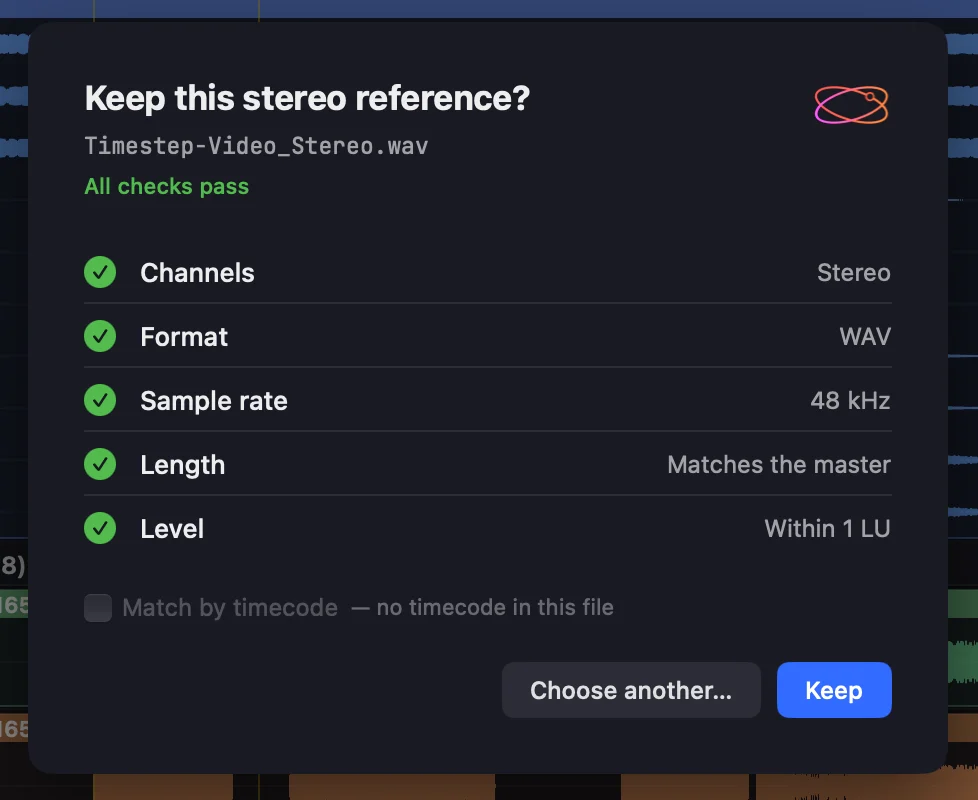
Orbit checks the file against the master — channels, format, sample rate, length, and level against the master’s measured loudness — and asks, never blocks. The reference stays with its track: a session keeps a copy of the file and its Trim, and brings both back when the track opens.
In Orbit Standard and Pro.
A new top bar (from 1.6.0)
One transport. Play, Stop, Loop and track skip sit together beside a bigger timecode card: the position over the total, your loop region and the edit cursor, each on its own line. Double-click a time to type it; right-click the card for the timecode format, frame rate and 2-pop preroll.

- Pre-roll (PRE) starts Play a few seconds before the loop or the edit cursor; orange rails on the timeline show where.
- An edit cursor on every timeline. Click to place it — Play starts there.
- Insertion Follows Playback (IFP) decides whether Stop returns to where you pressed Play. Press Stop twice to go to the start.
- PTR shows the time under the mouse.
- Looping and the timeline grid are now in Orbit Standard — the ruler on the Overview, loop regions and the I / O / L shortcuts.
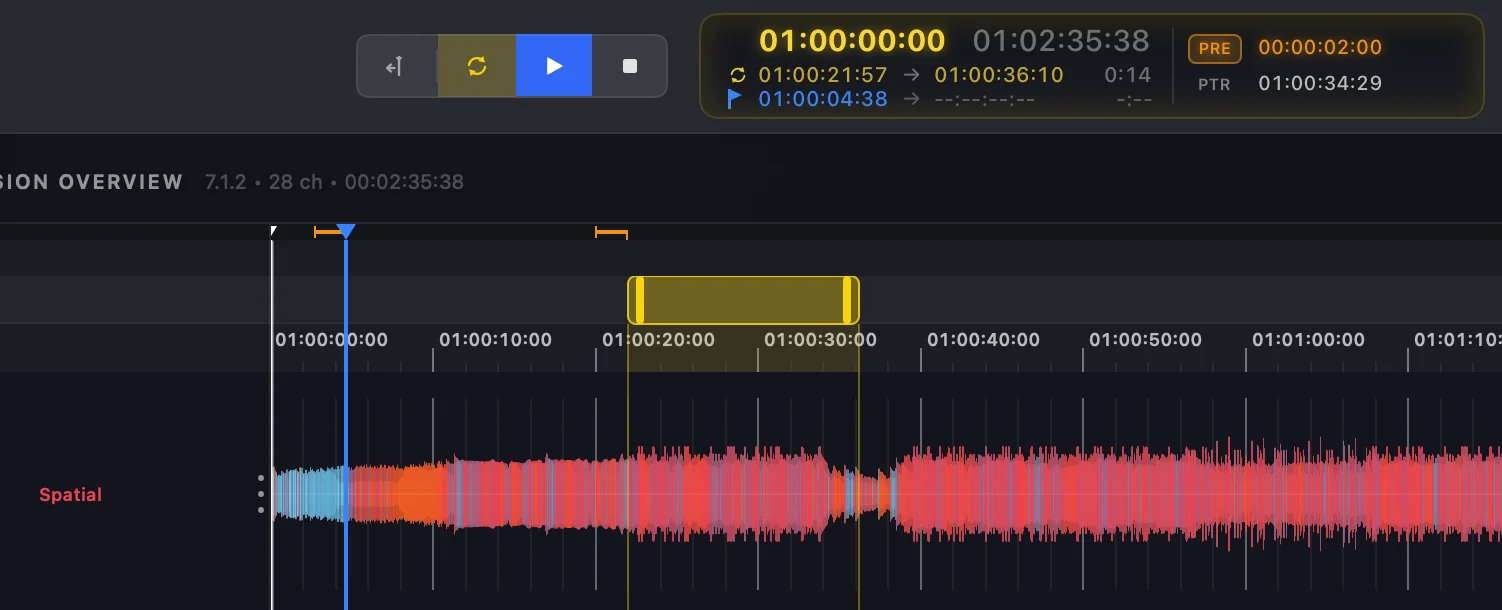
On the Timeline page, every track gets a level meter beside its name, the toolbar becomes the timeline’s own top row, and View ▸ Playhead Scrolling chooses Page, Continuous or No Scroll.
A new Welcome, and your account in Orbit (from 1.6.0)
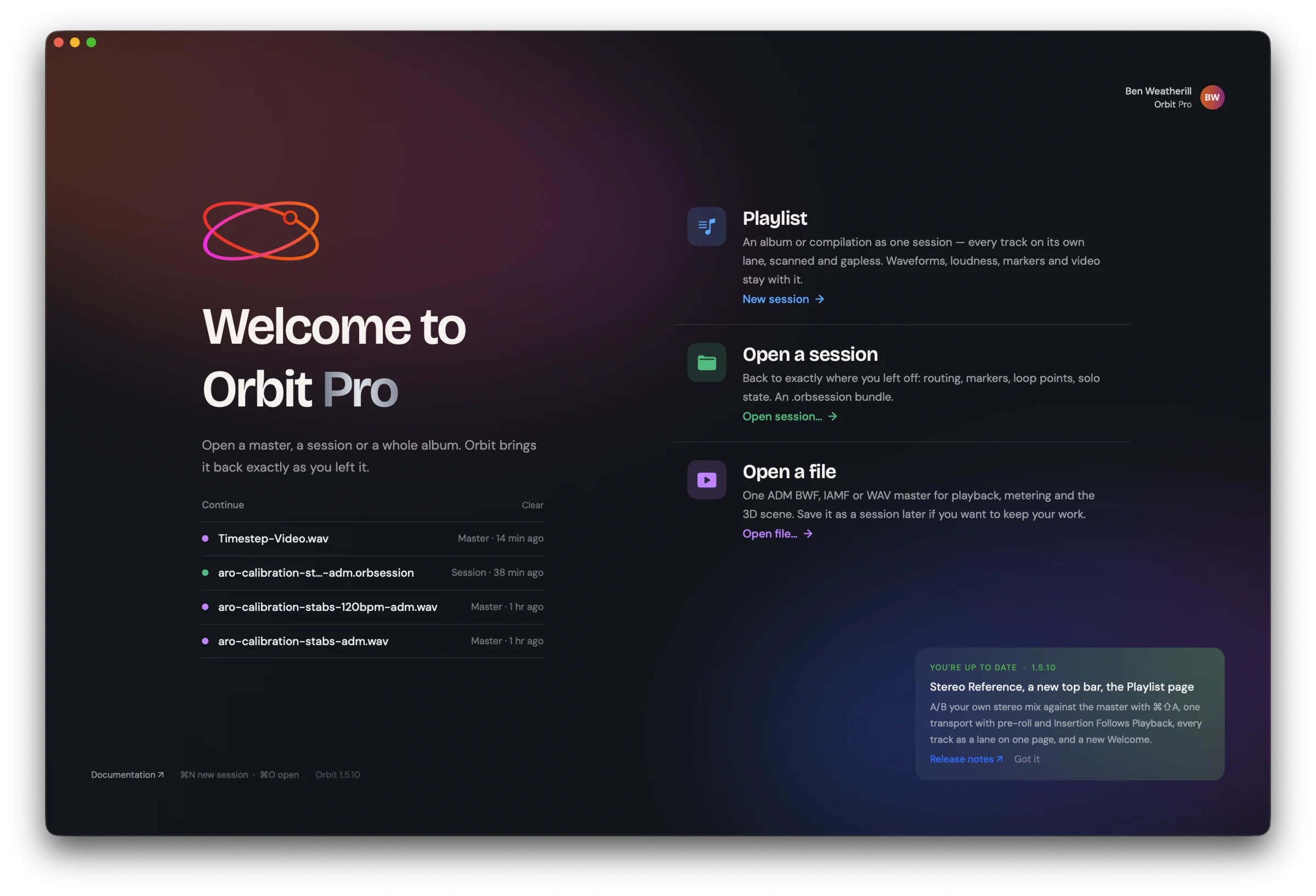
Welcome, loading, sign-in and your account now share one look. Open a file and the Welcome carries you straight into it; the loading screen says what Orbit is doing.
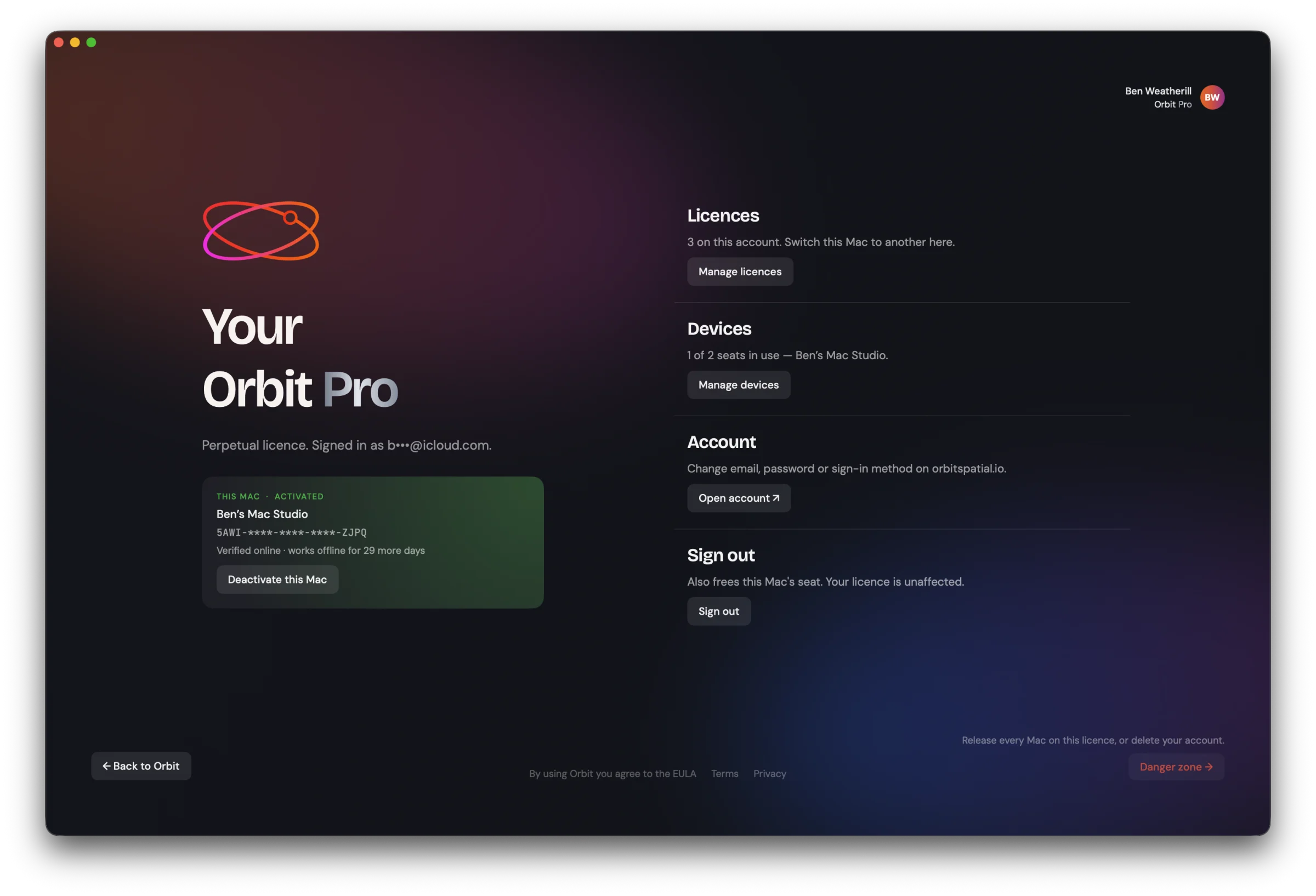
See your licences and devices, release a Mac, change licence or delete your account without leaving the app. Your email stays private on screen (b•••@icloud.com), and Check again on the licence screen asks the server straight away.
The Playlist page (from 1.6.0)
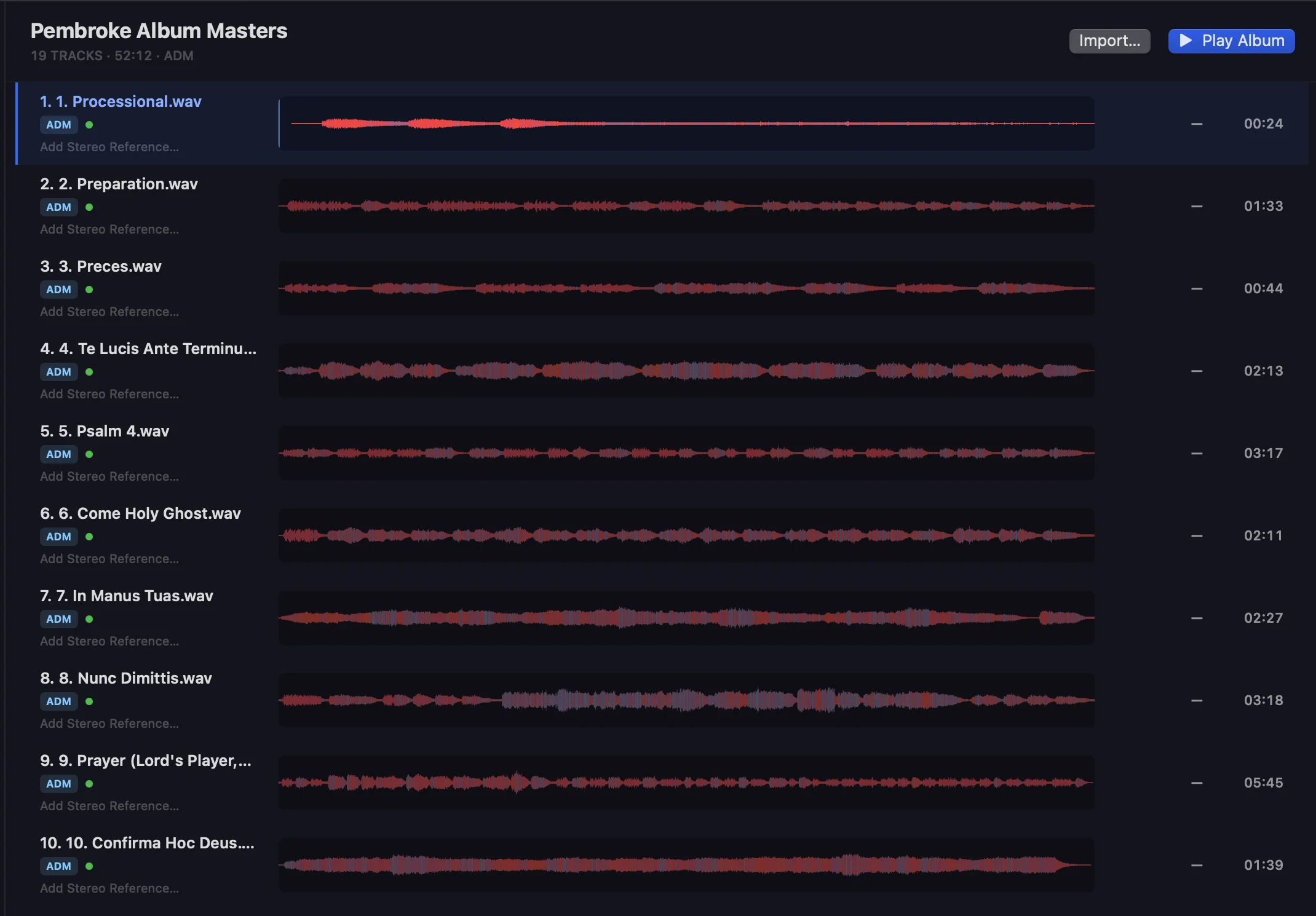
An album on one page. Every track in a session is a full-width waveform lane with its loudness and length beside it — click a lane to play it, and drop ADM BWF, IAMF or WAV masters onto the page to add them. It replaces the Tracks tab, and it’s part of Orbit Pro.
Video, and 360 (from 1.6.0)
- Smoother, faster video. Frames are presented by timestamp, the way QuickTime does it, so 4K at 50/60 fps plays without the stutter. Nothing transcodes in the background unless you ask.
- Accurate colour, and HDR. The viewer matches a BT.1886 reference monitor, and a session can output HDR (PQ) on an HDR display.
- Titles, shapes and burnt-in timecode — titles that animate in and out, shape clips and shape masks, title sizes in points, and a timecode window burnt into your exports.
- 360° video — a 360 viewer with your objects drawn on the sphere, sound that turns with the view in binaural, VR180 and stereo, and an audio heatmap.
- File ▸ Export 360 Video (Pro) writes real, tagged 360 files: YouTube 360 with first-order ambiX and head-locked sound as its own pair, 360 with Eclipsa Audio™ (experimental), and Esfera. Every file is read back to check its 360 tags before Orbit calls it done.
And IAMF exports play with their picture: open one that has video, and its picture plays in its own window, in sync — in Orbit Standard and Pro.
Fixed
- IAMF exports of 5.1 and 5.1.4 beds keep their surrounds, in line with our Eclipsa Audio™ certification.
- Third-order ambisonic IAMF exports with Opus use projection coding, as Eclipsa Audio™ requires.
- AAC IAMF files start on time and keep their last moment.
- Timecode is frame-exact at 23.976, 29.97 and 59.94, and drop-frame really drops.
The full list is in What’s New.
And 1.6.0?
Orbit 1.6.0 is still coming, and it’s a big one — Processing and Mixing among it. We’d rather take the time to get it right than rush it, and we didn’t want the parts that were already finished sitting on a shelf in the meantime. Everything in 1.5.10 carries straight on into 1.6.0.
Requires macOS 14+. Update to Orbit 1.5.10 today — Orbit will offer it to you automatically.
Stable build — v1.5.10.
— The Orbit Spatial Team