


Orbit 1.5 & Orbit Pro 1.5 — Out Now
The biggest Orbit release yet: a full timeline, a real-time Object Activity window, a built-in video editor, and quite possibly the world's most advanced IAMF export. Out now.
Orbit Pro 1.5 is here — and it’s the biggest release we’ve ever shipped.
A new timeline. A dedicated, real-time Object Activity window. A built-in video editor. A completely rebuilt IAMF export. And a faster, clearer way to read any master at a glance — here’s the whole thing in about a minute.
A full timeline
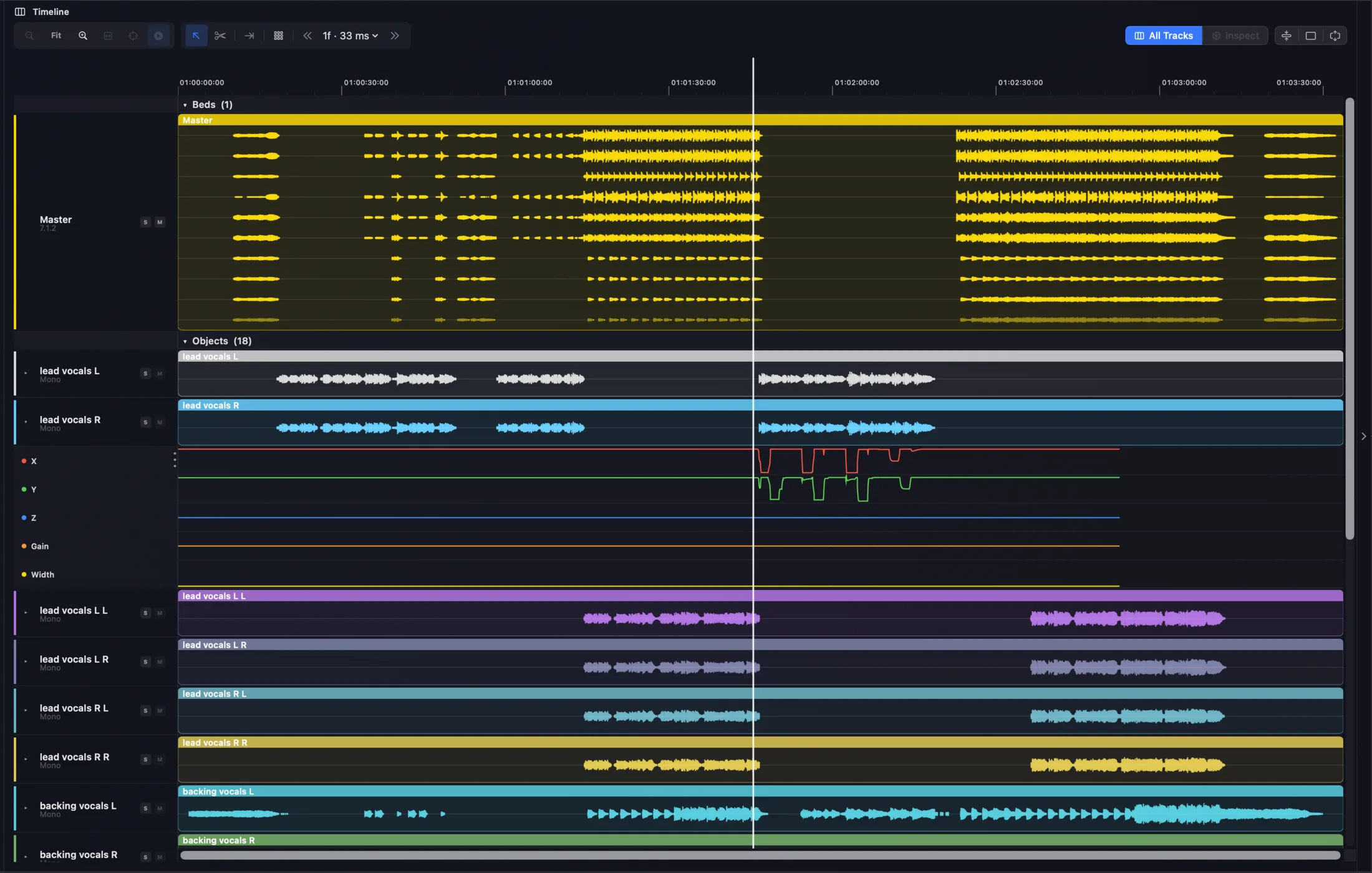
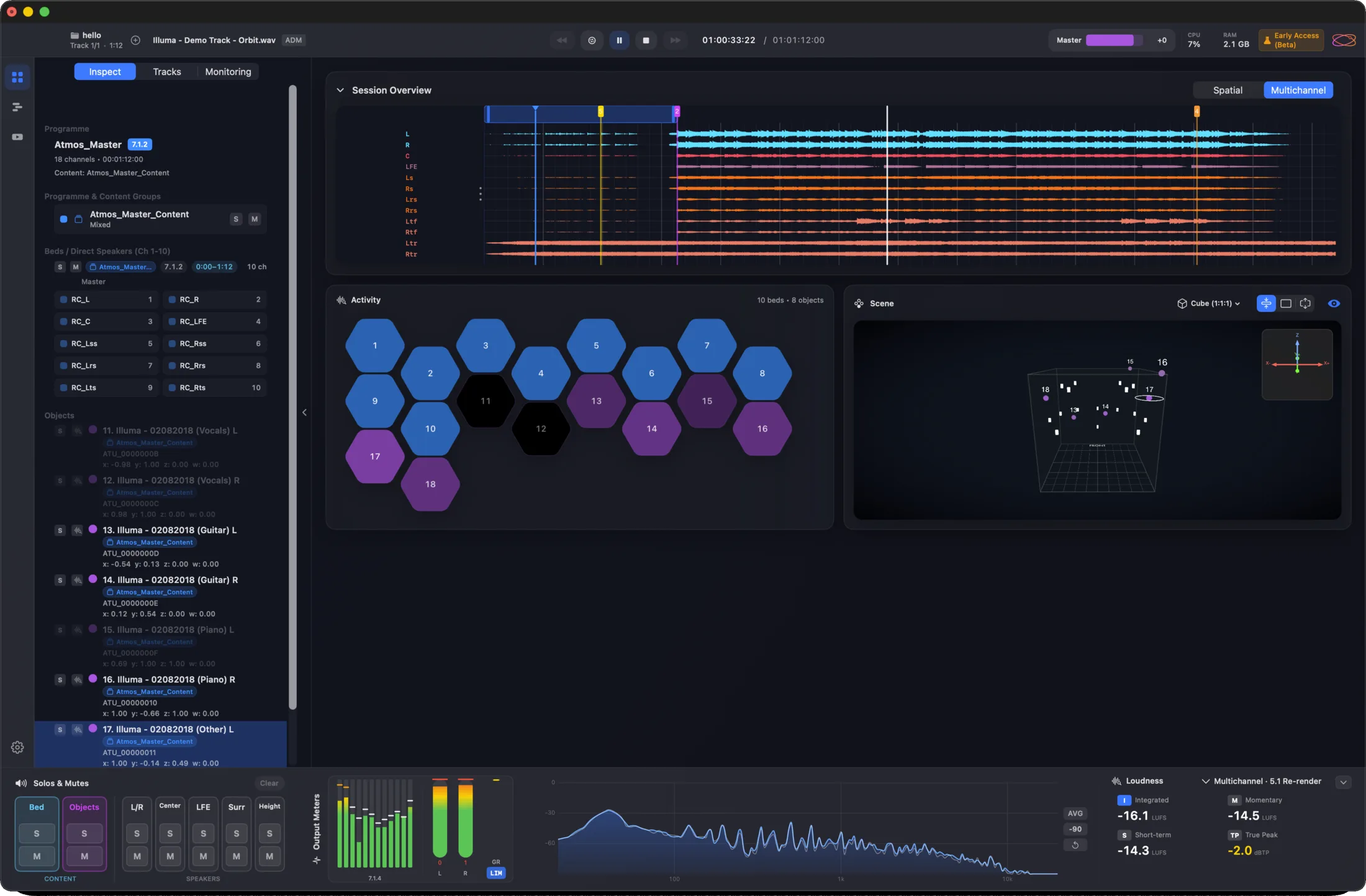
Orbit Pro 1.5 puts your entire master on one timeline — beds, objects and stems as colour-coded waveforms, with per-track soloing, looping and markers. Spot a silent object, read automation, scrub anywhere. The 3D scene and activity grid dock to the right, live as the file plays.
A built-in video editor
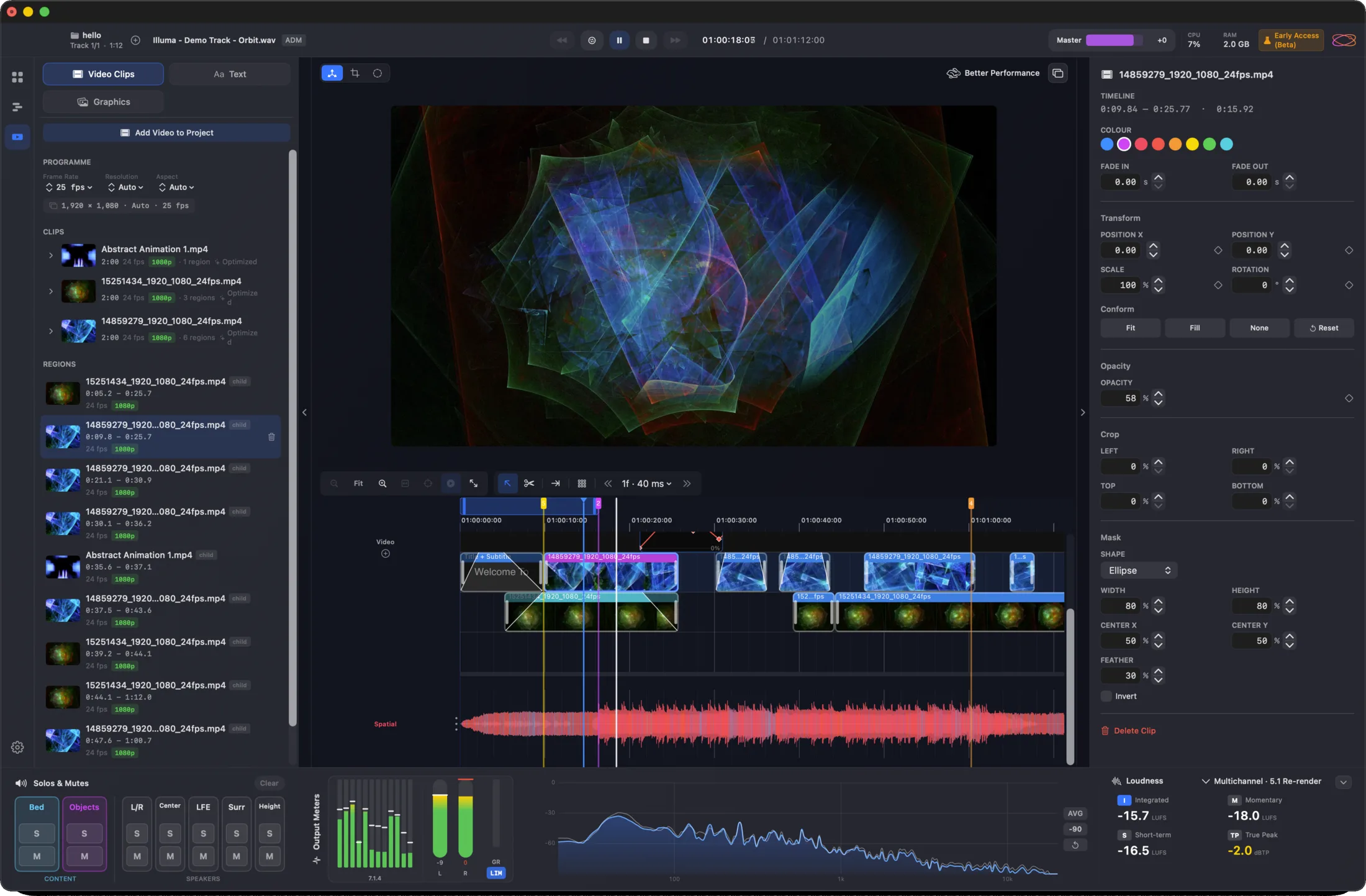
Cutting a music video or podcast bound for IAMF / Eclipsa? Orbit Pro 1.5 includes a genuinely capable editor — fast scrubbing, proxy generation and up to 4K, with text and graphic tools. Don’t need to edit? Just drag your video in and go.
Quite possibly the world’s most advanced IAMF export
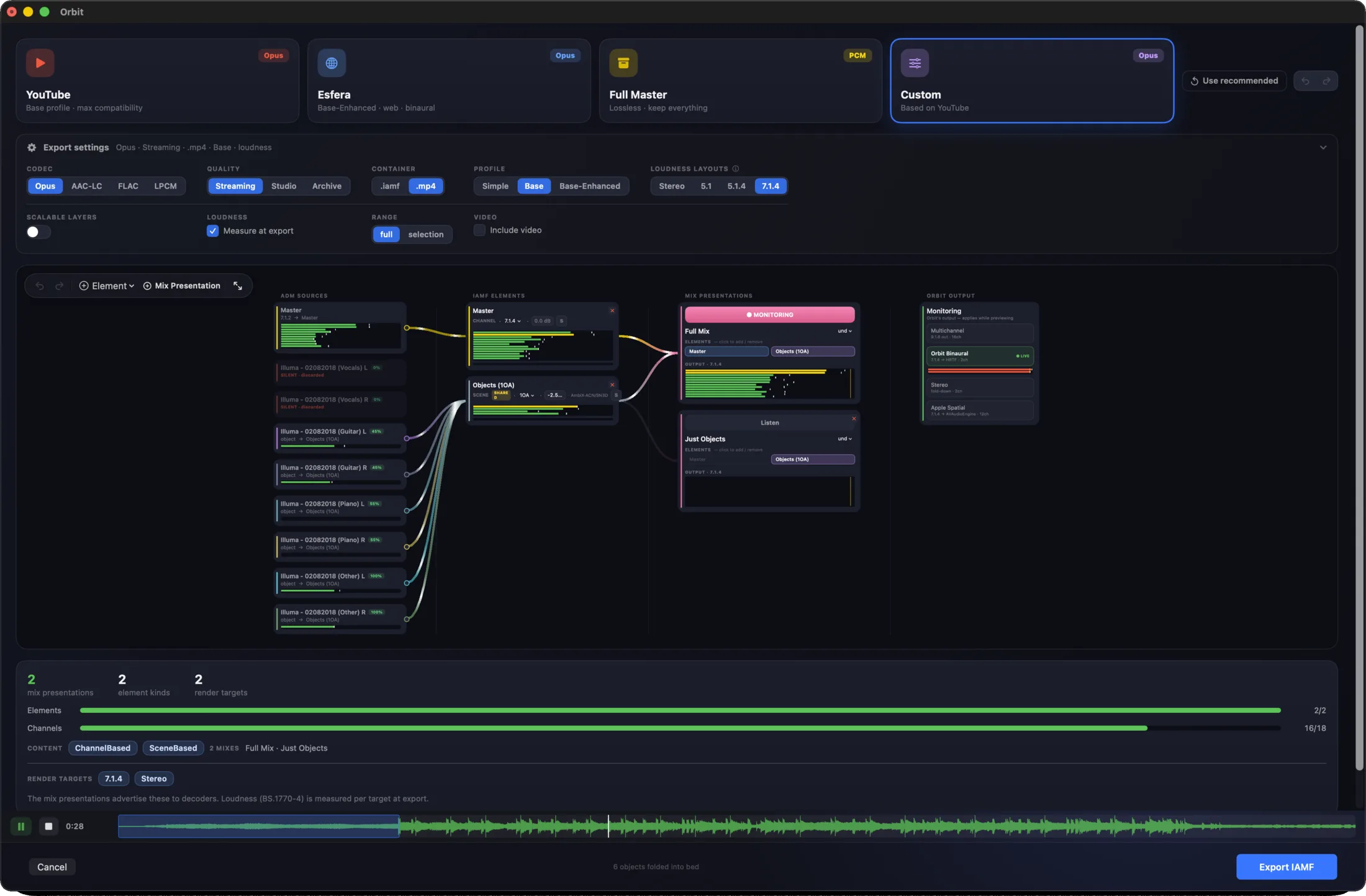
Take an ADM BWF to IAMF / Eclipsa through a full audio-routing graph. Go fast with auto-route presets — YouTube, our upcoming Esfera platform, Full Master — or take complete control. Hear exactly how the file will sound as objects fold into First-Order Ambisonics elements, and craft Mix Presentations for alternate mixes: no-vocals, different languages, and more. Nothing else works quite like it.
Read any master at a glance
The Overview has been refined — session waveforms across the top, the activity grid and 3D scene side by side, full metering below — and there’s a brand-new real-time analyser: fluid, clear and detailed.
One you might have missed: Object Activity
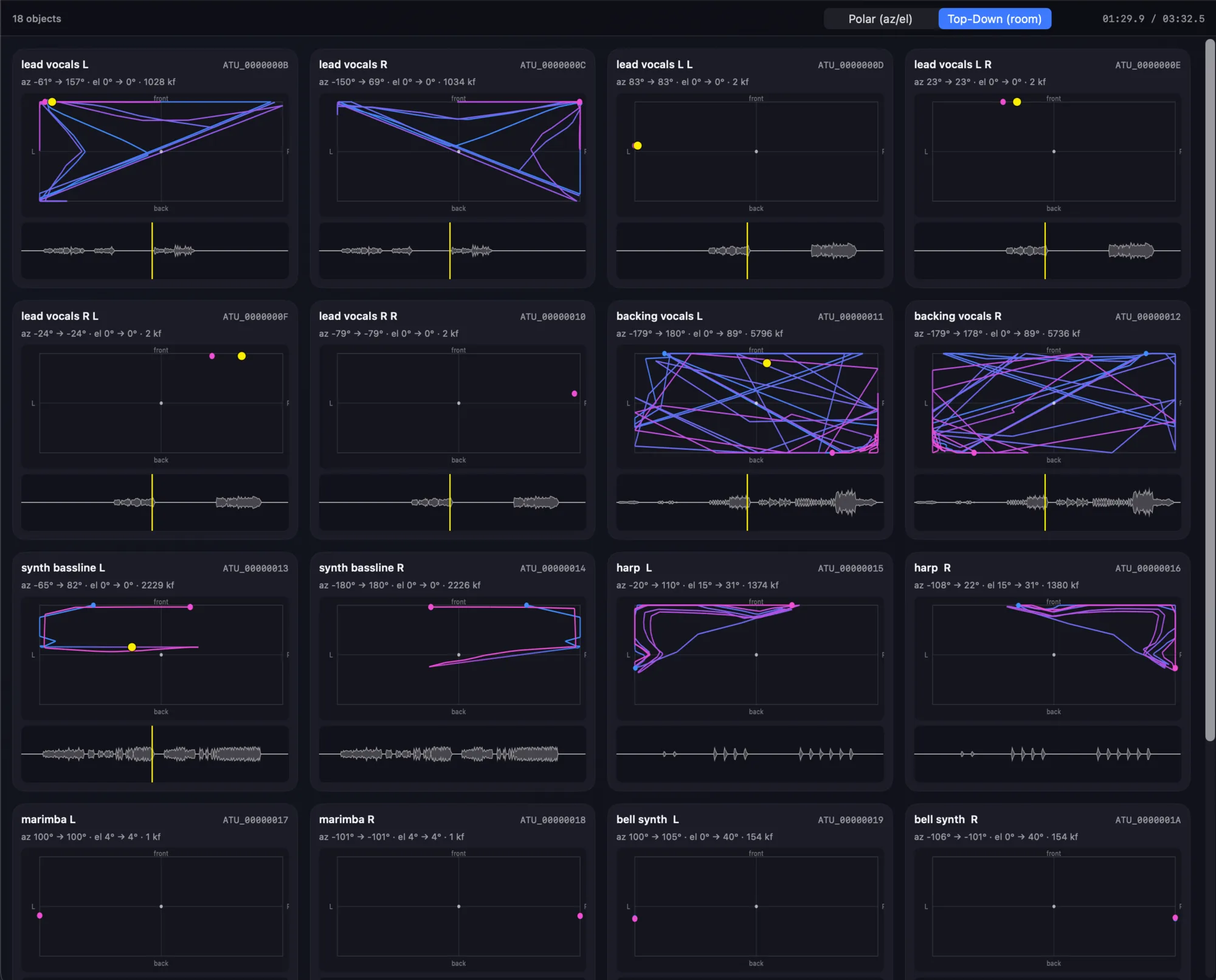
Not new to 1.5 — it’s been in Orbit Pro since 1.4 — but we’ve never really shown it off. Object Activity is a dedicated window, Pro only, that lays out every object in your master and traces its movement in real time. View trajectories top-down or in polar azimuth/elevation, alongside each object’s waveform and live position. If you’ve not opened it, it’s the fastest way to understand what a complex mix is actually doing.
The files you already work with
ADM BWF — every flavour. EBU and broadcast ADM are fully supported. Orbit uses its own rendering engine — no Dolby renderer — to read ADMs as flexibly and accurately as possible. It’s also what lets us visualise a master in the detail you see throughout Orbit.
IAMF 1.0, 1.1 and 2.0. IAMF files open in both Orbit and Orbit Pro. ADM → IAMF export — with or without video — is available in Orbit Pro. From there, take your file to YouTube (on supported devices), our upcoming Esfera streaming platform, or verify it in Google’s IAMF Binaural Web Demo.
Orbit, or Orbit Pro?
The marquee additions in 1.5 — the full timeline, the built-in video editor and the rebuilt ADM → IAMF export — are part of Orbit Pro. Orbit (Standard) lands the 1.5 foundation too, with performance refinements across the board, and remains the most flexible way to play back, inspect and QC ADM and IAMF masters in 7.1.4, binaural and stereo.
Not sure which one you need? Compare Orbit and Orbit Pro →
Early Access — extended one last time
This is a big update, and we want our Early Access users to have time to put it through its paces. So we’re extending Early Access one final time — by seven days, to 3 July 2026. This happens automatically; there’s nothing you need to do.
After that, Early Access closes for good. From then on, the way to try Orbit Pro will be a 14-day free trial.
Get started
New to Orbit? Start a free 14-day trial or purchase a licence.
Already own Orbit? Upgrade paths to Orbit Pro are available — you won’t pay full price again. See your options →
Stay up to date
Follow Orbit Spatial to keep up with what’s next: